
概要
説明
ルネサスのFlexible Software Package(FSP)は、ルネサスのArmマイコンRAファミリを用いた組込みシステム設計向けに、ユーザフレンドリでスケーラブル、かつ高品質なソフトウェアを提供するために設計されたソフトウェアパッケージです。エントリーレベルのマイコンから高性能マイコンまでRAファミリ全体のソフトウェア互換性を保証しています。使いやすく、拡張性をもち、高い品質を備えています。 FSPは、RAファミリの新製品が対応するArm®TrustZone® およびその他の革新的なセキュリティ機能をサポートしており、そのまま製品適用可能な品質のドライバ、Azure® RTOS、FreeRTOS™、およびその他の多様なミドルウェアスタックを用いて、セキュアな IoT デバイスを迅速かつ多彩な方法で開発できます。
download 最新FSP(v6.5.0)をダウンロード:
FSPプラットフォームインストーラ (e² studio IDE、ツールチェーン、FSPパックを含む):
RAスマート・コンフィグレータ(RASC)インストーラ (IAR Embedded Workbench, Arm Keil MDKを搭載したサードパーティIDEで使用するFSPパッケージ):
FSP Standalone Installer (FSP のみを更新し、e² studio を更新しないユーザー向けの FSP パック):
- GitHub の Assets セクションからダウンロード
インストール手順については、こちら。すべてのFSPリリースとパッチは GitHubにあります。
FSP にはクラス最高水準の、高性能かつ省メモリフットプリントを実現している HAL ドライバが含まれています。 また、Azure® RTOSとFreeRTOSにインテグレーションされた各種ミドルウェアスタックにより、通信やセキュリティなどの複雑な実装が容易になります。統合開発環境e² studio は、プログラミングとデバッグを簡単かつ迅速に行うための直感的なコンフィグレータおよびインテリジェントなコード生成をサポートします。
リファレンスで提供されるAzure® RTOS、FreeRTOSを使用せず、ベアメタルでの使用、お好みの リアルタイムOSの使用、既存のソフトウェア資産、サードパーティのエコシステムソリューションの使用など、FSPはユーザの開発に柔軟性をもたらします。 FSPとe² studioは無償でご利用可能です。
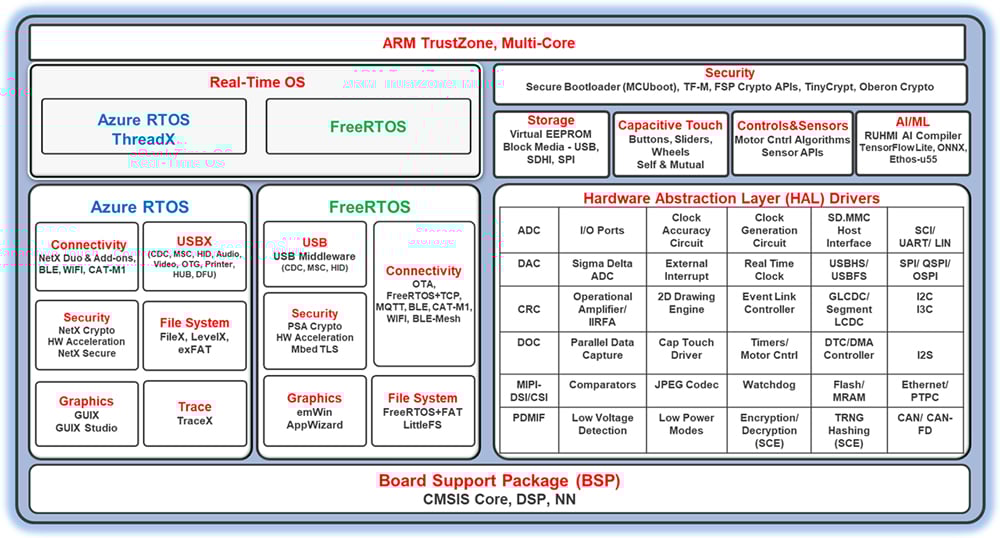
特長
- Arm® Cortex®-MベースのRAマイコンにおけるマルチコアおよびシングルコアのサポート
- メモリ使用量の小さい HALドライバ
- 直感的に操作できるコンフィグレータとコードジェネレータ
- 業界標準ツールを用いた静的解析と動的解析
- RTOSを使用するアプリケーション、ベアメタルアプリケーションの双方をサポート
- Azure RTOSとそのミドルウェアスタック
- Azure RTOS ThreadX、NetX Duo & Add-ons、USBX、GUIX & GUIX Studio、FileX、TraceX、exFAT、LevelX、NetX Duo Secure & NetX Crypto(ハードウェアアクセラレーションに対応)
- FreeRTOSに対応するカーネルとソフトウェアライブラリ
- FreeRTOSカーネル, FreeRTOS-Plus-TCP, Core MQTT, Core HTTP/HTTPS, タスクプール, セキュアソケット, セルラーインタフェース
- ツールでコンフィギュレーション可能なRTOSリソース (threads, mutexesなど)
- ルネサスやサードパーティのミドルウェアスタック
- AI/MLの効率的な統合を実現する、CM85ベースのマイコン向けEthos-U55のサポート
- TCP/IP、および MQTT をはじめとする各種コネクティビティプロトコルスタック
- CDC、HID、マスストレージに対応した USB ミドルウェア
- セルラー(Cat-M1)、Wi-Fi、Bluetooth LE 5.0(BLE Mesh)によるワイヤレス接続
- FreeRTOS+FATおよびLittleFS のファイルシステム
- SDMMC、SPI、USB のストレージ (ブロックメディア) に対応
- データフラッシュを利用したの仮想 EEPROMエミュレーション
- ボタン、スライダ、ホイールなどに対応する静電容量式タッチミドルウェア
- モータ制御アルゴリズム
- MCUbootを用いたセキュアブートローダ
- センサモジュールAPI
- Arm® TrustZone® 対応
- TrustZoneに対応したドライバとミドルウェア
- TrustZone コンフィギュレーション
- PSA Level2認定
- AWSパートナーデバイス認定(FreeRTOS)
- 主要クラウドプロバイダへの容易な接続
- NetX Duo SecureとMbed TLSを用いたセキュアな接続
- 暗号化APIとMCUに搭載するハードウェアアクセラレータへの対応
- 低価格RA2E1デバイス向けのOberon Ocryptoの対応
- Arm PSA暗号化API
- Azure RTOS NetX 暗号化API
- FSP Crypto API(SCE9保護モード)で究極のセキュリティ
- 制約のあるデバイスにも使用可能なTinyCrypt
- グラフィックインターフェース対応とツール
- RAデバイス向けのLVGL統合サポート
- Segger emWin(RAユーザはSegger emWinグラフィックツールとライブラリを無料で以下からダウンロードしてご利用いただけます)
- Azure RTOS GUIXおよびGUIX Studio(Microsoftアプリストアで無料でご利用いただけます)
- セキュアデバッグ
- ルネサスと業界をリードするパートナによる開発ツールソリューション
- インストーラにより必要なコンポーネントすべてを簡単にセットアップ可能 (e2 studio、CMSIS パック、ツールチェーンと Segger J-Link ドライバ)
- ソースコードは全てGitHubから入手可能
リリース情報
For additional information and links, go to GitHub.
v6.5.0
Release Notes
Flexible Software Package (FSP) for Renesas RA MCU Family, version 6.5.0.
Minimum e2 studio version for FSP 6.5.0 is e2 studio 2026-04.2
Download the FSP with e2 studio Windows installer for this release, setup_fsp_v6_5_0_e2s_v2026-04.2.exe, from here.
Download the FSP with e2 studio Linux installer for this release, setup_fsp_v6_5_0_e2s_v2026-04.2.xz.run, from here. Refer to installation steps for information on installing e2 studio and related software components in a Linux PC.
Download the FSP with e2 studio macOS (Apple Silicon) installer for this release, setup_fsp_v6_5_0_e2s_v2026-04.2.pkg, from here. Refer to installation steps for information on installing e2 studio and related software components in a macOS PC.
If you are using IAR or Keil MDK, download the Renesas Advanced Smart Configurator for your operating system.
- For Windows download: FSP RASC Windows Installer
- For Linux download: FSP RASC Linux Installer
- For Mac OS (Apple Silicon) download: FSP RASC macOS Installer
Post - FSP v6.5.0 changes to toolchain support
Future releases of FSP will no longer ship with the GCC toolchain integrated within the combined e2 studio/FSP platform installer. The use of the GCC toolchain with FSP will still be supported, and an option in the platform installer will allow GCC to be downloaded from the internet and installed as part of the overall install process. Alternatively, it is possible to link e2 studio to an installation of the GCC toolchain already on the user's computer.
Note: The LLVM toolchain/Arm Toolchain for Embedded (ATfE) will continue to be integrated within the e2 studio/FSP platform installer.
With FSP 6.3.0 and later, when using the LLVM toolchain the compiler optimization level is set to -Os by default for RA4/RA6/RA8 MCUs, whereas previous FSP's would use -O2. This has been done as with LLVM, -Os causes a balance of optimizations similar to GCC's -O2 option.
Note that for RA0/RA2 MCUs, where keeping memory size to a minimum is typically of primary importance, the -Oz optimization level is selected by default.
All installers are available in the Assets section of this release.
Refer to the https://github.com/renesas/fsp/blob/master/README.md "README.md" in the FSP root folder for setup instructions, hardware details, and related links.
New Features
- MCUboot Solution Template Enhancements:
- Single‑Image MCUboot Templates:
- Added MCUboot single image solution template for RA6 CM4 devices (RA6M1, RA6T1, RA6M2, RA6M3) using mbedtls
- Added MCUboot single image solution template for cm33 devices (RA6M4, RA6M5, RA4M2, RA4M3) using mbedtls with crypto accelerator
- Added MCUboot single image solution template for cm33 devices (RA6M4, RA6M5, RA6E1, RA4M2, RA4M3, RA4E1) using mbedtls with crypto accelerator
- Added MCUboot single image solution template for CM85 devices using mbedtls with crypto accelerator
- MCUboot with MMF (Mirrored Memory Flash) Support:
- Added MCUboot single image solution template in MMF mode for RA6 CM4 devices (RA6M1, RA6T1, RA6M2, RA6M3) using mbedtls
- Added MCUboot single image solution template in MMF mode for RA2A2 using mbedtls
- Multi‑Image MCUboot Templates:
- Added MCUboot multi-image image solution template in Overwrite mode for CM85 devices (RA8P1, RA8D2, RA8M2, RA8T2) using mbedtls
- Single‑Image MCUboot Templates:
- Middleware and Feature Additions:
- Added support for Host USB Video Class (HUVC) driver
- Updated LVGL graphic library to version v9.5.0
- Added support for LwIP SNMP application
- Added link detection support for all RMAC port from r_layer3_switch
- New Board and Package Support:
- Added support for EK-RA8P1, EK-RA8M2, EK-RA8D2 V2 board
- Updated FSP pin configuration support for:
- RA8M1, RA8M2 and RA8T1 (169‑BGA package)
- RA4L1 (72-WLCSP package)
- RA0E1 (20-TSSOP package):
- Removed the sub-clock and its pins from FSP clock configuration and pin configuration
- Initialized the sub-clock related registers per TU
- Cryptography and Security Updates:
- Added HMAC-SHA3 224/256/384/512 feature for RSIP-E50D
- Added xDLMS InitiateRequest message decryption feature for RSIP-E11A
- Updated to MbedTLS version 3.6.6
Fixes and Improvements
- Added support to disable the TAU_PWM master-channel interrupt
- OFS register ZHUK is placed after PBPS
- Fixed the issue where the IPV settings are not applied to the VLAN and Layer 3 entries
- Support MAC table searches by source MAC address, destination MAC address, or both
- Added support of lwIP PPP configuration
- Updated the CCD setting description in r_ioport to notify users to enable CCD support when using CCD pins
- Improved CTSU2 diagnosis feature in r_ctsu
- Fixed issues in CTSU2 CCO correction for devices with certain characteristics (announced in R20TS1229EJ0100), and CTSU1 CCO correction for RA4M2 and RA4M3
- Fixed MPU region size check to avoid configuring zero size regions when D-Cache is enabled for RA8 devices
- RSIP Protected Mode driver improvements:
- Reduced code size for RSIP-E51A and RSIP-E50D PM drivers
- Updated control procedures for RSIP-E11A PM driver to code size reduction version
- Updated CAVP certified module for RSIP-E31A PM driver due to re-acquisition of CAVP certification
- Bugs fixed:
- Buffer size of cert info and wrapped secret was not defined correctly when using brainpool curve
- Buffer size of input message was not defined correctly when using KDF-SHA 512
- Updated PQC-Lib V2.00 with stack overflow bug fix
- Fixed incorrect bit length for SCE9 PSA Crypto wrapped keys
- Updated description for RAMP in MDF
- Fixed link bug r_ether with ICS1894 PHY
- Updated IAR toolchain to v9.70.4
- Fixed build error when user custom PHY function is used on ESWM
- Fixed rm_motor_control callback issue when 2 motors are enabled
- rm_motor_pm_foc module:
- Fixed a unit typo where degree values were assigned to variables intended to be in radians
- Optimized the sine and cosine calculations in the transform function within the current control loop of rm_motor_pm_foc_inner
- Fixed typos in rm_motor_pm_foc.h:
- Renamed p_to_outer_active to p_to_inner_active in the outer module
- Renamed p_to_outer_copy to p_to_inner_copy in the outer module
- rm_motor_sensor module:
- Fixed a unit typo where degree values were stored in variables intended for radians
- Fixed an issue where the sign of e_q inverted during deceleration, causing a loss of value continuity and resulting in incorrect angle integration
- Added D-Cache enabled support for RA8 devices for below modules:
- DTC: Review DTC documentation for details
- SPI_B: Review SPI_B documentation for details
- SCI_B_SPI: Review SCI_B_SPI documentation for details
- SCI_B_UART: Review SCI_B_UART documentation for details
- Corrected the copyright notice errors in the CAVP module source files for RSIP-E31A
- Improved rm_psa_crypto SHA-256 code to handle message lengths that are multiples of 128 bytes
- Updated workaround document for e2 studio 2026-04 pin configuration tooling
- Updated the BSP usage notes and Cortex-M85 cache document with information relevant to DTC driver D-Cache support
- Fixed an error in the macro definitions that specify the sizes of the key buffer for SCE9 Key Injection
- Fixed pin output support enable when using the compare match feature
- LVGL updates:
- Enabled runtime control of the GPU (enable/disable)
- Fixed the screen lock issue when using Dave2D
- Set LV_USE_OBJ_NAME to enabled by default
- Fixed D-Cache enable and warmstart post-initialization call sequence in SystemInit()
- Corrected maximum configurable bitrate for R_SPI_B
- Updated procedures for RSIP-E51A
- ThreadX projects no longer globally disable GCC sign conversion warnings
- Fixed WDT security attribution not set in secure project in RA8x2
Known Issues
- Solution Projects (TrustZone, Multicore):
- There are issues related to pin configuration in e2 studio 2026-04.2. Refer to this document for workarounds
- RA0x devices:
- HS400x and ZMOD4xxx sensors cannot be used on RA0E1
- FS3000 sensor does not support SAU-I2C driver
- Selecting 'Safely Remove Hardware and Eject Media' on Windows and eject the mass storage (PMSC), when using USBX composite device (PCDC+PMSC), the Windows Explorer for PMSC does not disappear.
- PMSC may not work properly when USBX Composite Device (PCDC+PMSC) is connected to a specific Linux OS (USB Host).
- EWARM version 9.70.4 does not contain support for RA0E3. To develop with IAR for these devices, it is necessary to install a support patch file, for which can be downloaded by EWARM v9.70.4 users from the IAR MyPages system
- RA0E3 (arm_Renesas_RA0E3_20260106_1.zip)
- When importing projects in e2 studio that were created using a previous toolchain version be sure that the version specified in the project is integrated (Window->Preferences->Renesas->Renesas Toolchain Integration) or select the appropriate toolchain version if upgrading the project to a later FSP version.
- When upgrading RA6T2 projects to FSP 6.4.0, the GTETRGx pin assignments might be lost, please re-assign the pins manually.
- When upgrading RA0E1/E2/L1 projects to FSP 6.4.0, the SAU_SPI00 pin group might be changed, please restore the pin group manually.
- For known issues in the tools, please refer to the respective tool's release notes e2 studio RN.
- Updated rm_psa_cryto header to allow using the functions in a CPP project
ターゲットデバイス
ダウンロード
|
|
|
|
|---|---|---|
| 分類 | タイトル | 日時 |
| ソフトウェア/ツール-ソフトウェア | 简体中文 | |
| ソフトウェア/ツール-ソフトウェア | 简体中文 | |
| ソフトウェア/ツール-ソフトウェア | 简体中文 | |
| ソフトウェア/ツール-ソフトウェア | 简体中文 | |
| ソフトウェア/ツール-ソフトウェア | 简体中文 | |
| ソフトウェア/ツール-ソフトウェア | 简体中文 | |
6件
|
||
ドキュメント
|
|
|
|
|---|---|---|
| 分類 | タイトル | 日時 |
| マニュアル-ソフトウェア |
PDF
51.49 MB
The Renesas Flexible Software Package (FSP) is an optimized software package designed to provide easy-to-use, scalable, high-quality software for embedded system design. The primary goal is to provide lightweight, efficient drivers that meet common use cases in embedded systems. This manual describes how to use the Renesas Flexible Software Package (FSP) for writing applications for the RA microcontroller series.
|
|
| マニュアル-ソフトウェア | ||
| アプリケーションノート |
PDF
704 KB
The EK-RA2A1 example project shows how to write code for various Renesas Flexible Software Package (FSP) modules supported by the EK-RA2A1 kit. The Flexible Software Package provides an optimized, easy-to-use, scalable, and high-quality software solution for embedded system design.
|
|
| アプリケーションノート |
PDF
611 KB
The EK-RA2A2 example project shows how to write code for various Renesas Flexible Software Package (FSP) modules supported by the EK-RA2A2 kit. The Flexible Software Package provides an optimized, easy-to-use, scalable, and high-quality software solution for embedded system design.
|
|
| アプリケーションノート |
PDF
662 KB
The EK-RA2E1 example project shows how to write code for various Renesas Flexible Software Package (FSP) modules supported by the EK-RA2E1 kit. The Flexible Software Package provides an optimized, easy-to-use, scalable, and high-quality software solution for embedded system design.
|
|
| アプリケーションノート |
PDF
641 KB
The EK-RA2E2 example project shows how to write code for various Renesas Flexible Software Package (FSP) modules supported by the EK-RA2E2 kit. The Flexible Software Package provides an optimized, easy-to-use, scalable, and high-quality software solution for embedded system design.
|
|
| アプリケーションノート |
PDF
683 KB
The EK-RA2L1 example project shows how to write code for various Renesas Flexible Software Package (FSP) modules supported by the EK-RA2L1 kit. The Flexible Software Package provides an optimized, easy-to-use, scalable, and high-quality software solution for embedded system design.
|
|
| アプリケーションノート |
PDF
609 KB
The EK-RA2L2 example project shows how to write code for various Renesas Flexible Software Package (FSP) modules supported by the EK-RA2L2 kit. The Flexible Software Package provides an optimized, easy-to-use, scalable, and high-quality software solution for embedded system design.
|
|
| アプリケーションノート |
PDF
655 KB
The EK-RA4E2 example project shows how to write code for various Renesas Flexible Software Package (FSP) modules supported by the EK-RA4E2 kit. The Flexible Software Package provides an optimized, easy-to-use, scalable, and high-quality software solution for embedded system design.
|
|
| アプリケーションノート |
PDF
738 KB
The EK-RA4M2 example project shows how to write code for various Renesas Flexible Software Package (FSP) modules supported by the EK-RA4M2 kit. The Flexible Software Package provides an optimized, easy-to-use, scalable, and high-quality software solution for embedded system design.
|
|
| アプリケーションノート |
PDF
736 KB
The EK-RA4M3 example project shows how to write code for various Renesas Flexible Software Package (FSP) modules supported by the EK-RA4M3 kit. The Flexible Software Package provides an optimized, easy-to-use, scalable, and high-quality software solution for embedded system design.
|
|
| アプリケーションノート |
PDF
681 KB
The EK-RA4W1 example project shows how to write code for various Renesas Flexible Software Package (FSP) modules supported by the EK-RA4W1 kit. The Flexible Software Package provides an optimized, easy-to-use, scalable, and high-quality software solution for embedded system design.
|
|
| アプリケーションノート |
PDF
661 KB
The EK-RA6E2 example project shows how to write code for various Renesas Flexible Software Package (FSP) modules supported by the EK-RA6E2 kit. The Flexible Software Package provides an optimized, easy-to-use, scalable, and high-quality software solution for embedded system design.
|
|
| アプリケーションノート |
PDF
729 KB
The EK-RA6M1 example project shows how to write code for various Renesas Flexible Software Package (FSP) modules supported by the EK-RA6M1 kit. The Flexible Software Package provides an optimized, easy-to-use, scalable, and high-quality software solution for embedded system design.
|
|
| アプリケーションノート |
PDF
730 KB
The EK-RA6M2 example project shows how to write code for various Renesas Flexible Software Package (FSP) modules supported by the EK-RA6M2 kit. The Flexible Software Package provides an optimized, easy-to-use, scalable, and high-quality software solution for embedded system design.
|
|
| アプリケーションノート |
PDF
795 KB
The EK-RA6M3 example project shows how to write code for various Renesas Flexible Software Package (FSP) modules supported by the EK-RA6M3 kit. The Flexible Software Package provides an optimized, easy-to-use, scalable, and high-quality software solution for embedded system design.
|
|
| アプリケーションノート |
PDF
738 KB
The EK-RA6M3G example project shows how to write code for various Renesas Flexible Software Package (FSP) modules supported by the EK-RA6M3G kit. The Flexible Software Package provides an optimized, easy-to-use, scalable, and high-quality software solution for embedded system design.
|
|
| アプリケーションノート |
PDF
786 KB
The EK-RA6M4 example project shows how to write code for various Renesas Flexible Software Package (FSP) modules supported by the EK-RA6M4 kit. The Flexible Software Package provides an optimized, easy-to-use, scalable, and high-quality software solution for embedded system design.
|
|
| アプリケーションノート |
PDF
778 KB
The EK-RA6M5 example project shows how to write code for various Renesas Flexible Software Package (FSP) modules supported by the EK-RA6M5 kit. The Flexible Software Package provides an optimized, easy-to-use, scalable, and high-quality software solution for embedded system design.
|
|
| アプリケーションノート |
PDF
594 KB
The FPB-RA0E1 example project shows how to write code for various Renesas Flexible Software Package (FSP) modules supported by the FPB-RA0E1 kit. The Flexible Software Package provides an optimized, easy-to-use, scalable, and high-quality software solution for embedded system design. This is the application note for the FPB-RA0E1 example project.
|
|
| アプリケーションノート |
PDF
582 KB
The FPB-RA0E2 example project shows how to write code for various Renesas Flexible Software Package (FSP) modules supported by the FPB-RA0E2 kit. The Flexible Software Package provides an optimized, easy-to-use, scalable, and high-quality software solution for embedded system design.
|
|
| アプリケーションノート |
PDF
579 KB
The FPB-RA0L1 example project shows how to write code for various Renesas Flexible Software Package (FSP) modules supported by the FPB-RA0L1 kit. The Flexible Software Package provides an optimized, easy-to-use, scalable, and high-quality software solution for embedded system design.
|
|
| アプリケーションノート |
PDF
602 KB
The FPB-RA2E3 example project shows how to write code for various Renesas Flexible Software Package (FSP) modules supported by the FPB-RA2E3 kit. The Flexible Software Package provides an optimized, easy-to-use, scalable, and high-quality software solution for embedded system design.
|
|
| アプリケーションノート |
PDF
586 KB
The FPB-RA2T1 example project shows how to write code for various Renesas Flexible Software Package (FSP) modules supported by the FPB-RA2T1 kit. The Flexible Software Package provides an optimized, easy-to-use, scalable, and high-quality software solution for embedded system design.
|
|
| アプリケーションノート |
PDF
644 KB
The FPB-RA4E1 example project shows how to write code for various Renesas Flexible Software Package (FSP) modules supported by the FPB-RA4E1 kit. The Flexible Software Package provides an optimized, easy-to-use, scalable, and high-quality software solution for embedded system design.
|
|
| アプリケーションノート |
PDF
670 KB
The FPB-RA6E1 example project shows how to write code for various Renesas Flexible Software Package (FSP) modules supported by the FPB-RA6E1 kit. The Flexible Software Package provides an optimized, easy-to-use, scalable, and high-quality software solution for embedded system design.
|
|
| アプリケーションノート |
PDF
638 KB
The MCK-RA4T1 example project shows how to write code for various Renesas Flexible Software Package (FSP) modules supported by the MCK-RA4T1 kit. The Flexible Software Package provides an optimized, easy-to-use, scalable, and high-quality software solution for embedded system design.
|
|
| アプリケーションノート |
PDF
643 KB
The MCK-RA6T2 example project shows how to write code for various Renesas Flexible Software Package (FSP) modules supported by the MCK-RA6T2 kit. The Flexible Software Package provides an optimized, easy-to-use, scalable, and high-quality software solution for embedded system design.
|
|
| アプリケーションノート |
PDF
636 KB
The MCK-RA6T3 example project shows how to write code for various Renesas Flexible Software Package (FSP) modules supported by the MCK-RA6T3 kit. The Flexible Software Package provides an optimized, easy-to-use, scalable, and high-quality software solution for embedded system design.
|
|
| アプリケーションノート |
PDF
672 KB
The RSSK-RA6T1 example project shows how to write code for various Renesas Flexible Software Package (FSP) modules supported by the RSSK-RA6T1 kit. The Flexible Software Package provides an optimized, easy-to-use, scalable, and high-quality software solution for embedded system design.
|
|
| アプリケーションノート |
PDF
624 KB
The EK-RA4C1 example project bundle demonstrates how to write code for various Renesas Flexible Software Package (FSP) modules supported by the EK-RA4C1 kit. It includes multiple example projects that highlight peripheral usage and system functionality, while leveraging the optimized, scalable, and high‑quality FSP for embedded system design.
|
|
| アプリケーションノート |
PDF
671 KB
The EK-RA4L1 example project bundle demonstrates how to write code for various Renesas Flexible Software Package (FSP) modules supported by the EK-RA4L1 kit. It includes multiple example projects that highlight peripheral usage and system functionality, while leveraging the optimized, scalable, and high‑quality FSP for embedded system design.
|
|
| アプリケーションノート |
PDF
712 KB
The EK-RA4M1 example project bundle demonstrates how to write code for various Renesas Flexible Software Package (FSP) modules supported by the EK-RA4M1 kit. It includes multiple example projects that highlight peripheral usage and system functionality, while leveraging the optimized, scalable, and high‑quality FSP for embedded system design.
|
|
| アプリケーションノート |
PDF
748 KB
The EK-RA8D1 example project bundle demonstrates how to write code for various Renesas Flexible Software Package (FSP) modules supported by the EK-RA8D1 kit. It includes multiple example projects that highlight peripheral usage and system functionality, while leveraging the optimized, scalable, and high‑quality FSP for embedded system design.
|
|
| アプリケーションノート |
PDF
704 KB
The EK-RA8D2 example project bundle demonstrates how to write code for various Renesas Flexible Software Package (FSP) modules supported by the EK-RA8D2 kit. It includes multiple example projects that highlight peripheral usage and system functionality, while leveraging the optimized, scalable, and high‑quality FSP for embedded system design.
|
|
| アプリケーションノート |
PDF
666 KB
The EK-RA8E2 example project bundle demonstrates how to write code for various Renesas Flexible Software Package (FSP) modules supported by the EK-RA8E2 kit. It includes multiple example projects that highlight peripheral usage and system functionality, while leveraging the optimized, scalable, and high‑quality FSP for embedded system design.
|
|
| アプリケーションノート |
PDF
736 KB
The EK-RA8M1 example project bundle demonstrates how to write code for various Renesas Flexible Software Package (FSP) modules supported by the EK-RA8M1 kit. It includes multiple example projects that highlight peripheral usage and system functionality, while leveraging the optimized, scalable, and high‑quality FSP for embedded system design.
|
|
| アプリケーションノート |
PDF
693 KB
The EK-RA8M2 example project bundle demonstrates how to write code for various Renesas Flexible Software Package (FSP) modules supported by the EK-RA8M2 kit. It includes multiple example projects that highlight peripheral usage and system functionality, while leveraging the optimized, scalable, and high‑quality FSP for embedded system design.
|
|
| アプリケーションノート |
PDF
719 KB
The EK-RA8P1 example project bundle demonstrates how to write code for various Renesas Flexible Software Package (FSP) modules supported by the EK-RA8P1 kit. It includes multiple example projects that highlight peripheral usage and system functionality, while leveraging the optimized, scalable, and high‑quality FSP for embedded system design.
|
|
| アプリケーションノート |
PDF
575 KB
The EK-RA8T2 example project shows how to write code using various Flexible Software Package (FSP) modules supported by the EK-RA8T2 kit. The FSP provides an optimized, easy-to-use, scalable, and high-quality software solution for embedded system design. This is the application note for the EK-RA8T2 example project.
|
|
| アプリケーションノート |
PDF
552 KB
Outlines the contents of the example project bundle for the FPB-RA0E3 kit. These example projects demonstrate how to develop code using the Renesas Flexible Software Package (FSP) modules supported by the kit.
|
|
| アプリケーションノート |
PDF
632 KB
The FPB-RA8E1 example project bundle demonstrates how to write code for various Renesas Flexible Software Package (FSP) modules supported by the FPB-RA8E1 kit. It includes multiple example projects that highlight peripheral usage and system functionality, while leveraging the optimized, scalable, and high‑quality FSP for embedded system design.
|
|
| アプリケーションノート |
PDF
700 KB
The MCK-RA8T1 example project bundle demonstrates how to write code for various Renesas Flexible Software Package (FSP) modules supported by the MCK-RA8T1 kit. It includes multiple example projects that highlight peripheral usage and system functionality, while leveraging the optimized, scalable, and high‑quality FSP for embedded system design.
|
|
| アプリケーションノート |
PDF
669 KB
The MCK-RA8T2 example project bundle demonstrates how to write code for various Renesas Flexible Software Package (FSP) modules supported by the MCK-RA8T2 kit. It includes multiple example projects that highlight peripheral usage and system functionality, while leveraging the optimized, scalable, and high‑quality FSP for embedded system design.
|
|
| アプリケーションノート |
PDF
3.01 MB
简体中文
Learn how to define the RA Family MCU debug capability and serial programming capability by the device lifecycle states. Device Lifecycle Management (DLM) is the management of the process by which a product goes from inception to development to production and then eventually end-of-life.
|
|
| アプリケーションノート |
PDF
834 KB
The S Cache on the system bus can significantly improve data access performance in Renesas RA Family Arm Cortex‑M33 MCUs when CPU speed exceeds SRAM performance. This application note explains S Cache architecture, configuration, coherency handling, and performance considerations, with example projects demonstrating cache control and optimization using the Renesas Flexible Software Package (FSP).
|
|
| アプリケーションノート |
PDF
2.30 MB
Learn more about the guidelines for implementing vision AI applications using Renesas RA8P1 MCUs with Ethos-U NPU support. It can be used as a reference for developing other vision AI applications.
|
|
| アプリケーションノート |
PDF
3.85 MB
Learn how Renesas MCU security is built around integrated security engines. The RA family includes various types, which can be identified in each MCU’s hardware manual. These engines operate in two modes: Compatibility and Protected. This application note defines both and outlines their use cases.
|
|
| アプリケーションノート |
PDF
11.09 MB
English
1GHz動作の Cortex-M85(CM85)コアと 250MHz動作の Cortex-M33(CM33)コアを搭載した Renesas RA8デュアルコアMCUの性能特長と活用方法を解説します。デュアルコアアーキテクチャの概要に加え、2つのコア間でタスクを効率的に分担するユースケースを紹介しています。また、デュアルコアシステム特有の開発手法やデバッグ手順についても説明しており、CM85コアのHelium機能とCM33コアを同時活用することで、高性能なアプリケーションを構築するための実践的なガイドとなっています。
|
|
| アプリケーションノート | Reference System Design for Vision AI on EK-RA8D1
Learn how the Renesas RA8 Series MCUs integrate Helium technology which boosts performance when running an Artificial Intelligence (AI) model. There are other supporting hardware features that can be used in an AI application project.
|
|
| クイックスタートガイド | VK-RA8M1 Voice Application Combo (VAS, VCR) Quick Start Guide
The quick start guide and project file for VK‑RA8M1 guides developers to evaluate the voice AI application example combo of Voice Anti-Spoofing (VAS) and Voice Command Recognition (VCR).
|
|
| クイックスタートガイド | VK-RA8M1 Voice Application Combo (VAS, VCR, SID) Quick Start Guide
The quick start guide and project file for VK‑RA8M1 guides developers to evaluate the voice AI application example combo of Voice Anti-Spoofing (VAS), Voice Command Recognition (VCR), and Speaker ID (SID).
|
|
| クイックスタートガイド | VK-RA8M1 Voice Application Combo (APF, NLU, VAS, CNSV) Quick Start Guide
The quick start guide and project file for the VK‑RA8M1 guides developers to evaluate the voice AI application example combo of Audio Processing Front (APF), Natural Language Understanding (NLU), Voice Anti-Spoofing (VAS), and Speaker Verification (CNSV).
|
|
| クイックスタートガイド | Voice Kit RA6E1 Voice Application Combo (VAS, VCR) Quick Start Guide
The quick start guide and project file for the Voice Kit RA6E1 guides developers to evaluate the voice AI application example combo of Voice Anti-Spoofing (VAS) and Voice Command Recognition (VCR).
|
|
| クイックスタートガイド | Voice Kit RA6E1 Voice Application Combo (VAS, VCR, SID) Quick Start Guide
The quick start guide and project file for the Voice Kit RA6E1 guides developers to evaluate the voice AI application example combo of Voice Anti-Spoofing (VAS), Voice Command Recognition (VCR), and Speaker ID (SID).
|
|
| アプリケーションノート |
PDF
2.60 MB
Learn how to implement an embedded webcam solution in the Renesas RA8 MCU, featuring an integrated Camera Engine Unit (CEU) and advanced networking capabilities.
|
|
| アプリケーションノート |
PDF
2.83 MB
Learn multicore application project creation using the MCUboot module on the Renesas EK-RA8P1 kit using FSP v6.4.0, and recreate the bootloader and link the application projects to work with the bootloader using the FSP solution project. Understand the procedures for configuring an application to work with the bootloader, and for downloading and updating a new application image.
|
|
| アプリケーションノート |
PDF
725 KB
Guides you in integrating the RA Family SCE7 module with the FSP Mbed Crypto middleware in your design. Explains how to add, configure, and use these components effectively, providing example code as a practical reference and starting point for secure application development.
|
|
| アプリケーションノート |
PDF
6.21 MB
English
RA2L2 MCU USB Type-CリファレンスデザインのEK-RA2L2へのマイグレーション例として、EK‑RA2L2を用いた環境センサモニタリングの実装方法を紹介します。本アプリケーションノートでは、USB Type‑CのCC検出、センサデータのロギングに加え、日時や温度、湿度、照度のデータおよびUSB接続状態をPmod OLEDに表示する方法を解説します。
|
|
| マニュアル-ソフトウェア | PDF 51.09 MB | |
| クイックスタートガイド |
PDF
2.70 MB
Provides the fundamental knowledge needed to port example projects from one RA kit to another. It then demonstrates these principles by explaining how to port three example projects of varying levels of complexity from the MCK-RA4T1 to the FPB-RA4T1.
|
|
| アプリケーションノート |
PDF
3.49 MB
This application project then walks the user through the updates to the bootloader to add encryption for the QSPI based secondary image storage. The application examples implemented image downloading to the QSPI secondary slot over USB PCDC. MCUboot with encryption also supports internal flash encryption.
|
|
| アプリケーションノート |
PDF
2.97 MB
Describes the operation of the Analog-to-Digital Converter (ADC) on the RA6T2, with a focus on the conversion methods that enable 16-bit depth resolution. This application note provides a background on oversampling techniques to increase A/D resolution, then dives into the specifics of the oversampling features built into the ADC on the RA6T2, covers the key configurations for capturing data in 16-bit depth mode, and details the important functions for ensuring proper operation.
|
|
| アプリケーションノート |
PDF
3.23 MB
This application note walks the user through application project creation using the MCUboot module on Renesas EK-RA4M3 with external QSPI flash as the secondary image storage area. The application examples implemented image downloading to the QSPI secondary slot over USB PCDC. MCUboot with encryption also supports internal flash encryption.
|
|
| アプリケーションノート |
PDF
3.87 MB
Presents the development of a graphics application for the RA8D1 MCU using the MIPI display on the EK-RA8D1 evaluation kit. This application note explains GUI design with SEGGER AppWizard and integration with e² studio using RA FSP, emWin, and FreeRTOS. The note also covers touch panel interfacing and discusses key design tradeoffs for optimizing graphics performance on the RA8D1 architecture.
|
|
| アプリケーションノート |
PDF
810 KB
Provides an introduction to Virtual EEPROM (VEEPROM) technology, its intended use, and what is required to work through the example project as written.
|
|
| アプリケーションノート |
PDF
6.16 MB
Clear, step‑by‑step instructions guide developers in building a secure bootloader using the MCUboot module with TinyCrypt, enhancing security for applications targeting Renesas RA0 and RA2 series MCUs. This application note also outlines project configuration requirements and system startup procedures.
|
|
| アプリケーションノート |
PDF
4.46 MB
This thermostat application provides a reference for developing complex dual-core, multi-threaded applications with a touch screen graphical Human Machine Interface (HMI) by using Renesas FSP and Azure RTOS GUIX. It describes steps to create a basic GUIX for FSP, integrates touch driver, handles multiple hardware accesses across cores, manages system updates, and performs event handling.
|
|
| マニュアル-開発ツール |
PDF
3.81 MB
English
Renesas EK-RA8M1評価キットは、480MHz Arm Cortex-M85コア、高度な接続機能、充実したエコシステムサポートを備えたRA8M1 MCUの性能を最大限に引き出すために、開発者を支援します。Ethernet、USB High-Speed、CAN FD、Octo-SPI Flashを搭載したこの多用途なプラットフォームは、高性能な組込みアプリケーションのプロトタイピングとイノベーションを加速します。
|
|
| アプリケーションノート |
PDF
2.35 MB
Learn how to inject plaintext keys into RA MCUs using various security engines operating in Compatibility Mode. This application note details the protection of the Root of Trust, emphasizing secure key storage through hardware unique keys (HUK) and isolated cryptographic operations within the security engine. The security engines support multiple cryptographic algorithms and key handling methods, enabling secure and efficient key management.
|
|
| アプリケーションノート |
PDF
2.98 MB
MCUboot is a secure bootloader for 32-bit MCUs. It defines a common infrastructure for the bootloader, defines system flash layout on microcontroller systems, and provides a secure bootloader that enables easy software update. MCUboot is operating system and hardware independent and relies on hardware porting layers from the operating system it works with. This application note demonstrates secure bootloader design using this dual-bank feature for a non-TrustZone environment based on RA2A2.
|
|
| アプリケーションノート |
PDF
5.17 MB
Explore the development of a graphics application built for the RA8D2 MCU, running on a MIPI graphics expansion board with the RA8D2 evaluation kit. This application note provides a comprehensive overview of key concepts and implementation techniques for building high-performance HMI applications using the RA8D2 MCU.
|
|
| マニュアル-ソフトウェア | PDF 48.07 MB | |
| アプリケーションノート |
PDF
402 KB
AI生成コンテンツ:
The document explains the two operational modes, highlighting their advantages and disadvantages, and provides practical guidance for selecting and using each mode. It also includes reference links to Renesas RA Family Application Projects that demonstrate these modes with detailed examples of the related FSP module usage.
|
|
| アプリケーションノート |
PDF
2.35 MB
AI生成コンテンツ:
This guide details the implementation of AWS IoT Core connectivity and OTA firmware updates on Renesas RA MCUs using the CK-RA6M5 v2 kit with Ethernet. It covers bootloader creation with MCUboot, MQTT/TLS setup, integration of AWS IoT Device SDK components, and secure authentication with X.509 certificates leveraging RA MCU hardware security. It also includes prerequisites, tools, and step-by-step instructions for building secure, cloud-connected applications with OTA updates.
|
|
| アプリケーションノート |
PDF
8.33 MB
This guide details the objectives, architecture, and scope of OTA updates using AWS IoT OTA, and provides step-by-step instructions for preparing, executing, and validating firmware updates on the CK-RA6M5 v2 board. The project integrates three core components: a secure bootloader, a cloud connectivity application with downloader functionality, and AWS OTA cloud-side configurations for image storage and update initiation.
|
|
| アプリケーションノート |
PDF
4.90 MB
The RA8 MCU has the Octal Serial Peripheral Interface (OSPI). This is the OSPI_B version of the OSPI peripheral module on the RA8 MCUs. The Decryption On-The-Fly (DOTF) peripheral on the RA8 MCUs enables secure external storage of application code or data on the OSPI memory.
|
|
| マニュアル-ソフトウェア | PDF 62.26 MB | |
| アプリケーションノート |
PDF
2.32 MB
IoT security relies on a cryptographic unique identity as a Root of Trust. This document introduces Renesas RA Family MCU security features, including the Renesas Secure IP (RSIP) engine, which can generate and securely store a private and public key pair for use with Public Key Infrastructure (PKI), ensuring the private key remains protected and never exists in plaintext outside the MCU.
|
|
| アプリケーションノート |
PDF
1.50 MB
AI生成コンテンツ:
Low Power Modes (LPMs) reduce power consumption in RA2L1/RA2E1 microcontrollers by stopping the CPU while allowing selective peripheral operation. Four LPM types include Sleep, Software Standby, Snooze, and Deep Software Standby modes, each with different power-saving levels and peripheral availability. The document covers configuring LPMs, clock source changes at runtime, peripheral operation during LPM, and user interface control for mode transitions. It also explains power control modes, timer configurations, and debugging techniques to optimize battery life in embedded applications.
|
|
| アプリケーションノート |
PDF
2.87 MB
AI生成コンテンツ:
Low Power Modes (LPM) reduce the effective power consumption of RA microcontrollers by stopping the CPU and selectively operating peripherals and oscillators. Four LPM types are supported: Sleep, Software Standby, Snooze, and Deep Software Standby modes, each offering different power savings and peripheral availability. The document details configuring LPMs, clock source changes at run-time, peripheral operations during LPM, and transitioning between modes. It includes example projects demonstrating LPM usage, FSP configuration steps, and debugging methods across various RA kits, enabling efficient low power application development.
|
|
| アプリケーションノート |
PDF
189 KB
AI生成コンテンツ:
The Low Power Applications Package provides multiple application projects for Renesas RA family microcontrollers, including EK-RA2L1, EK-RA6M3, FPB-RA6E1, and FPB-RA4E1. It includes code and documentation for clock switching and operable long timer functions in low power modes. Users can access detailed application notes and example projects organized by device group. The package supports efficient low power management and offers links to product information, support forums, and software packages. It emphasizes reading included documents before use and outlines revision history and legal disclaimers related to product use and intellectual property.
|
|
| アプリケーションノート |
PDF
1.51 MB
AI生成コンテンツ:
The document explains how to establish and protect unique device identities in IoT environments using RA Family MCUs with Arm TrustZone and Secure Crypto Engine 9 (SCE9). It details generating ECC key pairs, storing private keys securely, and creating device certificates to enable trusted authentication. The RA Family MCUs provide hardware security features such as TrustZone memory protection, flash block locking, and cryptographic support. The example implementation uses the EK-RA6M4 board and software tools like e2 studio IDE, RA Flexible Software Package, and SEGGER J-Link. The guide targets developers familiar with Renesas tools and cryptography, enabling secure device identity management in IoT applications.
|
|
| アプリケーションノート |
PDF
1.38 MB
AI生成コンテンツ:
ADC interleaved mode doubles the data sampling rate by alternating conversions between two ADC units on the same input pin, synchronized via a General-Purpose Timer (GPT). Precise 180° phase alignment between ADC cores is critical to avoid spurious signals. Gain and offset mismatches between ADC cores can introduce errors but can be compensated digitally. The method enhances signal processing speed by combining outputs from two ADCs using DMA for efficient data transfer. The setup involves configuring ADC, GPT, and DMAC modules on Renesas RA MCUs, demonstrated with the EK-RA6M5 evaluation kit.
|
|
| アプリケーションノート |
PDF
900 KB
AI生成コンテンツ:
Digital filters modify input signals by enhancing or attenuating specific frequency components. Infinite Impulse Response (IIR) filters use feedback to achieve filtering with fewer computations and shorter delays compared to Finite Impulse Response (FIR) filters. IIR filters are often implemented as cascaded biquad sections to maintain stability and achieve sharper frequency roll-offs. Various analog filter designs such as Butterworth, Chebyshev I & II, and Elliptical influence IIR filter characteristics. MATLAB tools assist in designing and extracting coefficients for these filters. The document details configuring and operating the IIR Filter Accelerator on the RA6T2 MCU to implement digital filtering efficiently.
|
|
| アプリケーションノート |
PDF
976 KB
AI生成コンテンツ:
The document explains how to generate and precisely adjust PWM outputs with sub-nanosecond delay using the General PWM Timer Enhanced High-Resolution channels on RA6M3 MCUs. It details configuring the GPT timers, setting up the PWM Output Delay circuit to achieve timing accuracy of 260 picoseconds, and controlling rising and falling edges of PWM signals. The guide covers hardware setup with the EK-RA6M3 kit, software configuration via Renesas Flexible Software Package, and user interaction through push-button interrupts. Typical applications include power supply, motor control, and digital lighting.
|
|
| アプリケーションノート |
PDF
4.21 MB
AI生成コンテンツ:
The document explains how to develop complex multi-threaded graphical applications with touchscreen Human Machine Interfaces (HMI) using the Renesas RA Flexible Software Package (FSP) and SEGGER AppWizard on the EK-RA6M3G kit. It covers setting up the board, integrating AppWizard projects, configuring peripherals like PWM backlight control, and leveraging FreeRTOS features such as threads and semaphores. The development environment is Renesas e2 studio, and the document details step-by-step procedures for building, importing, and running the graphics application. It also lists required software versions and hardware components, including the RA6M3 MCU and a 4.3-inch TFT LCD with capacitive touch.
|
|
| アプリケーションノート |
PDF
3.64 MB
AI生成コンテンツ:
This document guides the development of a multi-threaded thermostat application featuring a touch screen graphical Human Machine Interface (HMI) using Renesas RA Flexible Software Package (FSP) and Azure RTOS GUIX. It covers creating GUIX projects, integrating touch drivers, managing hardware access, system updates, and event handling. It details tool installation, project creation, hardware setup, and controlling LCD backlight via PWM. The development environment includes e2 studio IDE, FSP, and Azure RTOS GUIX Studio. The document assumes familiarity with RTOS concepts and multi-threaded programming.
|
|
| マニュアル-ソフトウェア | PDF 46.60 MB | |
| マニュアル-ソフトウェア | PDF 43.56 MB | |
| アプリケーションノート |
PDF
4.03 MB
AI生成コンテンツ:
Custom drivers for Renesas RA MCUs enable direct hardware register access, offering flexibility beyond the standard Flexible Software Package (FSP) drivers. This guide explains a three-step workflow: creating an FSP reference project, developing custom driver code, and integrating these drivers into a minimal Board Support Package (BSP) project. It focuses on low-level register programming, especially for RA0 and RA2 MCUs, using the FPB-RA0E1 device as an example. The guide covers project setup, peripheral configuration, clock and interrupt management, and debugging techniques to help advanced embedded developers design tailored, efficient applications.
|
|
| マニュアル-ソフトウェア | PDF 42.64 MB | |
| アプリケーションノート |
PDF
1.75 MB
AI生成コンテンツ:
Instructions guide the creation and integration of custom Flexible Software Package (FSP) modules into e2 studio. Key steps include establishing the module file structure, editing the .pdsc path description file, configuring tooling support, and modifying module description files before packaging into a .pack file. The FSP supports scalable embedded system development with modular components such as HAL drivers, middleware, RTOS, and BSPs. The document emphasizes maintaining Renesas programming standards and middleware hierarchy to ensure compatibility and smooth integration.
|
|
| マニュアル-ソフトウェア | PDF 41.78 MB | |
| アプリケーションノート |
PDF
6.28 MB
AI生成コンテンツ:
MCUboot provides a secure bootloader framework for 32-bit MCUs, enabling secure booting and fail-safe firmware updates. The RA8 MCU family supports a dual bank code flash feature that simplifies firmware updates by allowing bank swapping. This design leverages MCUboot integrated in Renesas Flexible Software Package (FSP) to create a Root of Trust and manage secure bootloading and application updates. Example projects for RA8M1 demonstrate secure bootloader creation, application signing, debugging, and firmware update processes using dual bank mode. The document also details development tools, hardware requirements, and step-by-step instructions for implementing and evaluating secure bootloaders with MCUboot and dual bank flash.
|
|
| アプリケーションノート |
PDF
6.08 MB
AI生成コンテンツ:
The document details the implementation of Arm TrustZone technology on Renesas RA8 MCUs with Cortex-M85 cores, focusing on hardware and software security features. It guides secure system design using TrustZone, including IP protection use cases and device lifecycle management. It covers development tools like e2 studio, IAR EWARM, and Keil MDK, and provides step-by-step instructions for secure and non-secure project development. The document also explains security attribution units, memory and peripheral security, and best practices for TrustZone-enabled software development.
|
|
| アプリケーションノート |
PDF
5.64 MB
English
AI生成コンテンツ:
RA8シリーズMCUに搭載されたROM内のファーストステージブートローダ(FSBL)を用いたアプリケーション開発について説明する。FSBLはリセット後にOEMアプリケーションの検証を行い、CRC32による整合性チェックとECC署名認証+HMAC-SHA256認証の2つの検証方法を提供する。ハードウェアベースのRoot of Trustから始まるセキュアブートシーケンスを確立し、認証情報の設定や鍵生成方法、デモンストレーションも含む。必要なハードウェア・ソフトウェアと前提条件も示す。
|
|
| マニュアル-ソフトウェア | PDF 41.42 MB | |
| アプリケーションノート |
PDF
2.85 MB
AI生成コンテンツ:
MCUboot provides a secure bootloader infrastructure for 32-bit MCUs, enabling secure booting and fail-safe application updates. It supports multiple update strategies—Overwrite, Swap, and Direct Execute-In-Place (DXIP)—each with distinct advantages and memory requirements. The bootloader authenticates firmware images using RSA or ECDSA signatures and SHA-256 hashing. Integration with Renesas Flexible Software Package (FSP) allows easy MCUboot deployment across RA Family MCUs, supporting TrustZone-based security. Example projects demonstrate multi-image and single-image configurations on EK-RA6M4 and EK-RA6M3 kits. The document guides hardware setup, software configuration, project creation, signing, and debugging to implement secure bootloader solutions.
|
|
| アプリケーションノート |
PDF
5.25 MB
AI生成コンテンツ:
The document guides the development of a multi-threaded thermostat application with a touch screen GUI using Renesas RA MCUs, Azure RTOS GUIX, and the Flexible Software Package (FSP). It covers setting up the parallel LCD display, integrating touch drivers, managing hardware access, and implementing system updates and event handling. The guide includes steps for project creation, enabling SDRAM for GUIX storage, configuring timers for backlight control, and debugging. It supports rapid development of connected IoT devices with secure, production-ready drivers and middleware stacks such as Ethernet and USB. The package includes PCB design files like BOM, schematics, and Gerber files for hardware integration.
|
|
| アプリケーションノート |
PDF
2.49 MB
AI生成コンテンツ:
Steps to add support for new UART-based Wi-Fi modules on Renesas RA MCUs using the Flexible Software Package (FSP) are detailed. It covers Wi-Fi driver architecture, APIs for TCP/IP communication, UART drivers, and FreeRTOS stream buffers. The document explains FSP components including Board Support Package, HAL drivers, libraries, RTOS, and middleware. It guides creating custom FSP user packs and modifying XML files for new modules. Development and testing procedures use Sierra Wireless BX310x and EK-RA6M3 kits as references.
|
|
| アプリケーションノート |
PDF
17.16 MB
English
AI生成コンテンツ:
EK-RA8D1キット向けにAzure RTOS GUIX Studioとルネサスのフレキシブルソフトウェアパッケージ(FSP)を使用して、シンプルな2画面GUIを作成する方法を説明する。開発環境のセットアップ(e2 studio IDE、FSP、GUIX Studio)、ハードウェアスイッチ設定、MIPIディスプレイコントローラやタッチスクリーンドライバの統合、セマフォによるタスク通信、基本的なデバッグ操作について解説する。ソースコードにはtouch_gt911、SEGGER_RTTフォルダや複数のCおよびヘッダファイルが含まれる。必要なツールのインストール手順も記載。
|
|
| アプリケーションノート | PDF 4.52 MB 简体中文 | |
| アプリケーションノート |
PDF
163 KB
AI生成コンテンツ:
The FPB-RA4T1 Example Project Bundle provides sample code demonstrating the use of Renesas Flexible Software Package (FSP) modules for embedded system design. It supports multiple toolchains including e2studio with GCC ARM, Keil MDK, and IAR EWARM. The FSP offers scalable, efficient drivers with uniform APIs and detailed documentation, enabling optimized application development across RA family MCUs. The bundle includes example projects compatible with various toolchains and guides for usage and porting. Support resources and product information are accessible via Renesas websites. The document also outlines product quality grades, usage restrictions, and legal disclaimers.
|
|
| アプリケーションノート |
PDF
163 KB
AI生成コンテンツ:
The FPB-RA6T3 Example Project Bundle provides example code for developing applications using Renesas Flexible Software Package (FSP) modules compatible with the FPB-RA6T3 kit. It supports multiple toolchains including e2studio with GCC ARM, Keil MDK, and IAR EWARM. The FSP offers scalable, efficient drivers with uniform APIs and detailed documentation, enabling optimized embedded system designs across RA family MCUs. The bundle includes QuickStart projects and guidance for usage and porting. Support resources and product information are available through Renesas websites. The document also outlines product quality classifications, usage restrictions, and legal disclaimers.
|
|
| アプリケーションノート |
PDF
3.78 MB
AI生成コンテンツ:
The RA2E1 and RA2E2 MCUs enable low-power data logging by using ADC, DTC, ELC, and low-power modes such as Snooze and Software Standby. Sensor data is acquired periodically, compared against thresholds, and stored. If data exceeds thresholds, the MCU exits low-power mode to transmit data via UART. The system minimizes CPU activity to reduce power consumption, making it suitable for applications like fitness trackers and fleet devices. Hardware and software resources include Renesas RA kits, Grove sensors, e2 studio IDE, and FSP. The document details mode transitions, peripheral usage, and data handling for efficient low-power operation.
|
|
| アプリケーションノート |
PDF
3.28 MB
AI生成コンテンツ:
The document explains how to calibrate the high-speed on-chip oscillator (HOCO) frequency using the clock frequency accuracy measurement circuit (CAC) on the RA2E3 MCU. It details adjusting the HOCO trimming register (HOCOUTRM[7:0]) to compensate for frequency deviations caused by environmental factors. The calibration process uses CAC's compare-match interrupt to measure HOCO frequency and update the trimming register to maintain accuracy within ±0.1%. The document also covers hardware and software requirements, operation conditions, peripheral functions, and sample code structure for implementing the calibration.
|
|
| マニュアル-ソフトウェア | PDF 40.84 MB | |
| マニュアル-ソフトウェア | PDF 40.88 MB | |
| アプリケーションノート |
PDF
9.07 MB
English
AI生成コンテンツ:
EK-RA8D1キット向けにAzure RTOS GUIX Studioとルネサスフレキシブルソフトウェアパッケージ(FSP)を使用して、シンプルな2画面のGUIを作成する方法を説明しています。e2 studioでの開発環境構築、GLCDコントローラやタッチスクリーンドライバの設定、GUI作成手順、ツールのインストール、ハードウェア設定、デバッグ方法を解説します。ソースコードやタッチドライバなどのソフトウェアファイルを提供し、BOM、回路図、ガーバーデータなどのPCB設計ファイルもリンクから入手可能です。
|
|
| クイックスタートガイド | PDF 1.01 MB | |
| ツールニュース-注意事項 | PDF 219 KB English | |
| アプリケーションノート | PDF 797 KB | |
| アプリケーションノート |
PDF
2.60 MB
AI生成コンテンツ:
MCUboot provides a secure bootloader framework for 32-bit MCUs, enabling firmware integrity verification and secure updates. It supports multiple image upgrade methods—Overwrite, Swap, Direct execute-in-place (XIP), and RAM loading—each with distinct advantages and limitations. The RA2 MCU series uses MCUboot integrated with TinyCrypt for optimized cryptographic support, addressing limited memory constraints. The document guides creating and configuring bootloader projects, handling application updates, and running example projects on the EK-RA2E1 evaluation kit. It details development tools, hardware requirements, and best practices for secure bootloader deployment on Renesas RA2 MCUs.
|
|
| マニュアル-ソフトウェア | PDF 40.43 MB | |
| アプリケーションノート |
PDF
993 KB
AI生成コンテンツ:
Power management techniques optimize energy consumption and extend battery life in embedded systems using RA8 MCUs. Key methods include low power and CPU sleep modes, power gating, frequency and clock gating, multiple voltage and power domains, and voltage/frequency scaling. Efficient hardware PCB design and firmware optimization further reduce power usage. RA8 peripherals like DMAC, DTC, and ELC support power-saving operations. The document details these features, design considerations, and practical techniques for minimizing power consumption in RA8-based applications.
|
|
| アプリケーションノート |
PDF
3.90 MB
AI生成コンテンツ:
MCUboot provides a secure bootloader framework for 32-bit MCUs, enabling secure booting and fail-safe firmware updates using internal code flash. It supports multiple update strategies including Overwrite, Swap, and Direct Execute-in-Place (DXIP), each with distinct advantages and trade-offs. The bootloader authenticates firmware images using RSA or ECDSA signatures and SHA-256 hashing. Integration with Renesas Flexible Software Package (FSP) simplifies creating a Root of Trust and supports TrustZone-based designs. Example projects demonstrate usage on EK-RA4M3 kits with FSP v5.2.0, covering multi-image and single-image configurations. Development requires e2 studio IDE, FSP, SEGGER J-Link, and Python. The document guides through project setup, bootloader creation, application signing, and update modes, providing a comprehensive framework for secure firmware management on Renesas RA MCUs.
|
|
| アプリケーションノート |
PDF
1.37 MB
AI生成コンテンツ:
The Renesas RA8 MCU with Arm® Cortex®-M85 core and Helium™ technology delivers enhanced performance for DSP and machine learning applications. It leverages Single Instruction Multiple Data (SIMD) via Helium™ vector extensions, supporting both integer and floating-point operations. The MCU runs up to 480 MHz, featuring up to 2 MB flash, 1 MB SRAM with Tightly Coupled Memory (TCM), and advanced peripherals like Ethernet, USB, and security functions. Performance improvements utilize TCM, data caches, and optimized toolchains including LLVM and Renesas Flexible Software Package. The document includes application examples demonstrating vector multiply-accumulate instructions and benchmarking results to highlight performance gains.
|
|
| アプリケーションノート |
PDF
368 KB
AI生成コンテンツ:
R8C/36Mグループのフラッシュメモリから性能が近いRA2L1グループへの置き換え方法を説明する。フラッシュメモリの構造や書き換えモード(CPU書き換え、標準シリアル入出力、パラレル入出力)を比較し、メモリ配置や各モードの特徴を詳述する。フラッシュメモリの仕様の相違点も示し、詳細はユーザーマニュアル参照を推奨する。
|
|
| アプリケーションノート |
PDF
1.22 MB
AI生成コンテンツ:
CAN FD extends the original CAN protocol to support higher data rates (up to 8 MHz) and larger payloads (up to 64 bytes), enabling efficient real-time communication between multiple processors in automotive, industrial, and consumer applications. It maintains compatibility with CAN by performing arbitration at 1 MHz, then switching to higher speeds for data transmission. This example uses Renesas RA4E2 and RA6E2 MCUs with CAN FD peripherals, demonstrating project setup, communication, and enhancements using Renesas' Flexible Software Package (FSP) and e2 studio IDE. The document covers CAN FD fundamentals, example projects, testing, modifications, and API details.
|
|
| アプリケーションノート |
PDF
2.54 MB
AI生成コンテンツ:
Secure Data at Rest protection focuses on safeguarding inactive data stored within embedded systems using RA MCUs. It employs Data Encryption and Data Access Control to protect sensitive information in volatile and non-volatile memory, including internal flash and SRAM. The Security MPU and Flash Access Window (FAW) features enable read, write, read/write, write-once, and combined write-once/read protections. These mechanisms reduce attack surfaces by controlling access permissions and preventing unauthorized modifications. The document details configuration methods, operational flows, and example projects to implement these protections effectively in embedded applications.
|
|
| マニュアル-ソフトウェア | PDF 37.97 MB | |
| パンフレット | PDF 412 KB | |
| アプリケーションノート |
PDF
5.76 MB
AI生成コンテンツ:
Instructions guide users to run an AWS cloud connectivity project on the CK-RA6M5 board using a Cellular interface. It covers importing, building, and loading the MQTT/TLS application with the Renesas e2 studio IDE and Flexible Software Package v5.0.0. Detailed steps include hardware setup, SIM activation, serial console connection, and AWS IoT configuration. The document emphasizes prerequisites like familiarity with MQTT/TLS, cellular modems, and Renesas development tools. It also explains programming methods, connection settings, and debugging tips to enable seamless cloud communication via LTE Cat-M1 cellular modules.
|
|
| アプリケーションノート | PDF 5.24 MB | |
| クイックスタートガイド | PDF 2.98 MB | |
| マニュアル-ソフトウェア | PDF 37.70 MB | |
| マニュアル-ソフトウェア | PDF 37.12 MB | |
| アプリケーションノート |
PDF
10.24 MB
AI生成コンテンツ:
The document explains how to update the RYZ012 Bluetooth LE module firmware via BLE radio OTA using an EK-RA4M2 board as the host MCU. It details hardware and software requirements, including the EK-RA4M2 kit, PMOD Expansion Board, e2 studio IDE, and TelinkBleOTA app. The firmware update process uses Serial Port Profile (SPP) communication between the host MCU and RYZ012 module. It covers assembly instructions, software setup, and troubleshooting tips for a successful OTA firmware update. The document also provides guidance on project import, build, execution, and BLE initialization.
|
|
| アプリケーションノート |
PDF
9.01 MB
AI生成コンテンツ:
The firmware update process enables the host MCU to program the RYZ012 Bluetooth LE module via a Serial Port Profile (SPP) communication interface. Using the EK-RA4M2 board connected to the RYZ012 PMOD Expansion Board, the host MCU transfers and installs firmware updates to adapt to evolving system requirements. The update requires specific hardware, including the EK-RA4M2 kit, RYZ012 PMOD board with firmware v5.4 or later, and a Windows 10 PC. Software tools include e2 studio IDE, Renesas Flexible Software Package, QE for BLE, SEGGER J-Link RTT Viewer, Tera Term, and GATT Browser. Assembly involves connecting the RYZ012 PMOD to the EK-RA4M2 via PMOD connectors and configuring jumpers for USB communication. The document details the update procedure, project setup, software architecture, and troubleshooting tips for reliable firmware programming.
|
|
| マニュアル-ソフトウェア | PDF 35.80 MB | |
| アプリケーションノート |
PDF
1.65 MB
English
AI生成コンテンツ:
RYZ024Aのファームウェアを、RA6M5搭載のEK-RA6M5ボードとPMOD Expansion Boardを用いてホストMCUからアップグレードする方法を説明する。USBメモリに格納したファームウェアをEK-RA6M5のUSB FSコネクタ経由で転送し、アップグレードを実行する。ハードウェア・ソフトウェア要件、マイコン周辺機能、FSPモジュールの使用方法、プロジェクトの設定やビルド、ダウンロード、ATコマンド処理、ファームウェア転送手順を詳細に解説する。
|
|
| アプリケーションノート |
PDF
2.12 MB
English
AI生成コンテンツ:
IEC60730クラスC安全規格に準拠するための柔軟なサンプルソフトウェアルーチンの実装ガイドラインを示す。VDE認定のセルフテスト機能は、Arm Cortex-M33コア搭載のRAファミリMCU向けで、CPU、ROM、RAM、クロック、ウォッチドッグタイマのテストを含む。セルフテストライブラリはArm TrustZoneのセキュア領域で動作し、安全部と非安全部を分離。定周期および起動時のセルフテストで電子制御システムの信頼性と安全性を確保する。
|
|
| マニュアル-ソフトウェア | PDF 35.71 MB | |
| マニュアル-ソフトウェア | PDF 35.50 MB | |
| アプリケーションノート |
PDF
2.06 MB
English
AI生成コンテンツ:
Renesas RA MCUをCellular方式でMQTT/TLSを用いてAWS IoT Coreに接続する方法を解説する。AWS IoT Coreの構築、MQTT/TLSモジュールの設定、Flexible Software Package(FSP)を活用した安全なIoTアプリケーションの開発手順を示す。AWS IoT SDK、MQTTプロトコル、TLSのセキュリティ機能、デバイス証明書管理についても詳述。サンプルプロジェクトや必要なハード・ソフトウェア、e2 studioやCellularモデムに習熟した開発者向けのガイドを含む。
|
|
| アプリケーションノート |
PDF
3.22 MB
English
, 简体中文
AI生成コンテンツ:
本資料は、Renesas e2 studio IDEからIAR Embedded Workbench for ARMおよびKeil MDKへのプロジェクト移行手順を詳細に解説しています。RAマイコン向けに、RASCやFSPのインストール、空のテンプレートプロジェクト作成、ソースコード追加、コンパイラオプション調整、ビルド、デバッグの方法を網羅しています。IDE構成やコンパイラ設定、ダウンロード確認などの重要なステップを示し、e2 studioやFSP、IAR、Keilの経験者がサンプルプロジェクトを他IDEに拡張する際に役立つ内容です。
|
|
| マニュアル-ソフトウェア | PDF 35.19 MB | |
| マニュアル-ソフトウェア | PDF 34.41 MB | |
| マニュアル-ソフトウェア | PDF 34.12 MB | |
| アプリケーションノート |
PDF
3.82 MB
AI生成コンテンツ:
The RA4W1 Group BLE sample application demonstrates Bluetooth Low Energy communication using the RA4W1 device. It covers BLE features, software architecture, protocol stack, and detailed demo project usage including building, debugging, and behavior of GATT Server and Client projects. The document provides implementation examples for various environments such as BareMetal, FreeRTOS, and Azure RTOS, detailing task management, event handling, and API usage. It also includes instructions for creating new projects, configuring BLE modules, managing device-specific and security data, and offers comprehensive support for BLE development with RA4W1.
|
|
| アプリケーションノート |
PDF
1.61 MB
AI生成コンテンツ:
The RA2E2 microcontroller interfaces with the ZMOD4410 sensor module to measure indoor air quality by detecting total volatile organic compounds (TVOC) and estimating carbon dioxide levels. The ZMOD4410 integrates a gas sensing element with a CMOS signal conditioning IC, communicating via I2C. The RA2E2 Fast Prototyping Board supports rapid development with built-in debugging, Arduino Uno and Pmod™ interfaces, and extensive pin access. The RA2E2 MCU features an Arm Cortex-M23 core at up to 48 MHz, multiple communication interfaces including SCI, SPI, and I3C, 64 KB flash memory, and various safety and security functions. Applications include HVAC, air purifiers, thermostats, and smart building controls. The document details hardware schematics, software environment, sensor middleware integration, and operational instructions.
|
|
| マニュアル-ソフトウェア | PDF 34.05 MB | |
| アプリケーションノート | PDF 793 KB | |
| マニュアル-ソフトウェア | PDF 33.42 MB | |
| アプリケーションノート |
PDF
1.64 MB
AI生成コンテンツ:
The document explains how to connect Renesas RA MCUs (RA6M3/RA6M4/RA6M5) to Microsoft Azure IoT Cloud using MQTT over TLS. It details the integration of RA Flexible Software Package (FSP) MQTT/TLS modules with the Azure IoT SDK for Embedded C, enabling secure device provisioning, registration, and data exchange via Azure IoT Hub and Device Provisioning Service (DPS). It outlines required development tools, hardware, and prerequisites, and provides step-by-step guidance for building, running, and validating the application on the EK-RA6M5 kit. The document also covers IoT Cloud architecture, MQTT/TLS protocols, and security considerations, serving as a practical reference for embedded developers targeting Azure IoT connectivity.
|
|
| マニュアル-ソフトウェア | PDF 33.13 MB | |
| アプリケーションノート |
PDF
1.82 MB
AI生成コンテンツ:
The document explains how to connect Renesas RA MCUs to AWS IoT Core using MQTT and TLS protocols for secure cloud communication. It covers configuring the Flexible Software Package (FSP) modules, including Core MQTT, Mbed TLS, and secure sockets, to enable encrypted data exchange over Ethernet. The guide details setting up AWS IoT Core, generating device certificates, and running an example application on the EK-RA6M3 development kit. It emphasizes MQTT’s lightweight publish/subscribe model and TLS’s role in ensuring data privacy and integrity. Developers learn to integrate secure cloud connectivity into IoT devices using RA MCUs and AWS services.
|
|
| マニュアル-ソフトウェア | PDF 32.29 MB | |
| マニュアル-ソフトウェア | PDF 28.84 MB | |
| アプリケーションノート |
PDF
5.08 MB
AI生成コンテンツ:
The document guides users through creating a two-screen GUI application using Azure RTOS GUIX Studio on the EK-RA6M3G kit. It covers setting up the Renesas Flexible Software Package (FSP), including ThreadX RTOS, GUIX library, and hardware drivers. Users learn to configure the GLCD controller, touch screen driver, and semaphores for task communication. The guide details installing required tools, creating projects, enabling backlight, and integrating pre-written source code. It also explains basic debugging and GUI creation steps, enabling touchscreen interaction with a simple graphical interface. The zip download includes source files: touch_ft5x06 folder, hal_entry.c, system_thread_entry.c, touch_thread_entry.c, and windows_handler.c.
|
|
| マニュアル-ソフトウェア | PDF 27.16 MB | |
| マニュアル-開発ツール | PDF 5.54 MB English | |
| マニュアル-ソフトウェア | PDF 26.47 MB | |
| マニュアル-ソフトウェア | PDF 24.72 MB | |
| マニュアル-ソフトウェア | PDF 24.57 MB | |
| マニュアル-ソフトウェア | PDF 23.77 MB | |
| マニュアル-ソフトウェア | PDF 21.96 MB | |
| アプリケーションノート |
PDF
2.78 MB
AI生成コンテンツ:
The document explains a motor failure detection system using TensorFlow on the RA6T1 MCU. It integrates motor control and AI-based fault detection by analyzing three-phase motor current via a trained neural network. The system uses FFT preprocessing and a fully connected neural network to identify abnormal motor load conditions. The demo kit includes hardware and software tools for data collection, model training, and motor control. The AI inference runs alongside motor control on a single MCU, improving maintenance efficiency and operational reliability.
|
|
| アプリケーションノート |
PDF
1.64 MB
AI生成コンテンツ:
Trusted Firmware-M (TF-M) integrates with Renesas Flexible Software Package (FSP) v2.0.3 to implement Arm Platform Security Architecture (PSA) specifications on Renesas RA Family MCUs. It supports PSA Certified Level 2 security, providing a secure execution environment using Arm TrustZone technology for Cortex-M33 devices. The package includes tools and hardware requirements for development and demonstrates secure firmware updates. TF-M offers a reference implementation of PSA Functional APIs, enabling secure IoT device design, reducing development complexity, and increasing security confidence through certification.
|
|
| マニュアル-ソフトウェア | PDF 21.60 MB | |
| マニュアル-ソフトウェア | PDF 21.64 MB | |
| マニュアル-ソフトウェア | PDF 21.26 MB | |
| アプリケーションノート |
PDF
1.78 MB
AI生成コンテンツ:
The solution demonstrates how to connect Renesas RA MCUs to Microsoft Azure IoT Central using MQTT/TLS over Wi-Fi or Ethernet. It reads on-chip temperature sensor data and publishes it to Azure IoT Core, while also subscribing to LED control commands to toggle LEDs remotely. The project uses Renesas Flexible Software Package (FSP) with embedded Azure C SDK, supporting secure device provisioning and communication. Hardware includes EK-RA6M3 evaluation kit, Wi-Fi PMOD or Ethernet, and a Windows PC. Software requirements cover e2 studio IDE, FSP, GCC toolchain, SEGGER J-Link, and terminal software. Users should have basic knowledge of MQTT/TLS and Renesas development tools.
|
|
| ホワイトペーパー |
PDF
1.98 MB
Automation in homes, buildings, and industries increasingly relies on electric motors. Renesas addresses design challenges with the RA6T1 microcontroller, offering high-precision motor control, reduced costs, and faster development. Paired with evaluation boards and the Motor Workbench 2.0, this solution simplifies motor control implementation, enabling efficient, secure, and innovative designs.
|
|
| ホワイトペーパー | PDF 1010 KB English , 简体中文 | |
| アプリケーションノート |
PDF
1.11 MB
AI生成コンテンツ:
Arm® TrustZone® technology divides RA Family microcontrollers into Secure and Non-Secure partitions, enabling secure application development by isolating memory and resources. Secure code accesses both partitions, while Non-Secure code accesses Secure resources only through Non-Secure Callable (NSC) gateways. Development involves creating separate Secure and Non-Secure projects or a Flat project without TrustZone. The RA Project Generator simplifies project setup, managing security attributes, peripheral access, and debugging configurations. Secure code initializes critical functions and controls access, while Non-Secure code interacts via guarded NSC drivers. The document details workflows, memory partitioning, calling conventions, and tooling support for efficient TrustZone implementation.
|
|
| マニュアル-ソフトウェア | PDF 20.22 MB | |
| アプリケーションノート |
PDF
645 KB
AI生成コンテンツ:
Steps to migrate existing RA projects to newer FSP versions include installing the latest FSP packs, importing projects into e2 studio, Keil µVision, or IAR EWARM, and configuring projects to use updated software components. The process covers downloading and installing updated software packages, importing project files, selecting appropriate FSP versions, and building and running projects. Detailed instructions guide users through workspace setup, project import, configuration updates, and tool integration for seamless migration across supported RA devices and evaluation kits.
|
|
| マニュアル-ソフトウェア | PDF 18.60 MB | |
| マニュアル-ソフトウェア | PDF 18.36 MB | |
| マニュアル-ソフトウェア | PDF 17.26 MB | |
| マニュアル-ソフトウェア | PDF 16.30 MB | |
| ホワイトペーパー | PDF 589 KB English , 简体中文 | |
| ホワイトペーパー | PDF 334 KB English , 简体中文 | |
| マニュアル-ソフトウェア | PDF 9.72 MB | |
| ホワイトペーパー | PDF 385 KB English , 简体中文 | |
| ホワイトペーパー |
PDF
3.93 MB
English
組み込みIoT設計のセキュリティを確保することは、経験豊富な開発者にとっても困難で時間がかかる場合があります。6つの一般的なセキュリティ上の課題を探り、ルネサスがハードウェアとソフトウェアの両方の最新の進歩を活用して包括的で多層的な保護を提供するプラットフォームベースのアプローチをどのように提供しているかをご覧ください。
|
|
| マニュアル-ソフトウェア | ZIP 265 KB | |
|
179件
|
||
設計・開発
サンプルコード
サンプルコード
フィルター
|
||
|---|---|---|
| 分類 | タイトル | 日時 日時 |
| サンプルコード | EK-RA2A1 Example Project Bundle
[Software=RA FSP],[Board=EK-RA2A1]
ZIP
8.82 MB
IDE:
e2 studio/GCC/AC6, IAR, Keil MDK
The EK-RA2A1 example project shows how to write code for various Renesas Flexible Software Package (FSP) modules supported by the EK-RA2A1 kit. The Flexible Software Package provides an optimized, easy-to-use, scalable, and high-quality software solution for embedded system design.
|
|
| サンプルコード | EK-RA2A2 Example Project Bundle
The EK-RA2A2 example project shows how to write code for various Renesas Flexible Software Package (FSP) modules supported by the EK-RA2A2 kit. The Flexible Software Package provides an optimized, easy-to-use, scalable, and high-quality software solution for embedded system design.
|
|
| サンプルコード | EK-RA2E1 Example Project Bundle
[Software=RA FSP],[Board=EK-RA2E1]
ZIP
6.16 MB
IDE:
e2 studio/GCC/AC6, IAR, Keil MDK
The EK-RA2E1 example project shows how to write code for various Renesas Flexible Software Package (FSP) modules supported by the EK-RA2E1 kit. The Flexible Software Package provides an optimized, easy-to-use, scalable, and high-quality software solution for embedded system design.
|
|
| サンプルコード | EK-RA2E2 Example Project Bundle
[Software=RA FSP],[Board=EK-RA2E2]
ZIP
6.12 MB
IDE:
e2 studio/GCC/AC6, IAR, Keil MDK
The EK-RA2E2 example project shows how to write code for various Renesas Flexible Software Package (FSP) modules supported by the EK-RA2E2 kit. The Flexible Software Package provides an optimized, easy-to-use, scalable, and high-quality software solution for embedded system design.
|
|
| サンプルコード | EK-RA2L1 Example Project Bundle
[Software=RA FSP],[Board=EK-RA2L1]
ZIP
9.65 MB
IDE:
e2 studio/GCC/AC6, IAR, Keil MDK
The EK-RA2L1 example project shows how to write code for various Renesas Flexible Software Package (FSP) modules supported by the EK-RA2L1 kit. The Flexible Software Package provides an optimized, easy-to-use, scalable, and high-quality software solution for embedded system design.
|
|
| サンプルコード | EK-RA2L2 Example Project Bundle
The EK-RA2L2 example project shows how to write code for various Renesas Flexible Software Package (FSP) modules supported by the EK-RA2L2 kit. The Flexible Software Package provides an optimized, easy-to-use, scalable, and high-quality software solution for embedded system design.
|
|
| サンプルコード | EK-RA4E2 Example Project Bundle
[Software=RA FSP],[Board=EK-RA4E2]
ZIP
14.41 MB
IDE:
e2 studio/GCC/AC6, IAR, Keil MDK
The EK-RA4E2 example project shows how to write code for various Renesas Flexible Software Package (FSP) modules supported by the EK-RA4E2 kit. The Flexible Software Package provides an optimized, easy-to-use, scalable, and high-quality software solution for embedded system design.
|
|
| サンプルコード | EK-RA4M2 Example Project Bundle
[Software=RA FSP],[Board=EK-RA4M2]
ZIP
33.11 MB
IDE:
e2 studio/GCC/AC6, IAR, Keil MDK
The EK-RA4M2 example project shows how to write code for various Renesas Flexible Software Package (FSP) modules supported by the EK-RA4M2 kit. The Flexible Software Package provides an optimized, easy-to-use, scalable, and high-quality software solution for embedded system design.
|
|
| サンプルコード | EK-RA4M3 Example Project Bundle
[Software=RA FSP],[Board=EK-RA4M3]
ZIP
33.04 MB
IDE:
e2 studio/GCC/AC6, IAR, Keil MDK
The EK-RA4M3 example project shows how to write code for various Renesas Flexible Software Package (FSP) modules supported by the EK-RA4M3 kit. The Flexible Software Package provides an optimized, easy-to-use, scalable, and high-quality software solution for embedded system design.
|
|
| サンプルコード | EK-RA4W1 Example Project Bundle
[Software=RA FSP],[Board=EK-RA4W1]
ZIP
9.07 MB
IDE:
e2 studio/GCC/AC6, IAR, Keil MDK
The EK-RA4W1 example project shows how to write code for various Renesas Flexible Software Package (FSP) modules supported by the EK-RA4W1 kit. The Flexible Software Package provides an optimized, easy-to-use, scalable, and high-quality software solution for embedded system design.
|
|
| サンプルコード | EK-RA6E2 Example Project Bundle
[Software=RA FSP],[Board=EK-RA6E2]
ZIP
15.58 MB
IDE:
e2 studio/GCC/AC6, IAR, Keil MDK
The EK-RA6E2 example project shows how to write code for various Renesas Flexible Software Package (FSP) modules supported by the EK-RA6E2 kit. The Flexible Software Package provides an optimized, easy-to-use, scalable, and high-quality software solution for embedded system design.
|
|
| サンプルコード | EK-RA6M1 Example Project Bundle
[Software=RA FSP],[Board=EK-RA6M1]
ZIP
18.64 MB
IDE:
e2 studio/GCC/AC6, IAR, Keil MDK
The EK-RA6M1 example project shows how to write code for various Renesas Flexible Software Package (FSP) modules supported by the EK-RA6M1 kit. The Flexible Software Package provides an optimized, easy-to-use, scalable, and high-quality software solution for embedded system design.
|
|
| サンプルコード | EK-RA6M2 Example Project Bundle
[Software=RA FSP],[Board=EK-RA6M2]
ZIP
18.93 MB
IDE:
e2 studio/GCC/AC6, IAR, Keil MDK
The EK-RA6M2 example project shows how to write code for various Renesas Flexible Software Package (FSP) modules supported by the EK-RA6M2 kit. The Flexible Software Package provides an optimized, easy-to-use, scalable, and high-quality software solution for embedded system design.
|
|
| サンプルコード | EK-RA6M3 Example Project Bundle
[Software=RA FSP],[Board=EK-RA6M3]
ZIP
53.99 MB
IDE:
e2 studio/GCC/AC6, IAR, Keil MDK
The EK-RA6M3 example project shows how to write code for various Renesas Flexible Software Package (FSP) modules supported by the EK-RA6M3 kit. The Flexible Software Package provides an optimized, easy-to-use, scalable, and high-quality software solution for embedded system design.
|
|
| サンプルコード | EK-RA6M3G Example Project Bundle
[Software=RA FSP],[Board=EK-RA6M3G]
ZIP
30.04 MB
IDE:
e2 studio/GCC/AC6, IAR, Keil MDK
The EK-RA6M3G example project shows how to write code for various Renesas Flexible Software Package (FSP) modules supported by the EK-RA6M3G kit. The Flexible Software Package provides an optimized, easy-to-use, scalable, and high-quality software solution for embedded system design.
|
|
| サンプルコード | EK-RA6M4 Example Project Bundle
[Software=RA FSP],[Board=EK-RA6M4]
ZIP
51.43 MB
IDE:
e2 studio/GCC/AC6, IAR, Keil MDK
Demonstrates some of the capabilities of the EK and FSP by using multiple peripherals. The example project initializes the Ethernet, USB, ADC, and GPIO modules to create a simple web server and a web client with control via a USB Comm Device class Terminal. Once programmed, the user can control the board by simulating button presses on a web browser and see a regularly updated board configuration on the screen.
|
|
| サンプルコード | EK-RA6M5 Example Project Bundle
[Software=RA FSP],[Board=EK-RA6M5]
ZIP
62.19 MB
IDE:
e2 studio/GCC/AC6, IAR, Keil MDK
Demonstrates the typical use of the ADC HAL module APIs. The example project initializes the ADC in single scan or continuous scan mode based on the user selection in the RA configurator. Once initialized, the user can initiate the ADC scan and also stop the scan (in the case of continuous scan mode) using JLinkRTTViewer by sending commands.
|
|
| サンプルコード | FPB-RA0E1 Example Project Bundle
The FPB-RA0E1 example project shows how to write code for various Renesas Flexible Software Package (FSP) modules supported by the FPB-RA0E1 kit. The Flexible Software Package provides an optimized, easy-to-use, scalable, and high-quality software solution for embedded system design.
|
|
| サンプルコード | FPB-RA0E2 Example Project Bundle
The FPB-RA0E2 example project shows how to write code for various Renesas Flexible Software Package (FSP) modules supported by the FPB-RA0E2 kit. The Flexible Software Package provides an optimized, easy-to-use, scalable, and high-quality software solution for embedded system design.
|
|
| サンプルコード | FPB-RA0L1 Example Project Bundle
The FPB-RA0L1 example project shows how to write code for various Renesas Flexible Software Package (FSP) modules supported by the FPB-RA0L1 kit. The Flexible Software Package provides an optimized, easy-to-use, scalable, and high-quality software solution for embedded system design.
|
|
| サンプルコード | FPB-RA2E3 Example Project Bundle
The FPB-RA2E3 example project shows how to write code for various Renesas Flexible Software Package (FSP) modules supported by the FPB-RA2E3 kit. The Flexible Software Package provides an optimized, easy-to-use, scalable, and high-quality software solution for embedded system design.
|
|
| サンプルコード | FPB-RA2T1 Example Project Bundle
The FPB-RA2T1 example project shows how to write code for various Renesas Flexible Software Package (FSP) modules supported by the FPB-RA2T1 kit. The Flexible Software Package provides an optimized, easy-to-use, scalable, and high-quality software solution for embedded system design.
|
|
| サンプルコード | FPB-RA4E1 Example Project Bundle
[Software=RA FSP],[Board=FPB-RA4E1]
ZIP
10.57 MB
IDE:
e2 studio/GCC/AC6, IAR, Keil MDK
The FPB-RA4E1 example project shows how to write code for various Renesas Flexible Software Package (FSP) modules supported by the FPB-RA4E1 kit. The Flexible Software Package provides an optimized, easy-to-use, scalable, and high-quality software solution for embedded system design.
|
|
| サンプルコード | FPB-RA6E1 Example Project Bundle
[Software=RA FSP],[Board=FPB-RA6E1]
ZIP
13.50 MB
IDE:
e2 studio/GCC/AC6, IAR, Keil MDK
The FPB-RA6E1 example project shows how to write code for various Renesas Flexible Software Package (FSP) modules supported by the FPB-RA6E1 kit. The Flexible Software Package provides an optimized, easy-to-use, scalable, and high-quality software solution for embedded system design.
|
|
| サンプルコード | MCK-RA4T1 Example Project Bundle
[Software=RA FSP],[Board=MCK-RA4T1]
ZIP
11.87 MB
IDE:
e2 studio/GCC/AC6, IAR, Keil MDK
The MCK-RA4T1 example project shows how to write code for various Renesas Flexible Software Package (FSP) modules supported by the MCK-RA4T1 kit. The Flexible Software Package provides an optimized, easy-to-use, scalable, and high-quality software solution for embedded system design.
|
|
| サンプルコード | MCK-RA6T2 Example Project Bundle
[Software=RA FSP],[Board=MCK-RA6T2]
ZIP
7.61 MB
IDE:
e2 studio/GCC/AC6, IAR, Keil MDK
The MCK-RA6T2 example project shows how to write code for various Renesas Flexible Software Package (FSP) modules supported by the MCK-RA6T2 kit. The Flexible Software Package provides an optimized, easy-to-use, scalable, and high-quality software solution for embedded system design.
|
|
| サンプルコード | MCK-RA6T3 Example Project Bundle
[Software=RA FSP],[Board=MCK-RA6T3]
ZIP
11.56 MB
IDE:
e2 studio/GCC/AC6, IAR, Keil MDK
The MCK-RA6T3 example project shows how to write code for various Renesas Flexible Software Package (FSP) modules supported by the MCK-RA6T3 kit. The Flexible Software Package provides an optimized, easy-to-use, scalable, and high-quality software solution for embedded system design.
|
|
| サンプルコード | Quick-Start Example Project for EK-RA2L2
Demonstrates some of the capabilities of the EK-RA2L2 kit and Flexible Software Package (FSP) by using multiple peripherals. The example project initializes the USB, ADC, and GPIO modules with control via a USB Comm Device class terminal. Once programmed, the user can control the board using the board buttons and view the regularly updated board configuration on the kit’s information screen.
|
|
| サンプルコード | Quick-Start Example Project for EK-RA4C1
Demonstrates some of the capabilities of the EK-RA4C1 kit and Flexible Software Package (FSP) by using multiple peripherals. The example project initializes the QSPI, LPM, SLCD, and GPIO modules to create an interactive user demo.
|
|
| サンプルコード | Quick-Start Example Project for EK-RA8M2
Demonstrates some of the capabilities of the EK-RA8M2 kit and Flexible Software Package (FSP) by using multiple peripherals. The example project initializes the OSPI, UART, various timers, and GPIO modules along with various supporting stacks to create an interactive user demo.
|
|
| サンプルコード | Quick-Start Example Project for EK-RA8P1
Demonstrates some of the capabilities of the EK-RA8P1 and Flexible Software Package (FSP) by using multiple peripherals. The example project initializes the QSPI, MIPI CSI, GLCD, and GPIO modules along with various supporting stacks to create an interactive user demo.
|
|
| サンプルコード | Quick-Start Example Project for FPB-RA2T1
Demonstrates the capability of the Flexible Software Package (FSP) and FPB-RA2T1 by using multiple peripherals. The example project initializes the NMI and GPIO modules and uses switch (S1) to control the flashing frequency of the user LEDs. Once programmed, the user can control the board by pressing buttons on the device.
|
|
| サンプルコード | Quick-Start Example Project for MCK-RA8T2
Users can modify the operation of MOONS’ permanent magnet synchronous motor R42BLD30L3, including rotation start/stop and speed adjustments, by combining it with the inverter board provided in the MCK‑RA8T2 kit.
|
|
| サンプルコード | RSSK-RA6T1 Example Project Bundle
[Software=RA FSP],[Board=RSSK-RA6T1]
ZIP
6.91 MB
IDE:
e2 studio/GCC/AC6, IAR, Keil MDK
The RSSK-RA6T1 example project shows how to write code for various Renesas Flexible Software Package (FSP) modules supported by the RSSK-RA6T1 kit. The Flexible Software Package provides an optimized, easy-to-use, scalable, and high-quality software solution for embedded system design.
|
|
| サンプルコード | EK-RA4C1 Example Project Bundle
The EK-RA4C1 example project bundle demonstrates how to write code for various Renesas Flexible Software Package (FSP) modules supported by the EK-RA4C1 kit. The sample code provides ready‑to‑build reference implementations that illustrate peripheral operation and system behavior, enabling developers to quickly evaluate FSP features and accelerate embedded application development.
|
|
| サンプルコード | EK-RA4L1 Example Project Bundle
The EK-RA4L1 example project bundle demonstrates how to write code for various Renesas Flexible Software Package (FSP) modules supported by the EK-RA4L1 kit. The sample code provides ready‑to‑build reference implementations that illustrate peripheral operation and system behavior, enabling developers to quickly evaluate FSP features and accelerate embedded application development.
|
|
| サンプルコード | EK-RA4M1 Example Project Bundle
[Software=RA FSP],[Board=EK-RA4M1]
ZIP
10.16 MB
IDE:
e2 studio/GCC/AC6, IAR, Keil MDK
The EK-RA4M1 example project bundle demonstrates how to write code for various Renesas Flexible Software Package (FSP) modules supported by the EK-RA4M1 kit. The sample code provides ready‑to‑build reference implementations that illustrate peripheral operation and system behavior, enabling developers to quickly evaluate FSP features and accelerate embedded application development.
|
|
| サンプルコード | EK-RA8D1 Example Project Bundle
The EK-RA8D1 example project bundle demonstrates how to write code for various Renesas Flexible Software Package (FSP) modules supported by the EK-RA8D1 kit. The sample code provides ready‑to‑build reference implementations that illustrate peripheral operation and system behavior, enabling developers to quickly evaluate FSP features and accelerate embedded application development.
|
|
| サンプルコード | EK-RA8D2 Example Project Bundle
The EK-RA8D2 example project bundle demonstrates how to write code for various Renesas Flexible Software Package (FSP) modules supported by the EK-RA8D2 kit. The sample code provides ready‑to‑build reference implementations that illustrate peripheral operation and system behavior, enabling developers to quickly evaluate FSP features and accelerate embedded application development.
|
|
| サンプルコード | EK-RA8E2 Example Project Bundle
The EK-RA8E2 example project bundle demonstrates how to write code for various Renesas Flexible Software Package (FSP) modules supported by the EK-RA8E2 kit. The sample code provides ready‑to‑build reference implementations that illustrate peripheral operation and system behavior, enabling developers to quickly evaluate FSP features and accelerate embedded application development.
|
|
| サンプルコード | EK-RA8M1 Example Project Bundle
The EK-RA8M1 example project bundle demonstrates how to write code for various Renesas Flexible Software Package (FSP) modules supported by the EK-RA8M1 kit. The sample code provides ready‑to‑build reference implementations that illustrate peripheral operation and system behavior, enabling developers to quickly evaluate FSP features and accelerate embedded application development.
|
|
| サンプルコード | EK-RA8M2 Example Project Bundle
The EK-RA8M2 example project bundle demonstrates how to write code for various Renesas Flexible Software Package (FSP) modules supported by the EK-RA8M2 kit. The sample code provides ready‑to‑build reference implementations that illustrate peripheral operation and system behavior, enabling developers to quickly evaluate FSP features and accelerate embedded application development.
|
|
| サンプルコード | EK-RA8P1 Example Project Bundle
The EK-RA8P1 example project bundle demonstrates how to write code for various Renesas Flexible Software Package (FSP) modules supported by the EK-RA8P1 kit. The sample code provides ready‑to‑build reference implementations that illustrate peripheral operation and system behavior, enabling developers to quickly evaluate FSP features and accelerate embedded application development.
|
|
| サンプルコード | EK-RA8T2 Example Project Bundle
The EK-RA8T2 example project shows how to write code using various Flexible Software Package (FSP) modules supported by the EK-RA8T2 kit. The FSP provides an optimized, easy-to-use, scalable, and high-quality software solution for embedded system design.
|
|
| サンプルコード | FPB-RA0E3 Example Project Bundle
The FPB-RA0E3 example project shows how to write code using various Flexible Software Package (FSP) modules supported by the FPB-RA0E3 kit. The FSP provides an optimized, easy-to-use, scalable, and high-quality software solution for embedded system design.
|
|
| サンプルコード | FPB-RA8E1 Example Project Bundle
The FPB-RA8E1 example project bundle demonstrates how to write code for various Renesas Flexible Software Package (FSP) modules supported by the FPB-RA8E1 kit. The sample code provides ready‑to‑build reference implementations that illustrate peripheral operation and system behavior, enabling developers to quickly evaluate FSP features and accelerate embedded application development.
|
|
| サンプルコード | MCK-RA8T1 Example Project Bundle
The MCK-RA8T1 example project bundle demonstrates how to write code for various Renesas Flexible Software Package (FSP) modules supported by the MCK-RA8T1 kit. The sample code provides ready‑to‑build reference implementations that illustrate peripheral operation and system behavior, enabling developers to quickly evaluate FSP features and accelerate embedded application development.
|
|
| サンプルコード | MCK-RA8T2 Example Project Bundle
The MCK-RA8T2 example project bundle demonstrates how to write code for various Renesas Flexible Software Package (FSP) modules supported by the MCK-RA8T2 kit. The sample code provides ready‑to‑build reference implementations that illustrate peripheral operation and system behavior, enabling developers to quickly evaluate FSP features and accelerate embedded application development.
|
|
| サンプルコード | Quick-Start Example Project for EK-RA4L1
Demonstrates some of the capabilities of the EK-RA4L1 kit and Flexible Software Package (FSP) by using multiple peripherals. The example project initializes the QSPI, LPM, SLCD, and GPIO modules to create an interactive user demo.
|
|
| サンプルコード | Quick-Start Example Project for EK-RA8D2
Demonstrates some of the capabilities of the EK-RA8D2 kit and Flexible Software Package (FSP) by using multiple peripherals. The example project initializes the OSPI, MIPI CSI, GLCD, and GPIO modules along with various supporting stacks to create an interactive user demo.
|
|
| サンプルコード | Quick-Start Example Project for EK-RA8T2
Demonstrates some of the capabilities of the EK-RA8T2 and Flexible Software Package (FSP) by using multiple peripherals. The example project initializes the OSPI, UART, various timers, and GPIO modules along with various supporting stacks to create an interactive user demo.
|
|
| サンプルコード | Quick-Start Example Project for FPB-RA0E3
Demonstrates the capability of the Flexible Software Package (FSP) and FPB-RA0E3 by using multiple peripherals. The example project initializes the IRQ and GPIO modules and uses SW to control the flashing frequency of the user LEDs. Once programmed, the user can control the board by pressing buttons on the device.
|
|
| サンプルコード | Building a Vision AI Application using the RA8P1 MCU with Ethos-U55 NPU
This application project is designed to provide guidelines for implementing vision AI applications using Renesas RA8P1 MCUs with Ethos-U NPU support.
|
|
| サンプルコード | Injecting and Updating Secure User Keys - Sample Code
Learn how Renesas MCU security revolves around integrated security engines. There are different types of security engines across the RA MCU. Users can find the specific engine used in a particular MCU from its hardware user’s manual. The security engines can operate in two different modes, called Compatibility Mode and Protected Mode. The application note “Renesas Security Engine Operational Modes” explains the definition of the two modes and their use cases.
|
|
| サンプルコード | Reference System Design for Vision AI on EK-RA8D1
|
|
| サンプルコード |
[Software=RA Flexible Software Package|v]
ZIP
2.61 MB
アプリケーション:
ヒューマン・マシン・インタフェース (HMI), 人工知能, 民生機器全般, 産業用機器, 自動車, 通信インフラストラクチャ
Compiler:
ARMCC
Function:
Application Example
IDE:
e2 studio
|
|
| サンプルコード | VK-RA8M1 Voice Application Combo (VAS, VCR) Project
[Software=RA Flexible Software Package|v]
ZIP
13.99 MB
アプリケーション:
ヒューマン・マシン・インタフェース (HMI), 人工知能, 民生機器全般, 産業用機器, 自動車, 通信インフラストラクチャ
Compiler:
ARMCC
Function:
Application Example
IDE:
e2 studio
|
|
| サンプルコード | VK-RA8M1 Voice Application Combo (VAS, VCR, SID) Project
[Software=RA Flexible Software Package|v]
ZIP
14.60 MB
アプリケーション:
ヒューマン・マシン・インタフェース (HMI), 人工知能, 民生機器全般, 産業用機器, 自動車, 通信インフラストラクチャ
Compiler:
ARMCC
Function:
Application Example
IDE:
e2 studio
|
|
| サンプルコード | Voice Kit RA6E1 Voice Application Combo (VAS, VCR) Project
[Software=RA Flexible Software Package|v]
ZIP
13.75 MB
アプリケーション:
ヒューマン・マシン・インタフェース (HMI), 人工知能, 民生機器全般, 産業用機器, 自動車, 通信インフラストラクチャ
Compiler:
ARMCC
Function:
Application Example
IDE:
e2 studio
|
|
| サンプルコード | Voice Kit RA6E1 Voice Application Combo (VAS, VCR, SID) Project
[Software=RA Flexible Software Package|v]
ZIP
13.62 MB
アプリケーション:
ヒューマン・マシン・インタフェース (HMI), 人工知能, 民生機器全般, 産業用機器, 自動車, 通信インフラストラクチャ
Compiler:
ARMCC
Function:
Application Example
IDE:
e2 studio
|
|
| サンプルコード | RA8 CEU Webcam Getting Started Guide
Learn how to implement an embedded webcam solution in the Renesas RA8 MCU, featuring an integrated Camera Engine Unit (CEU) and advanced networking capabilities.
|
|
| サンプルコード | Using MCUboot with Dual-core RA8 MCUs
Learn multicore application project creation using the MCUboot module on the Renesas EK-RA8P1 kit using FSP v6.4.0, and recreate the bootloader and link the application projects to work with the bootloader using the FSP solution project. Understand the procedures for configuring an application to work with the bootloader, and for downloading and updating a new application image.
|
|
| サンプルコード | Renesas RA Family Establishing and Protecting Device Identity using SCE7 and FAW
The application example provided in this package uses the Secure Crypto Engine (SCE) module based on RA6M3 to generate a device identity unique to each device which is securely stored in the internal flash using the Security Memory Protection Unit (MPU) and the Flash Access Window (FAW) hardware features of the MCU.
ZIP
8.62 MB
Compiler:
ARMCC
IDE:
e2 studio
Guides you in integrating the RA Family SCE7 module with the FSP Mbed Crypto middleware in your design. Explains how to add, configure, and use these components effectively, providing example code as a practical reference and starting point for secure application development.
|
|
| サンプルコード | Quick-Start Example Project for EK-RA8E2
The EK-RA8E2 Example Project demonstrates specific capabilities of the EK and FSP by using multiple peripherals. The project initializes the QSPI, MIPI CSI, GLCD, and GPIO modules along with various supporting stacks to create an interactive user demo.
|
|
| サンプルコード | EK-RA2L2を用いた環境センサモニタリング - サンプルコード
[Software=RA Flexible Software Package|v6.3.0],[Toolchains=GNU Arm Embedded|13.2.1.arm-13-7]
ZIP
101.80 MB
English
RA2L2 MCU USB Type-CリファレンスデザインのEK-RA2L2へのマイグレーション例として、EK‑RA2L2を用いた環境センサモニタリングの実装例を紹介します。本サンプルコードでは、USB Type‑CのCC検出、RTCを用いた環境センサ計測の間欠動作、センサデータのロギングに加え、日時やセンサデータ、USB接続状態のPmod OLEDへのリアルタイム表示、PCへのログデータ送信を行います。PCアプリでのモニタリングやPmod OLEDへのリアルタイム表示が可能で、評価やデモ用途に最適です。
|
|
| サンプルコード | RA FSP Example Project Porting Guide
Provides the fundamental knowledge needed to port example projects from one RA kit to another. It then demonstrates these principles by explaining how to port three example projects of varying levels of complexity from the MCK-RA4T1 to the FPB-RA4T1.
|
|
| サンプルコード | RA6 Booting Encrypted Image using MCUboot and QSPI
This application project then walks the user through the updates to the bootloader to add encryption for the QSPI based secondary image storage. The application examples implemented image downloading to the QSPI secondary slot over USB PCDC. MCUboot with encryption also supports internal flash encryption.
|
|
| サンプルコード |
ZIP
4.41 MB
Featuring a 1GHz Arm Cortex-M85 and 250MHz Arm Cortex-M33, the RA8 dual-core MCU delivers high performance through asymmetric processing. This sample package provides practical use cases showing how both cores can be leveraged to maximize throughput and responsiveness.
|
|
| サンプルコード | 16-Bit Analog-to-Digital Converter Operation for RA6T2
[Software=RA FSP]
ZIP
2.51 MB
Compiler:
ARMCC
IDE:
e2 studio
|
|
| サンプルコード | Booting Encrypted Image on RA4 using MCUboot and QSPI
This application note walks the user through application project creation using the MCUboot module on Renesas EK-RA4M3 with external QSPI flash as the secondary image storage area. The application examples implemented image downloading to the QSPI secondary slot over USB PCDC. MCUboot with encryption also supports internal flash encryption.
|
|
| サンプルコード | Develop Graphics Applications Using the MIPI DSI Interface on the RA8D1
Provides sample code for the development of a graphics application for the RA8D1 MCU using the MIPI display on the EK-RA8D1 evaluation kit.
|
|
| サンプルコード | Virtual EEPROM Example Using RA4E2
|
|
| サンプルコード |
ZIP
6.56 MB
Learn how to build a secure bootloader for Renesas RA0 and RA2 MCUs using MCUboot with TinyCrypt. This sample package includes bootloader and example application projects to help you implement secure boot functionality.
|
|
| サンプルコード | Getting Started with GUIX Thermostat Application for EK-RA8D2
This thermostat application provides a reference for developing complex dual-core, multi-threaded applications with a touch screen graphical Human Machine Interface (HMI) by using Renesas FSP and Azure RTOS GUIX. It describes steps to create a basic GUIX for FSP, integrates touch driver, handles multiple hardware accesses across cores, manages system updates, and performs event handling.
|
|
| サンプルコード | Injecting Plaintext User Keys
Learn how to inject plaintext keys into RA MCUs using security engines operating in Compatibility Mode. Example projects for various MCUs and security engines demonstrate plaintext key injection with Renesas Flexible Software Package (FSP) APIs and PSA Certified Crypto APIs.
|
|
| サンプルコード | RA2 Secure Firmware Update using MCUboot and Flash Dual Bank
MCUboot is a secure bootloader for 32-bit MCUs. It defines a common infrastructure for the bootloader, defines system flash layout on microcontroller systems, and provides a secure bootloader that enables easy software update. MCUboot is operating system and hardware independent and relies on hardware porting layers from the operating system it works with.
|
|
| サンプルコード |
ZIP
8.34 MB
Explore the development of a graphics application built for the RA8D2 MCU, running on a MIPI graphics expansion board with the RA8D2 evaluation kit. Developers can use this sample code as a reference for integrating graphics functionality and accelerating development on RA8D2-based platforms.
|
|
| サンプルコード | Application Design using RA8 Single Core First Stage Bootloader
Establish the credentials used by the factory boot firmware and the FSBL to verify the OEM firmware. The application project then demonstrates the verification of the firmware using either technique available: Cyclic Redundancy Check 32 (CRC32) integrity verification or Elliptic Curve Cryptography (ECC) NIST P-256 signature authentication combined with HMACSHA256 authentication.
|
|
| サンプルコード | RA AWS Cloud Connectivity and Firmware Update OTA on CK-RA6M5 v2 with Ethernet - Sample Code
|
|
| サンプルコード | Application Design using RA8 Series MCU Decryption On the Fly for OSPI
Use Decryption On-The-Fly (DOTF) with the RA8 MCU Renesas Secure IP (RSIP) in compatibility mode and protected mode. For the Renesas Secure IP (RSIP) compatibility mode, runtime-encrypted data is stored and decrypted using DOTF. For the RSIP protected mode, a securely injected DOTF key is used. This application project also demonstrates how the DOTF feature operates in a dual-core environment using the RA8P1 MCU.
|
|
| サンプルコード | Quick-Start Example Project for FPB-RA0L1
The quick-start example project for FPB-RA0L1 demonstrates some of the capabilities of the Fast Prototyping Board (FPB) and Flexible Software Package (FSP) by using multiple peripherals. The project initializes the IRQ and GPIO modules and uses a switch (SW1) to control the flashing frequency of the user LEDs. Once programmed the user can control the board by using button presses on the device.
|
|
| サンプルコード |
ZIP
248.66 MB
Understanding how to generate cryptographic keys is an important part of leveraging security features offered by RA Family MCUs. This sample code demonstrates how to use the RSIP security engine to generate and securely store a private and public key pair for use with Public Key Infrastructure (PKI)—as well as Certificate Authority (CA) interaction to obtain a device certificate using the public key.
|
|
| サンプルコード | LPM Application Package
|
|
| サンプルコード | Establishing and Protecting Device Identity using SCE9 and Arm® TrustZone® - Sample Code
The application example provided in this package uses the Secure Crypto Engine 9 (SCE9) module based on RA6M4 to generate a pair of ECC keys and uses a local CA to generate the device certificate based on the ECC public key.
ZIP
9.17 MB
|
|
| サンプルコード | Getting Started with ADC Interleaved Mode Application
|
|
| サンプルコード | Digital Filtering using the IIR Filter Accelerator
|
|
| サンプルコード |
Some typical applications for PWM with nanosecond delays are power supply control, motor control, inverter
control, battery charging, digital lightning control, and power factor correction (PFC).
ZIP
924 KB
IDE:
e2 studio
|
|
| サンプルコード | Getting Started with the Graphics Application
|
|
| サンプルコード | Getting Started with GUIX Thermostat Application
|
|
| サンプルコード | Quick-Start Example Project for FPB-RA4E2
|
|
| サンプルコード | Quick-Start Example Project for FPB-RA6E2
|
|
| サンプルコード | ZIP 4.18 MB | |
| サンプルコード | RA8 MCU Advanced Secure Bootloader Design using MCUboot and Code Flash Dualbank Mode
|
|
| サンプルコード | Security Design using Arm TrustZone - Cortex M85
|
|
| サンプルコード | "GUIX Thermostat" for EK-RA8D1 Parallel GLCD Display
|
|
| サンプルコード | Getting Started with Wi-Fi Modules on FSP
The driver for the new module is developed while referencing the existing Wi-Fi driver provided by FSP as a starting point.
ZIP
2.55 MB
IDE:
e2 studio
|
|
| サンプルコード | Security Design with Arm® TrustZone® using Cortex-M33
|
|
| サンプルコード | FPB-RA4T1 Example Project Bundle
|
|
| サンプルコード | FPB-RA6T3 Example Project Bundle
|
|
| サンプルコード | RA AWS MQTT/TLS Cloud Connectivity Solution – Cellular Application Project
[Software=RA FSP|v4.2.0]
ZIP
7.74 MB
Compiler:
GNUARM-None
IDE:
e2 studio
|
|
| サンプルコード | Renesas RA Family HOCO Calibration Using the CAC
|
|
| サンプルコード | Renesas RA Securing Data at Rest Using the Arm® TrustZone® - Sample Code
|
|
| サンプルコード | RA4 Secure Bootloader Using MCUboot and Internal Code Flash - Sample Code
|
|
| サンプルコード | High Performance with RA8 MCU using Arm® Cortex®-M85 core with Helium™
|
|
| サンプルコード | CAN FD Example Using RA4E2 and RA6E2 - Application Project
|
|
| サンプルコード | Securing Data at Rest Utilizing the Renesas Security MPU
This application project discusses the considerations for securing Data at Rest in an embedded system and provides guidelines on how to use the Security MPU hardware feature of the RA Family MCUs to implement a secure Data at Rest solution.
ZIP
2.66 MB
Compiler:
ARMCC
IDE:
e2 studio
|
|
| サンプルコード | EK-RA8D1 MIPI LCD ディスプレイ向け GUIX Hello World
|
|
| サンプルコード | Renesas RA Family Exception Handling
The application project uses the Flexible Software Package (FSP) of
the RA family|| the GNU GCC compiler|| and the integrated development environment e2 studio IDE to
demonstrate an exception handling flow for multiple possible faults.
ZIP
5.66 MB
Compiler:
GNU ARM Embedded
IDE:
e2 studio, Keil
|
|
| サンプルコード | RYZ024A PMOD LTE Connectivity with EK-RA4M2 MCU Quick Start Guide
|
|
| サンプルコード | GUIX "Hello World" for EK-RA8D1 - Sample Code
|
|
| サンプルコード | RYZ012 and RA MCU Firmware Update from BLE Radio OTA
[Software=FSP],[Toolchain=GCC ARM Embedded Toolchain version 10.3.1]
ZIP
10.24 MB
Compiler:
GCC ARM Embedded
IDE:
e2 studio
|
|
| サンプルコード | RYZ012 and RA MCU Firmware Update from Host MCU
[Software=FSP | v4.2.0],[Toolchain=GCC ARM Embedded Toolchain version 10.3.1]
ZIP
10.29 MB
IDE:
e2 studio IDE v2022-10
|
|
| サンプルコード | RYZ024A and RA MCU Firmware Upgrade from Host MCU - Sample Code
|
|
| サンプルコード | RA MCUのためのIEC60730/60335セルフテスト・ライブラリ (CM33 Class-C)
[Software=FSP|v3.5.0],[Toolchains=GNU Arm Embedded|10.3.1.20210824]
ZIP
5.84 MB
English
アプリケーション:
民生機器全般
IDE:
e2 studio
|
|
| サンプルコード | RA2E2 ZMOD4410 Sensor Device Example – Application Project
|
|
| サンプルコード | RA2E2 HS3001 Sensor Device Example – Application Project
|
|
|
116件
|
||
関連ボード&キット

RA2A1 MCU グループ評価キット
EK-RA2A1 評価キットを使用すると、RA2A1グループMCUの機能を容易に 評価できると共に、RAファミリが持つルネサス独自のFlexible Software Package (FSP) と様々な IDE を使用して、組込みシステム向けアプリケーションを開発することができます。
はじめに
クイックスタート サンプルプロジェクトを実行する
- EK-RA2A1ボードには、クイックスタートサンプルプロジェクトがあらかじめフラッシュメモリに書き込まれています(サンプルプロジェクトはExample Project Bundleに含まれています)。
- 5V電源に接続されたMicro USB デバイス... 続きを読む
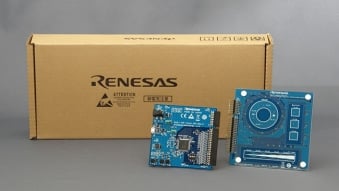
RA2L1搭載静電容量タッチ評価システム
RA2L1搭載静電容量タッチ評価システム、ルネサスが提供するタッチキー・ソリューションを容易に評価することができるキットです。
キットに含まれるボードやソフトウェアを用いて、キット購入後すぐに評価を始めることができます。以下のような目的に最適です。
製品構成
- RA2L1搭載CPUボード
- タッチアプリケーションボード
- 自己容量方式評価ボード 静電タッチキーの基本となるスイッチ、スライダ、ホイールを搭載
関連情報
- 統合開発環境 e2 studio
- 静電容量式タッチセンサ対応開発支援ツール QE for Capacitive Touch
- クイックスタートガイド
- 取扱説明書
- 回路図、パターン図
RA2L1 MCUグループ評価キット
EK-RA2L1評価キットは、RA2L1 MCUグループの機能を容易に評価できるほか、ルネサスのFlexible Software Package (FSP)および e2 studio IDE を用いた組み込みシステムアプリケーション開発を行えます。 充実したオンボード機能に加え、一般的なエコシステム拡張ボード(アドオン)を組み合わせることで、アイデアを迅速に形にできます。
本キットには、EK-RA2L1 v1ボードおよびmicro-USBデバイスケーブル(Type-Aオス-micro-Bオス)が含まれています。
はじめに
クイックスタート サンプルプロジェクトを実行する
- EK-RA2L1... 続きを読む
RA2E1 MCUグループ評価キット
EK-RA2E1 評価キットを使用すると、RA2E1 MCU グループの機能を容易に評価できると共に、RAファミリが持つルネサス独自のFlexible Software Package (FSP)と様々なIDEを使用して、組込みシステム向けアプリケーションを開発することができます。EK-RA2E1ボードの豊富な機能と、定評あるエコシステムアドオンを選択いただくことで、お客様のアイデアを実現へと導きます。
はじめに
クイックスタート サンプルプロジェクトを実行する
- EK-RA2E1 ボードには、クイックスタート... 続きを読む

RA2E1 Fast Prototyping Board
RA2E1 Fast Prototyping Boardは、RA2E1 MCUを搭載し、様々なアプリケーションの試作開発に特化した評価ボードです。E2エミュレータLiteに相当する回路をボードに内蔵しており、追加のツール無しでプログラムの書き込み/デバッグが可能です。さらにArduino Uno™およびPmod™インタフェースを標準搭載、マイコンの全ピンにアクセス可能なスルーホールなど、高い拡張性を有しています。
RA2E1 MCUの機能を確認したり、RA2E1 Fast Prototyping... 続きを読む
このボードをリモートでテストする
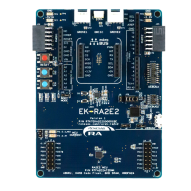
RA2E2 MCUグループ評価キット
EK-RA2E2 評価キットを使用すると、RA2E2 MCU グループの機能を容易に評価できると共に、RAファミリが持つルネサス独自のFlexible Software Package (FSP)と様々なIDEを使用して、組込みシステム向けアプリケーションを開発することができます。EK-RA2E2ボードの豊富な機能と、定評あるエコシステムアドオンを選択いただくことで、お客様のアイデアを実現へと導きます。
はじめに
クイックスタート サンプルプロジェクトを実行する
- EK-RA2E2 ボードには、クイックスタート... 続きを読む
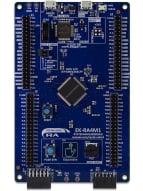
RA4M1 MCU グループ評価キット
EK-RA4M1 評価キットを使用すると、RA4M MCUグループの機能を容易に評価できると共に、RAファミリが持つルネサス独自のFlexible Software Package (FSP) と様々な IDE を使用して、組込みシステム向けアプリケーションを開発することができます。
はじめに
クイックスタート サンプルプロジェクトを実行する
- EK-RA4M1ボードには、クイックスタートサンプルプロジェクトがあらかじめフラッシュメモリに書き込まれています(サンプルプロジェクトはExample Project Bundleに含まれています)。
- 5V電源に接続されたMicro USB デバイス... 続きを読む
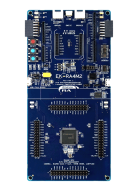
RA4M2 MCUグループ評価キット
EK-RA4M2 評価キットを使用すると、RA4M2 MCUグループの機能を容易に評価できると共にに、RAファミリが持つルネサス独自のFlexible Software Package(FSP)と様々なIDE を使用して、組込みシステム向けアプリケーションを開発することができます。
はじめに
クイックスタート サンプルプロジェクトを実行する
- EK-RA4M2ボードには、クイックスタートサンプルプロジェクトがあらかじめフラッシュメモリに書き込まれています。(ソースコードは、EK-RA4M2 Example Project... 続きを読む
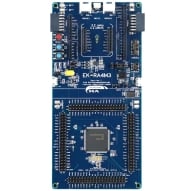
RA4M3 MCUグループ評価キット
EK-RA4M3 評価キットを使用すると、RA4M3 MCUグループの機能を容易に評価できると共にに、RAファミリが持つルネサス独自のFlexible Software Package(FSP)と様々なIDE を使用して、組込みシステム向けアプリケーションを開発することができます。
はじめに
クイックスタート サンプルプロジェクトを実行する
- EK-RA4M3ボードには、クイックスタートサンプルプロジェクトがあらかじめフラッシュメモリに書き込まれています。(ソースコードは、EK-RA4M3 Example Project... 続きを読む
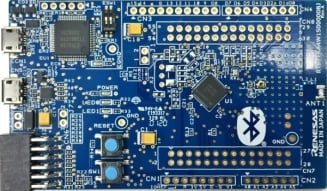
RA4W1 MCUグループ評価キット
EK-RA4W1 評価キットを使用すると、RA4W1 MCUグループの機能を容易に評価できると共に、RAファミリが持つルネサス独自のFlexible Software Package (FSP) と様々な IDE を使用して、組込みシステム向けアプリケーションを開発することができます。
はじめに
クイックスタート:サンプルプロジェクトを実行する
- 5V電源に接続されたMicro USB デバイス ケーブルを使用して、USB デバッグ ポート (J11) を介してEK-RA4W1 ボードの電源を入れます。緑色の電源 LED が点灯します。
- クイックスタート... 続きを読む

RA4E1 Fast Prototyping Board
RA4E1 Fast Prototyping Boardは、R7FA4E10D2CFMマイコンを搭載し、様々なアプリケーションの試作開発に特化した評価ボードです。SEGGER J-Link™エミュレータサーキットを内蔵し、追加のツール無しでプログラムの書き込み/デバッグが可能です。さらにArduino UnoおよびPmod™インターフェースを標準搭載、マイコンの全ピンにアクセス可能なスルーホールなど、高い拡張性を有しています。
RA4E1 Fast Prototyping... 続きを読む

RA6M1 MCU グループ評価キット
EK-RA6M1 評価キットを使用すると、RA6M1 MCUグループの機能を容易に評価できると共に、RAファミリが持つルネサス独自のFlexible Software Package (FSP) と様々な IDE を使用して、組込みシステム向けアプリケーションを開発することができます。
はじめに
クイックスタート サンプルプロジェクトを実行する
- EK-RA6M1ボードには、クイックスタートサンプルプロジェクトがあらかじめフラッシュメモリに書き込まれています(サンプルプロジェクトはExample Project Bundleに含まれています)。
- 5V電源に接続されたMicro USB デバイス... 続きを読む

RA6M2 MCU グループ評価キット
EK-RA6M2 評価キットを使用すると、RA6M2 MCU グループの機能を容易に評価できると共に、RAファミリが持つルネサス独自のFlexible Software Package (FSP) と様々な IDE を使用して、組込みシステム向けアプリケーションを開発することができます。
はじめに
クイックスタート サンプルプロジェクトを実行する
- EK-RA6M2ボードには、クイックスタートサンプルプロジェクトがあらかじめフラッシュメモリに書き込まれています(サンプルプロジェクトはExample Project Bundleに含まれています)。
- 5V電源に接続されたMicro USB デバイス... 続きを読む
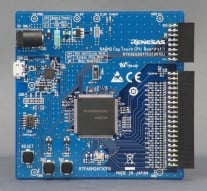
RA6M2搭載静電容量タッチ評価システム
RA6M2搭載静電容量タッチ評価システムは、ルネサスが提供するタッチキー・ソリューションを容易に評価することができるキットです。キットに含まれるボードやソフトウェアを用いて、キット購入後すぐに評価を始めることができます。

RA6M3 MCU グループ評価キット
EK-RA6M3評価キットは、RA6M3 MCU グループの機能をシームレスに評価できるほか、ルネサスのFlexible Software Package (FSP) および e2 studio IDE を使用して、組み込みシステム向けアプリケーションを開発できます。 EK-RA2L1ボードの豊富な機能と、定評あるエコシステムアドオンを選択いただくことで、お客様のアイデアを実現へと導きます。
はじめに
クイックスタート サンプルプロジェクトを実行する
- EK-RA6M3ボードには... 続きを読む
RA6M3 MCU グループ用グラフィック評価キット
EK-RA6M3G評価キットは、RA6M3G MCUグループの機能をシームレスに評価できるほか、ルネサスのFlexible Software Package (FSP)およびe2 studio IDEを使用して、組み込みシステム向けアプリケーションを開発できます。 充実したオンボード機能に加え、一般的なエコシステム拡張ボード(アドオン)を組み合わせることで、アイデアを迅速に形にできます。
EK-RA6M3Gキットは、オンチップのグラフィックスLCDコントローラを搭載したRA6M3 MCUを採用したEK-RA6M3ボードと... 続きを読む
RA6M4 MCUグループ評価キット
EK-RA6M4 評価キットを使用すると、RA6M4 MCU グループの機能を容易に評価できると共に、RAファミリが持つルネサス独自のFlexible Software Package (FSP)と様々なIDEを使用して、組込みシステム向けアプリケーションを開発することができます。
はじめに
クイックスタート サンプルプロジェクトを実行する
- EK-RA6M4ボードには、クイックスタート サンプルプロジェクトがあらかじめフラッシュメモリに書き込まれています。(ソースコードはEK-RA6M4 Example Project Bundle (ZIP)をご参照ください)
- 5V電源に接続されたMicro... 続きを読む
このボードをリモートでテストする
RA6M5 MCUグループ評価キット
EK-RA6M5 評価キットを使用すると、RA6M5 MCU グループの機能を容易に評価できると共に、RAファミリが持つルネサス独自のFlexible Software Package (FSP)と様々なIDEを使用して、組込みシステム向けアプリケーションを開発することができます。
はじめに
クイックスタート サンプルプロジェクトを実行する
- EK-RA6M5ボードには、クイックスタート サンプルプロジェクトがあらかじめフラッシュメモリに書き込まれています。(ソースコードはEK-RA6M5 Example Project... 続きを読む
Motor Control Evaluation System for RA Family - RA6T1 Group
RA ファミリ、RA6T1 グループ用モータ制御評価システムは、誰でもモータ制御を簡単に評価できる低電圧永久磁石同期モータ (ブラシレス DC モータ) ソリューションです。 ルネサスのウェブサイトからダウンロードできるキットのハードウェアとソフトウェアを使用して、すぐにモータ制御の評価を開始できます。

RA6E1 Fast Prototyping Board
RA6E1 Fast Prototyping Boardは、R7FA6E10F2CFPマイコンを搭載し、様々なアプリケーションの試作開発に特化した評価ボードです。SEGGER J-Link™エミュレータサーキットを内蔵し、追加のツール無しでプログラムの書き込み/デバッグが可能です。さらにArduino UnoおよびPmod™インタフェースを標準搭載、マイコンの全ピンにアクセス可能なスルーホールなど、高い拡張性を有しています。
RA6E1 Fast Prototyping... 続きを読む

Renesas Flexible Motor Control Kit for RA6T2 MCU Group
MCK-RA6T2は永久磁石同期モータ(ブラシレスDCモータ)を使ったモータ制御の評価を簡単に行うことができる開発キットです。本製品と、ウェブサイトからダウンロードできるサンプルコードやQE for Motorを使うことで、RA6T2を用いたモータ制御評価をすぐに始めることができます。
本製品にはVersion 1 (型名RTK0EMA270S00020BJ)とVersion 2 (型名RTK0EMA270S00021BJ)の2つのバージョンがあります。
- Version 1とVersion 2は同梱しているCPUボード(MCB-RA6T2)のVersionが異なります。
- MCB-RA6T2... 続きを読む
ビデオ&トレーニング
e² studioでFlexible Software Package(FSP)のサンプルプロジェクトをインポートして実行する方法を学びます。RZ/A3UL評価ボードキットを使用した例ですが、同じ手順はRAファミリデバイスおよび他のRZファミリのデバイスに適用できます。本動画では、ADC設定、USB PCDC通信、LCDCによる表示制御の3つのデモを紹介します。

ニュース&ブログ
追加詳細
構成
- e2 studio統合開発環境用の CMSIS 準拠のパックファイル
- RA MCU/ボード用BSP(Board Support Package)
- 周辺機器にアクセスするためのHALドライバ
- リアルタイムオペレーティングシステム(RTOS)
- ミドルウェア プロトコルスタック
- 通信モジュールコンフィグレータおよびコードジェネレータ
- あらゆる開発環境やパートナ製ツールと統合するためのソースファイル
サポートされているツールチェーン
FSP のソフトウェアコンポーネントは以下のツールチェーンをサポートしています。
- e2 studio統合開発環境、GCC Arm EmbeddedおよびLLVM Embedded Toolchain for Armをサポート
- IAR Embedded Workbench
- Arm Keil MDK
ソフトウェア インストール マニュアル
インストールおよび使用マニュアルについては FSP GitHub ページを参照してください:FSP GitHub マニュアル
e2 studio:統合開発環境
FSPはRAファミリを用いたプロジェクトにおいて、開発効率を大幅に向上させます。e2 studio統合開発環境では、モジュール選択、コンフィギュレーション、コード開発、コード生成、デバッグなどを行います。FSPではグラフィカルなユーザーインタフェース(GUI)が用意され、これらの主要ステップをGUI上で簡単に行えるようになり、開発プロセスを劇的に短縮することができます。
e2 studioには以下のような機能があり、アプリケーション開発のあらゆる場面をサポートします。
BSPコンフィギュレーション
プロジェクト選択、 MCUやボード固有パラメータの構成や変更を行います。
クロック・コンフィギュレーション
MCUのクロック設定を行います。クロックツリーを表示し、各クロックのソースや分周の設定を行います。
ピン・コンフィギュレーション
MCUの各端子の電気的特性や機能の設定を行います。このピン・コンフィギュレータを使用することにより、多くの複数機能を持つ端子の設定が容易になります。特にピン数の多い製品や複雑に機能がマルチプレクスされた製品を使用したプロジェクトにおいては、エラー表示やガイド機能が非常に役立ちます。
モジュール・コンフィギュレーション
FSPモジュール(HALドライバ、ミドルウェアスタック、RTOSなど)をRTOSアプリケーションやベアメタルアプリケーションに追加し、これらモジュールの各種パラメータ設定を行います。モジュールを選択すると、[プロパティ] 画面が開き、パラメータ設定、割り込み優先度、ピン選択などを行えます。
割り込みコンフィギュレーション
新しいユーザ割り込みやイベントを追加し、割り込みの優先順位を設定することができます。 周辺割り込みのバイパスや、周辺割り込みに対する割込みサービスルーチンを設定することもできます。
コンポーネント・コンフィギュレーション
アプリケーションに必要な個々のモジュールの選択を行います。 選択されたモジュールに紐付く必須のサブモジュールは、すべて自動的に選択されます。モジュール選択はチェックボックスへのチェックで簡単に行えます。
QE ツール
QE for Capacitive Touchは、e2 studio統合開発環境でのアプリケーション開発を支援するツールです。 静電容量式タッチセンサを使用した組み込みシステム開発において、タッチUIの初期設定や感度のチューニングが簡単に行えるため、開発期間を短縮することができます。
QE for BLEは、Bluetooth® Low Energyプロトコルスタックに対応するシステムの組み込みソフトウェアを開発するためのツールです。このソリューションツールキットは、e2 studio統合開発環境で動作します。e2 studioとQE for BLEの組み合わせにより、Bluetooth® Low Energyの通信機能を容易に評価できます。
その他ツールの機能
- プログラミングを容易にするインテリジェントなオートコンプリート機能
- アプリケーションコード内で直接 API 関数を選択し、ドラッグ&ドロップで配置する開発者支援ツール
- ドライバやデバイスのマニュアル記載情報をツールチップ(補足吹出し)でコード内に表示するスマートマニュアル
- 編集中にコード要素の詳細を表示する編集ホバー機能
- サンプルプロジェクト、アプリケーションノート、各種セルフサポートリソースへのリンクが置かれた初期画面
- グラフィック構成ビューアでは、モジュールごとに、特定の設計支援情報へリンクする情報アイコンが用意されています。
開発パートナ製ツールサポート
ルネサス純正統合開発環境「e2 studio」に加え、パートナ製ツール/IDEもRAファミリとFSPをサポートしています。 RAスマートコンフィグレータ (RASC) はRAファミリMCUのソフトウェア(BSP、ドライバ、RTOS およびミドルウェア) を構成できる、デスクトップアプリケーションです。このRASCを使用することで、パートナ製IDE を使うことが可能になります。RASCは2020年3月現在、IAR Embedded Workbench、Keil MDK および Arm コンパイラ 6 ツールチェーンで使用できます。
サポート
サポートコミュニティ
- RAマイコン・FSPを使い,WiFIモジュールでFTP転送できますか?
GITGUBにあるサンプルのFTP Client Example ProjectはEtherベースですが, これをUART接続のSilex WiFiモジュール(RTK00WFMX0B00000BE)で 実現してみたいのです。(srcフォ ...
2023年7月19日 - SPI software Slave Select Line
RA FSP DocumentにSPIのSlave SelectをGPIOにて制御する例がありました。この場合、FSP Configuratorの設定で、Slave Selectピンに何も選択しない「None」を設定す ...
2025年11月10日 - FSPのR_FLASH_HP_Write()で時折書き込みに失敗する問題について
環境 MCU : RA6M3 FSP 2.4 お世話になっております。KT_です。 現在、内蔵のコードフラッシュにファームウェアを書き込む際に、高 ...
2022年4月26日
ナレッジベース
- LVGL: GLCDCを用いた32ビットカラーフォーマットの使用
... クスライブラリです。RenesasがメンテナンスするLVGLの移植版が、RA Flexible Software Package(FSP)に含まれるようになり、FSP Configurator*を通じてRA MCUプロ ...
- RAファミリ: FSPでStartup Area Select Flag (BTGLG)を変更する方法
... セットによりキャンセルされ、スタートアップ領域はBTFLGの値を参照する設定に切り替わります。 適用製品RA FSP English 中文
2025年10月27日 - RAファミリ: FSP Example Projectのビルドに失敗する
... まれている場合があります。FSP Example ProjectのKnown Issueについては、GitHub のFSP Example Project Release Page (https://github.com/renesas/ra-fsp-examples/releases) に記載されてい ...
2022年12月21日


