
Overview
Description
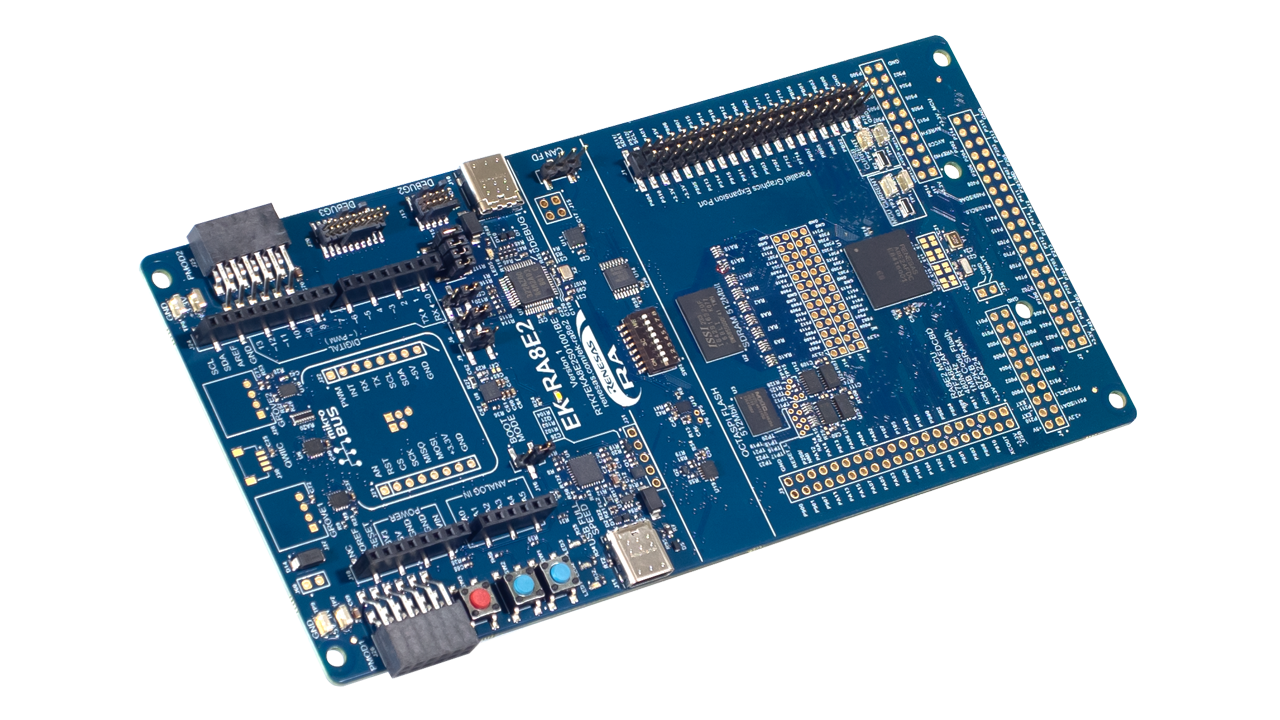
The EK-RA8E2 evaluation kit enables users to effortlessly evaluate the features of the RA8E2 MCU Group and develop embedded systems applications using Renesas' Flexible Software Package (FSP) and e2 studio IDE. Utilize rich onboard features along with your choice of popular ecosystem add-ons to bring your big ideas to life.
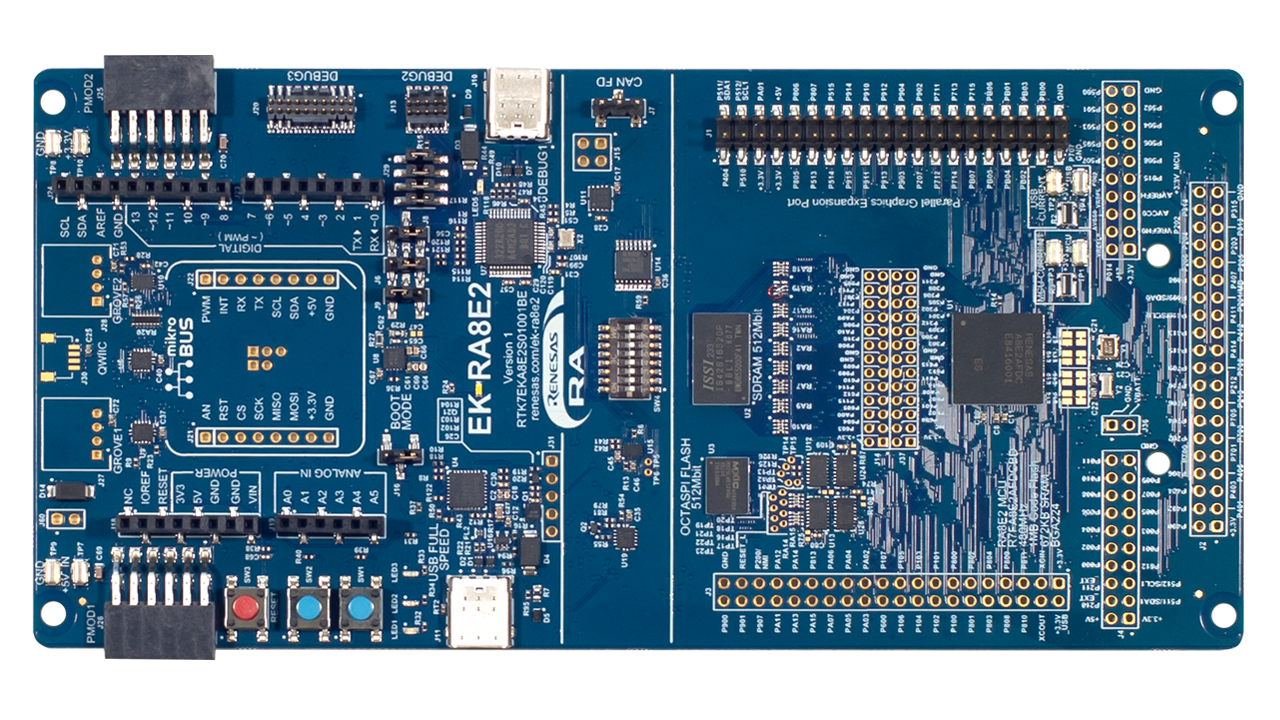
The EK-RA8E2 board features the RA8E2 MCU, OSPI Flash, SDRAM, CAN FD, and a parallel graphics expansion port.
Features
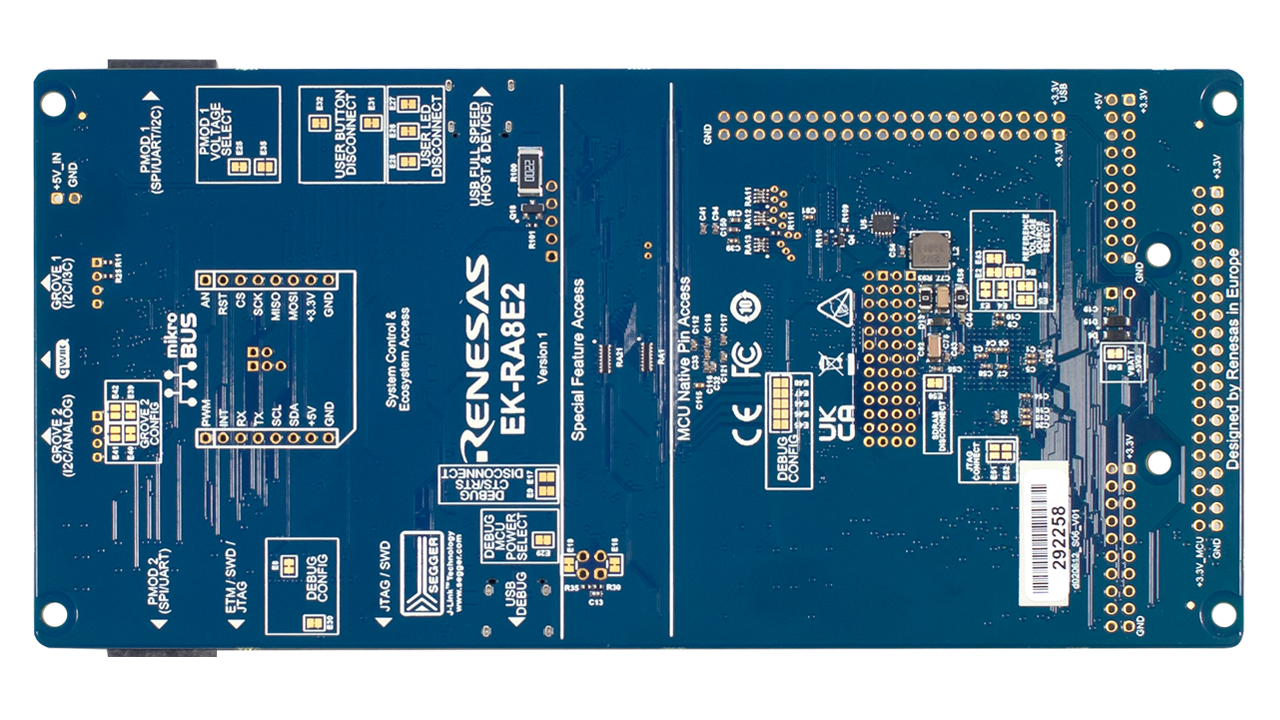
- MCU Native Pin Access
- R7FA8E2AFDCBD MCU (referred to as RA MCU)
- 480MHz, Arm® Cortex®-M85 core
- 1MB Code Flash, 672KB SRAM
- 224 pins, BGA package, 13mm x 13mm x 1.47mm, 0.8mm pitch
- Native pin access through 2 x 20-pin, and 2 x 40-pin headers (not populated)
- MCU current measurement points for precision current consumption measurement
- Multiple clock sources – RA MCU oscillator and sub-clock oscillator crystals, providing precision 24.000MHz and 32,768Hz reference clocks. Additional low-precision clocks are available internal to the RA MCU.
- System Control and Ecosystem Access
- USB Full Speed Host and Device (USB-C connector)
- Three 5V input sources
- USB (Debug, Full Speed)
- External power supply (using surface mount clamp test points and power input vias)
- Three debug modes
- Debug on-board (SWD and JTAG)
- Debug in (ETM, SWD, SWO, and JTAG)
- Debug out (SWD, SWO, and JTAG)
- User LEDs and buttons
- Three user LEDs (Red, Blue, Green)
- Power LED (white) indicating availability of regulated power
- Debug LED (yellow) indicating the debug connection
- Two user buttons
- One reset button
- Five most popular ecosystem expansions
- Two SeeedGrove® system (I2C/Analog) connectors (not populated)
- SparkFun® Qwiic® connector (not populated)
- Two Digilent Pmod™ (SPI, UART, and I2C) connectors
- Arduino™ (Uno R3) connector
- MikroElektronika™ mikroBUS connector (not populated)
- MCU boot configuration jumper
- Special Feature Access
- 64MB (512Mb) External Octo-SPI NOR Flash (present in the MCU Native Pin Access area)
- 64MB (512Mb) SDRAM (present in the MCU Native Pin Access area)
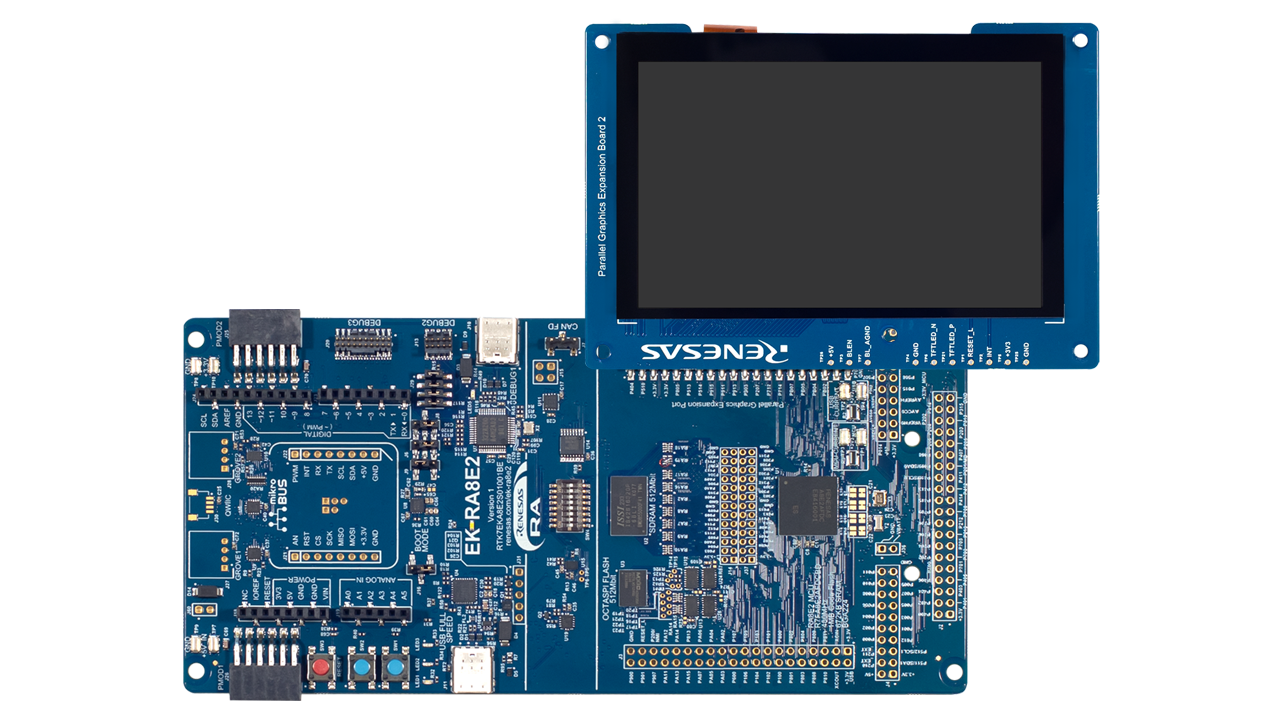
- Parallel Graphics Expansion Port (present in the MCU Native Pin Access area)
- CAN FD
- Configuration Switch (SW4)
Applications
Documentation
|
|
|
|
|---|---|---|
| Type | Title | Date |
| Manual - Development Tools | PDF 5.52 MB | |
| Quick Start Guide |
PDF
3.95 MB
The Quick Start Guide provides an overview of the "Out-Of-Box" user experience for the EK-RA8E2 evaluation kit. This document describes the kit contents, features, and instructions for running the Quick Start Example Project (QSEP) that is pre-programmed on the kit. In addition, the document provides guidance for modifying and customizing the QSEP and running the new project on the kit.
|
|
| PCB Design Files | EK-RA8E2 v1 - Design Package
The design data for the RA8E2 evaluation kit EK-RA8E2 includes the schematic, BOM, PCB layout files, and Gerber artwork - essential tools for enabling complete evaluation of the RA8E2.
|
|
| Application Note |
PDF
666 KB
The EK-RA8E2 example project bundle demonstrates how to write code for various Renesas Flexible Software Package (FSP) modules supported by the EK-RA8E2 kit. It includes multiple example projects that highlight peripheral usage and system functionality, while leveraging the optimized, scalable, and high‑quality FSP for embedded system design.
|
|
| Manual - Development Tools | PDF 278 KB 日本語 | |
| Application Note |
PDF
8.94 MB
The thermostat application demonstrates how to develop complex multi-threaded applications with a touchscreen graphical Human Machine Interface (HMI) using Renesas Flexible Software Package (FSP) and Azure RTOS GUIX.
|
|
| Application Note |
PDF
15.75 MB
Learn how to create a simple two-screen GUI for the EK-RA8E2 kit using Azure RTOS GUIX Studio. This example walks through the process of building and configuring a new application with the Renesas Flexible Software Package (FSP), highlighting how quickly and easily developers can get started.
|
|
| Application Note |
PDF
5.33 MB
Learn how to create an application that uses graphical user interfaces with an EK-RA8E2 kit. This application note assumes that you are familiar with the concepts associated with writing multi-threaded applications under a Real-Time Operating System (RTOS) environment, such as FreeRTOS. It makes use of RTOS features such as threads and semaphores. Knowledge of operating these with FreeRTOS can help in understanding the supplied application project in the source code.
|
|
| PCB Design Files | Parallel Graphics Expansion Board 2 v1 for EK-RA8E2 - Design Package
The design data includes the schematic, BOM, PCB layout files, and Gerber artwork of the parallel graphic expansion board that is compatible with EK-RA8E2.
|
|
| Manual - Development Tools |
PDF
674 KB
Renesas RA8E2 Parallel Graphics Expansion Board 2 v1 adds high-resolution LCD and capacitive touch functionality to RA8E2 MCU evaluation kits via RGB parallel interface. It features a 5-inch 800×480 TFT display and PWM-controlled backlight and complies with global EMC and safety standards—ideal for embedded display applications in lab environments.
|
|
| Report | PDF 187 KB 日本語 | |
11 items
|
||
Design & Development
Software & Tools
Software & Tools
| Software title
|
Software type
|
Company
|
|---|---|---|
| RA Flexible Software Package (FSP) FSP is an enhanced software package designed to provide easy-to-use, scalable, high-quality software for embedded system designs using Renesas RA Family of Arm Microcontrollers.
Note: FSP with e² studio Installer (Platform Installer) will install the e² studio tool, FSP packs, GCC toolchain, and Segger J-Link drivers required to use this software. No additional installations are required.
|
Software Package | Renesas |
| Renesas Flash Programmer (Programming GUI) Flash memory programming software [Support MCU/MPU and devices: RA, RE, RX, RL78, RH850, RISC-V MCU, Renesas Synergy, DA1453x, DA1459x, DA1469x, DA1470x, DA148xx, Power Management, Renesas USB Power Delivery Family, ICs for Motor Driver/Actuator Driver, V850, 78K0R, 78K0]
|
Programmer (Unit/SW) | Renesas |
| e² studio - information for RA Family Eclipse-based Renesas integrated development environment (IDE).
|
IDE and Coding Tool | Renesas |
| QE for Display: Development Assistance Tool for Display Applications This development assistance tool supports the development of embedded systems which use the LCD display functions of display controllers from Renesas. [Plugin for Renesas IDE "e² studio"] [Standalone Version] [Support MCU/MPU:RZ, RX, RA]
|
Solution Toolkit | Renesas |
4 items
|
||
Sample Code
Sample Code
Filters
|
||
|---|---|---|
| Type | Title | Date Date |
| Sample Code | EK-RA8E2 Example Project Bundle
The EK-RA8E2 example project bundle demonstrates how to write code for various Renesas Flexible Software Package (FSP) modules supported by the EK-RA8E2 kit. The sample code provides ready‑to‑build reference implementations that illustrate peripheral operation and system behavior, enabling developers to quickly evaluate FSP features and accelerate embedded application development.
|
|
| Sample Code | Quick-Start Example Project for EK-RA8E2
The EK-RA8E2 Example Project demonstrates specific capabilities of the EK and FSP by using multiple peripherals. The project initializes the QSPI, MIPI CSI, GLCD, and GPIO modules along with various supporting stacks to create an interactive user demo.
|
|
| Sample Code | "GUIX Thermostat" for EK-RA8E2 Parallel GLCD Display
Configure the drivers and libraries included with the FSP to set up the parallel LCD display controller, touch screen driver, and RTOS components like semaphores, queues, and mutexes for communication between application tasks. Create a basic GUIX interface for FSP that integrates the touch driver, manages multiple hardware accesses, handles system updates, and processes event handling.
|
|
| Sample Code | GUIX "Hello World" for EK-RA8E2
Set up a basic "Hello World" touch screen interface using Azure RTOS GUIX in e2 studio using this sample code. Configure the GLCD controller, touch screen driver, and necessary FSP libraries, using semaphores for task communication within the application. When it is running, the application will respond to touchscreen actions, presenting a basic graphical user interface (GUI).
|
|
| Sample Code | Getting Started with the Graphics Application on EK-RA8E2
Develop complex multi-threaded applications with a touchscreen graphical Human Machine Interface (HMI) by using the Renesas Flexible Software Package (FSP) and SEGGER AppWizard.
|
|
5 items
|
||
Related Boards & Kits
Boards & Kits

Evaluation Kit for RA8D1 MCU Group
The EK-RA8D1 evaluation kit enables users to effortlessly evaluate the features of the RA8D1 MCU Group and develop embedded systems applications using Renesas' Flexible Software Package (FSP) and e2 studio IDE. Utilize rich onboard features along with your choice of popular ecosystem add-ons to... Read More
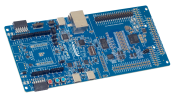
Evaluation Kit for RA8P1 MCU Group
The EK-RA8P1 evaluation kit is designed to enable users to easily evaluate the RA8P1 MCU features and develop embedded system applications using Renesas' Flexible Software Package (FSP) and e2 studio IDE. Users can utilize the rich onboard features and their choice of popular ecosystem add-ons... Read More

Evaluation Kit for RA8M1 MCU Group
The EK-RA8M1 evaluation kit enables users to effortlessly evaluate the features of the RA8M1 MCU Group and develop embedded systems applications using Renesas' Flexible Software Package (FSP) and e2 studio IDE. Utilize rich onboard features along with your choice of popular ecosystem add-ons to... Read More
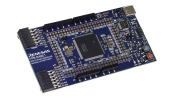
Fast Prototyping Board for RA8E1 MCU Group
The RA8E1 Fast Prototyping Board comes equipped with an R7FA8E1AFDCFB microcontroller and is an evaluation board specialized for prototype development for a variety of applications. It has a built-in SEGGER J-Link™ emulator circuit so you can write and debug programs without additional tools. In... Read More
Product Options
| Part Number | Status | Stock | Budgetary Price (USD) | Sampleable |
|---|---|---|---|---|
| RTK7EKA8E2S01001BE | Active | In Stock | 1u | $87.29 | Available |
Videos & Training
Watch an unboxing and overview of the RA8 series evaluation kits, including several example projects. The RA8 series kits can help you quickly develop proofs of concept for resource-constrained AIoT edge and endpoint devices.
Additional Videos
News & Blog Posts
Blog Post Jan 28, 2022 |
Blog Post Nov 18, 2021 |
Blog Post Nov 11, 2021 |
Support

Support Communities


