
Overview
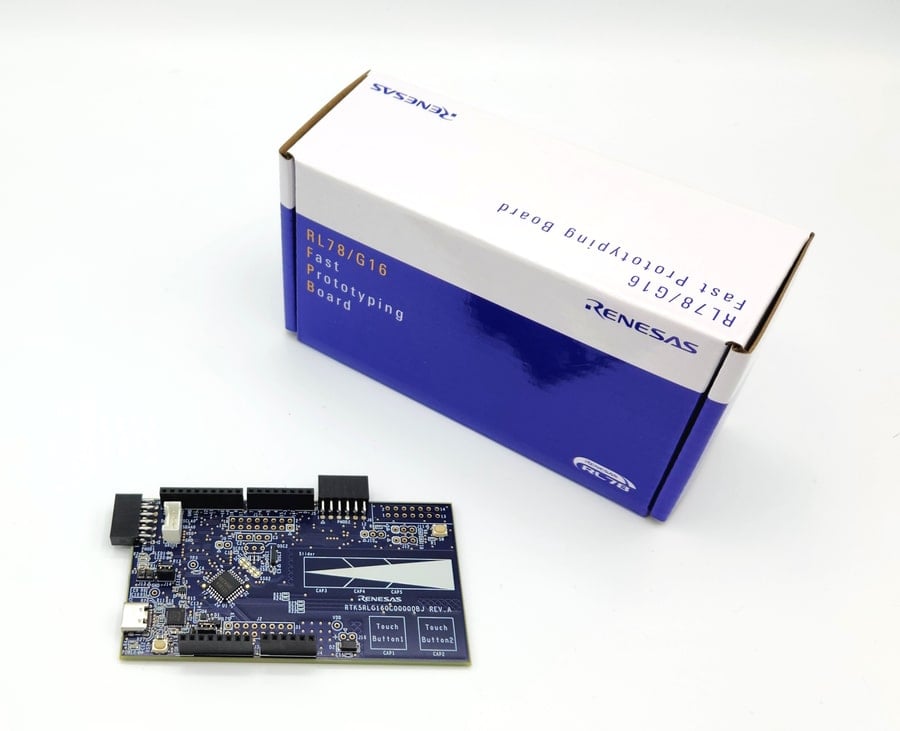
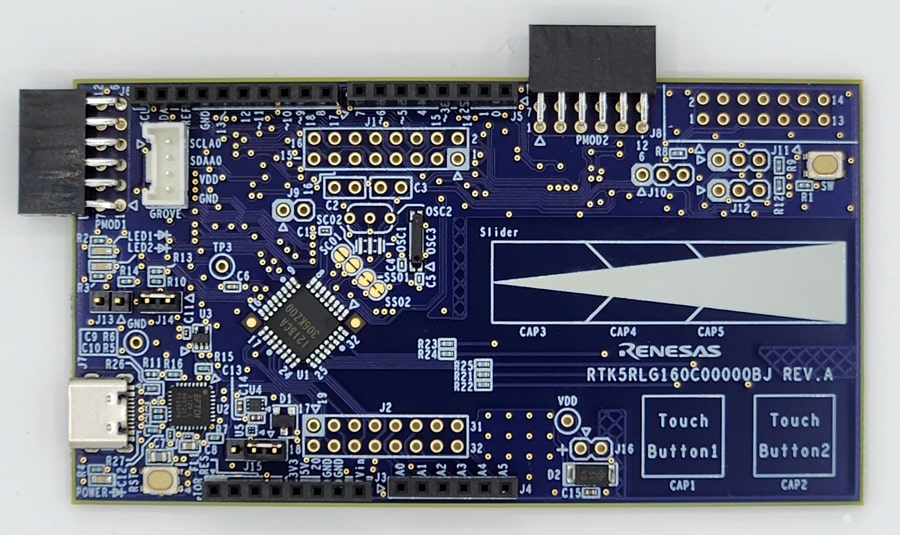
The RL78/G16 Fast Prototyping Board, featuring the RL78/G16 microcontroller, is ideal for various prototype developments. It supports Modbus ASCII/RTU communication and so on by sample code. The built-in emulator circuit that is equivalent to E2 emulator Lite allows programming and debugging without extra tools. Additionally, it has Arduino Uno and Pmod™ interfaces, access to all microcontroller pins, and high scalability. It includes two touch buttons and one slider using a capacitive sensor unit, unique to RL78/G16. Renesas also provides an Arduino library that supports creating various programs (sketches) on the Arduino IDE.
Note: This board comes with two touch buttons and one slider using a capacitive sensor unit for simple evaluation, but when designing an actual board, please check the Capacitive Sensor Microcontrollers CTSU Capacitive Touch Electrode Design Guide (R30AN0389) and use the Capacitive Touch Evaluation System for RL78/G16 (RSSK-RL78G16) for evaluation.
Features
- Equipped with an RL78/G22 16-bit microcontroller (R5F121BCAFP)
- 32MHz, RL78-S2 Core
- ROM: 32KB, RAM: 2KB, Data Flash 1KB
- 32-pin LQFP, 7mm x 7mm x 1.7mm, 0.8mm pitch
- Programs can be written and debugged via the COM Port communication by connecting it to a PC with a USB cable
- Able to access all the microcontroller pins
- Comes standard with Arduino Uno, Pmod™ and Grove interfaces
- Arduino library available
- Equipped with capacitive touch sensor buttons
- Support for various RL78 software and tools

Sample & Buy
RL78/G16 Fast Prototyping Board
Videos & Training
Learn the steps required to create an application that uses capacitive touch sensing with IAR Embedded Workbench. The RL78/G22 Fast Prototyping Board equipped with touch electrodes is used in this section. The content is divided into three parts, with Part 1 explaining how to create a project using Smart Configurator.
Additional Videos
News & Blog Posts
Blog Post Jun 28, 2023 |
Resources
Support

Support Communities

Knowledge Base

