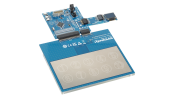
Metal Capacitive Touch Panel with NFC for Elevator & HMI

Overview

Description

As user experience (UX) improvements become increasingly important across various applications, elevators in office buildings and hotels are expected to deliver both high-end design and intuitive interfaces. By adopting capacitive metal touch buttons on the elevator control panel, this system achieves a sleek, fully flat metal overlay for a premium look while ensuring reliable operation—even with wet hands or gloves.

In safety-critical applications like elevators, communication between the control panel and the control module must be highly reliable. This system leverages CAN FD to provide robust communication and fast response times, minimizing the risk of accidents and enabling safe operation. Additionally, the system supports near-field communication (NFC) for card-based authentication, allowing secure and personalized access for elevator users.

System Benefits:​

  • Combines a premium control panel design with metal touch buttons that function even with wet hands or gloves​
  • Ensures high communication reliability and fast response through CAN FD​
  • Supports user authentication via NFC for enhanced security

Comparison

Applications

Block Diagram

Select a block to discover products for your design

Test This Board Remotely

Available on Lab on the Cloud, use our PC-based GUI to instantly start configuring and testing designs in our virtual lab, no physical board needed.
WSxxx_WebWS182WS182WS182NFCNFCNFCCAN / CAN FD TransceiverCAN / CAN FD TransceiverCAN / CAN FDTransceiver5V5V5VConnector Arrow.151Connected signals line.152Connected signals arrow.153Connected signals arrow.154Buck RegulatorBuck RegulatorBuck RegulatorD-AmpD-AmpD-AmpWi-FiSpeakerspeaker_8_Sheet.211Sheet.212Sheet.213Sheet.214Bi-directional.216Bi-directional.217Bi-directional.220Bi-directional.221To Main ControllerTo Main ControllerTo Main ControllerBi-directional.223AntennaAntennaAntennaBi-directional.225Security CardSecurity CardSecurity CardMetal Touch KeysMetal Touch KeysMetal Touch KeysInput arrowConnector Arrow3.3V < 550mA3.3V < 550mA3.3V < 550mAMotorSheet.337Sheet.338MMConnector LineConnector Line.340RX261, RA4L1 MCUs require CAN FD; RX140 MCU doesn’t require CAN FD1RX261, RA4L1 MCUs require CAN FD RX140 MCU doesn’t require C...1RX261, RA4L1 MCUs require CAN FD RX140 MCU doesnt require CAN FDConnector Arrow.344Connected signals arrowConnected signals arrow.347Touch KeySheet.173Sheet.174Sheet.175Sheet.176Sheet.177Sheet.178Sheet.179Sheet.180Sheet.181Haptics DriverHaptics DriverHaptics DriverSheet.352MCUMCUMCUCTSU2CTSU2CTSU2SPISPISPII2CI2CI2CCAN FD/ CANCAN FD/ CAN1CAN FD/ CAN1PWMPWMPWMVccVccVcc
Exiting Interactive Block Diagram

Support

Support Communities

Support Communities

Get quick technical support online from Renesas Engineering Community technical staff.
Browse Articles

Knowledge Base

Browse our knowledge base for helpful articles, FAQs, and other useful resources.
Submit a Ticket

Submit a Ticket

Need to ask a technical question or share confidential information?