
Overview
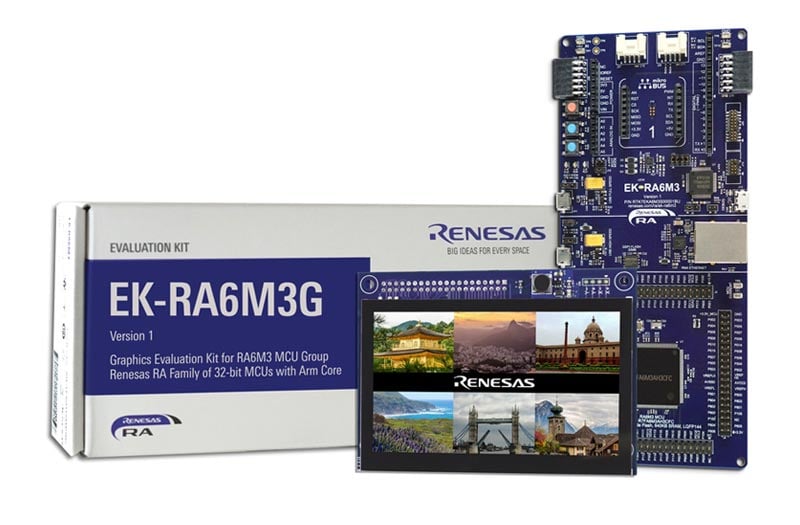
The EK-RA6M3G evaluation kit enables users to seamlessly evaluate the features of the RA6M3 MCU Group and develop embedded systems applications using Renesas' Flexible Software Package (FSP) and e2 studio IDE. You can utilize rich on-board features along with your choice of popular ecosystem add-ons to bring your big ideas to life.
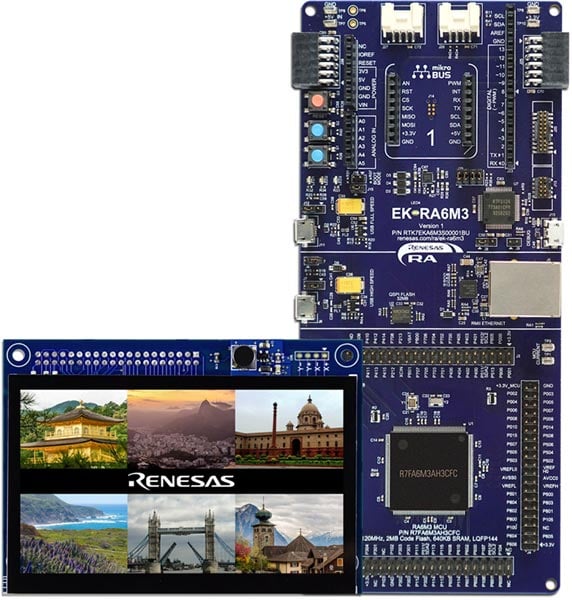
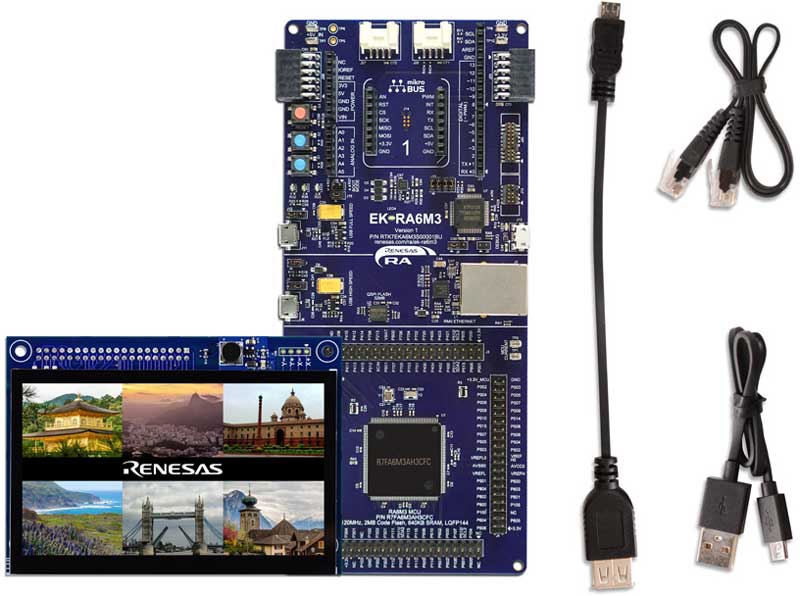
The EK-RA6M3G kit consists of two boards: the EK-RA6M3 board featuring the RA6M3 MCU with on-chip graphics LCD controller and the graphics expansion board featuring a 4.3-inch TFT color LCD with capacitive touch overlay.
Getting Started
Running the Quick Start Example Project
- The EK-RA6M3G comes pre-programmed with quick start example project (provided with the example projects bundle).
- Connect the graphics expansion board to the graphics expansion port (J1) on the EK-RA6M3 board.
- Power up the EK-RA6M3G board through the debug USB port (J10) using the micro USB device cable connected to a 5V power source. The white power LED will light up.
- The quick start example project will begin to execute showing graphics elements on the screen.
- Refer to the EK-RA6M3G – Quick Start Guide (PDF | English, 日本語) to explore additional functionality of the quick start example project.
Developing Embedded Applications
- Start with one of the many other example projects (provided in the example projects bundle) – choose from many example projects to learn about different peripherals for the RA6M3 MCU Group. These example projects can serve as excellent starting points for you to develop your custom applications.
Building Custom Hardware
- Start by building a functional prototype - utilize the EK-RA6M3 and graphics expansion boards with your choice of hundreds of popular ecosystem add-ons.
- Build custom hardware – develop custom hardware by referring to the design and manufacturing information provided in the EK-RA6M3G v1 - Design Package (ZIP)
Features
- Special Feature Access
- Ethernet (RMII and PHY)
- USB High Speed host and device
- 32MB External QSPI Flash
- MCU Native Pin Access
- R7FA6M3AH3CFC MCU
- 120MHz, Arm Cortex®-M4 core
- 2MB Code Flash, 640kB SRAM
- 176 pins, LQFP package, 24mm x 24mm x 1.70mm, 0.5mm pitch
- Native pin access through 4x 40-pin male headers
- MCU and USB current measurement points
- Ecosystem & System Control Access
- USB Full Speed host and device
- Multiple 5V input sources
- USB (Debug, Full Speed, High Speed)
- External power supply
- SEGGER J-LinkTM on-board programmer and debugger
- Debug modes
- Debug On-board (SWD) – via J-Link
- Debug Out (SWD) – via J-Link
- Debug In (ETM, SWD & JTAG) – via J-Link, Arm® Keil® ULINKTM, IAR I-jetTM, Renesas E2/E2 Lite, etc.
- User LEDs and buttons
- Three user LEDs (red, blue, green)
- Power LED (white) indicating availability of regulated power
- Debug LED (yellow) indicating the debug connection
- Two User buttons
- One Reset button
- Four most popular ecosystems expansions
- MikroElektronikaTM mikroBUS connector
- Two SeeedGrove® system (I2C) connectors
- Two Digilent PmodTM (SPI and UART) connectors
- ArduinoTM (Uno R3) connector
- MCU boot configuration jumper
- Graphics Expansion Board
- 4.3-inch TFT color LCD
- 480 x 272 resolution
- Capacitive touch overlay with controller
- Back light controller
- SeggerTM emWin Embedded GUI Library
- Enables the creation of stunning graphics
- Powerful and easy to use API
- Uses ANSI C/C++ development environment
Sample & Buy

Evaluation Kit for RA6M3 MCUs with Graphics Expansion Boards
| Description: | Evaluation Kit for RA6M3 MCUs with Graphics Expansion Boards |
| HTS (US): | 8471.50.0150 |
| ECCN (US): | 3A991.a.2 |
| SPQ: | 1 |
| Pb (Lead) Free: | No |
| Assembly Location: | CHINA |
Add-on Hardware

Evaluation Kit for RA6M3 MCU Group
Videos & Training
Kickstart IoT and embedded systems development using Renesas EK-RA6M3, Evaluation Kit for RA6M3 MCU Group. Familiarize yourself with the kit architecture, key features, quick start example project and many useful resources to begin innovating quickly.
Additional Videos
News & Blog Posts
Blog Post Jan 28, 2022 |
Blog Post Jan 28, 2022 |
Blog Post Nov 18, 2021 |
Blog Post Nov 11, 2021 |
Support
Support Communities
- Can't debug RA8D1 with EK-RA6M3G (J-Link OB-S124)
I'm trying to externally debug an RA8D1 with the EK-RA6M3G. Flash programmer seems to be able to connect, but J-Link gives the following error: The log: LOG: Connecting to J-Link via USB... LOG: Device "R7FA8D1BH" selected. LOG: ConfigTargetSettings() start LOG: Configuring FlashDLNoRMWThreshold=0x200 in order to ...
May 28, 2024 - EK-RA6M3G(R7FA6M3AH3CFC) Ethernet
Hello, I have some problems about EK-RA6M3G Ethernet. My project uses FSP software to create FreeRTOS-Minimal-Static Allocation. I changed the settings in FSP configuration, as follows I use the evaluation board(EK-RA6M3G version1) for Ethernet testing. Problem:When the program executes at the breakpoint, the R ...
Mar 8, 2022 - Requesting Support for Scrap Development of EK-RA6M3G Board with Graphic Display
I am writing to request your support regarding a scrap development project involving the EK-RA6M3G board with a graphic display. I have recently acquired the EK-RA6M3G development board, which is based on the Renesas RA6M3 microcontroller. My objective is to utilize the board's capabilities and leverage its ...
Jul 15, 2023
Knowledge Base
- LVGL: Using 32-bit Color Formats with GLCDC
... out-of-the-box. These examples are available on GitHub and demonstrate working configurations for display, timing, color format, etc. RX72N Envision Kit EK-RA8D1EK-RA6M3GEK-RA8D2 EK-RA8P1 *Note that FSP LVGL port requires the GLCDC HAL Layer. If your MCU does not contain a GLCDC, then ...
Jan 6, 2026 - RA Family: Storing AppWizard Resources in QSPI memory.
... and then Build Project. Placing Individual Symbols to QSPI. To place data in the .qspi_flash section to flash it during programming, define them using the macro BSP_PLACE_IN_SECTION(). An example project for placing AppWizard resources on EK-RA6M3G is provided below. Suitable Products RA,FSP,e2studio, RA6M3G
Oct 23, 2023

Support Communities

