
Overview
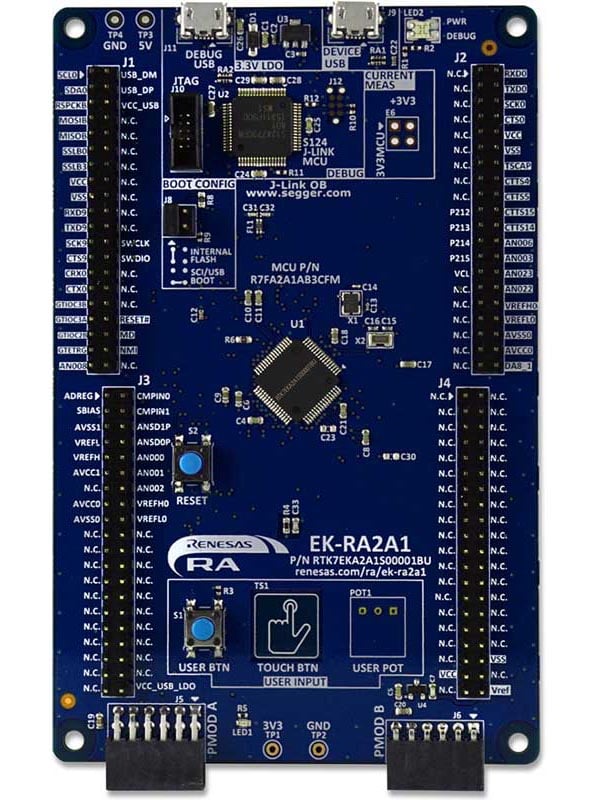
The EK-RA2A1 evaluation kit enables users to effortlessly evaluate the features of the RA2A1 MCU Group and develop embedded systems applications using Renesas' Flexible Software Package (FSP) and various IDEs.
Getting Started
Running the Quick Start Example Project
- The EK-RA2A1 board comes pre-programmed with a quick start example project (provided with the example projects bundle).
- Power up the EK-RA2A1 board through the USB debug port (J11) using the micro USB device cable connected to a 5V power source. The green power LED will light up.
- The quick start example project will begin to execute blinking the red user LED.
- Refer to the EK-RA2A1 Quick Start Guide to explore additional functionality of the quick start example project.
Developing Embedded Applications
- Modifying the quick start example project – refer to the EK-RA2A1 Quick Start Guide for instructions on importing, modifying and building the quick start example project.
- Start with one of the many other example projects (provided in the example projects bundle) – choose from many example projects to learn about different peripherals of the RA2A1 MCU group. These example projects can serve as excellent starting points for you to develop your custom applications.
Building Custom Hardware
- Start by building a functional prototype - utilize the EK-RA2A1 board with your choice of ecosystem add-ons.
- Build custom hardware – develop custom hardware by referring to the design and manufacturing information provided in the EK-RA2A1 v1 - Design Package (ZIP | English, 日本語)
Features
- MCU Native Pin Access:
- R7FA2A1AB3CFM MCU
- 48MHz, Arm Cortex®-M23 core
- 256kB Code Flash, 32kB SRAM
- 64-pin LQFP (10mm x 10mm x 1.7mm, 0.5mm pitch)
- Native pin access through 4x 40-pin male headers
- MCU current measurement points
- Ecosystem & System Control Access:
- USB Full Speed device
- 5V input through USB debug
- SEGGER J-LinkTM on-board programmer and debugger
- Debug modes
- Debug On-board (SWD) – via J-Link
- Debug Out (SWD) – via J-Link
- Debug in (SWD and JTAG)
- Two Digilent PmodTM (SPI and UART)
- User LED
- Mechanical user button
- Capacitive user button
- MCU boot configuration jumper
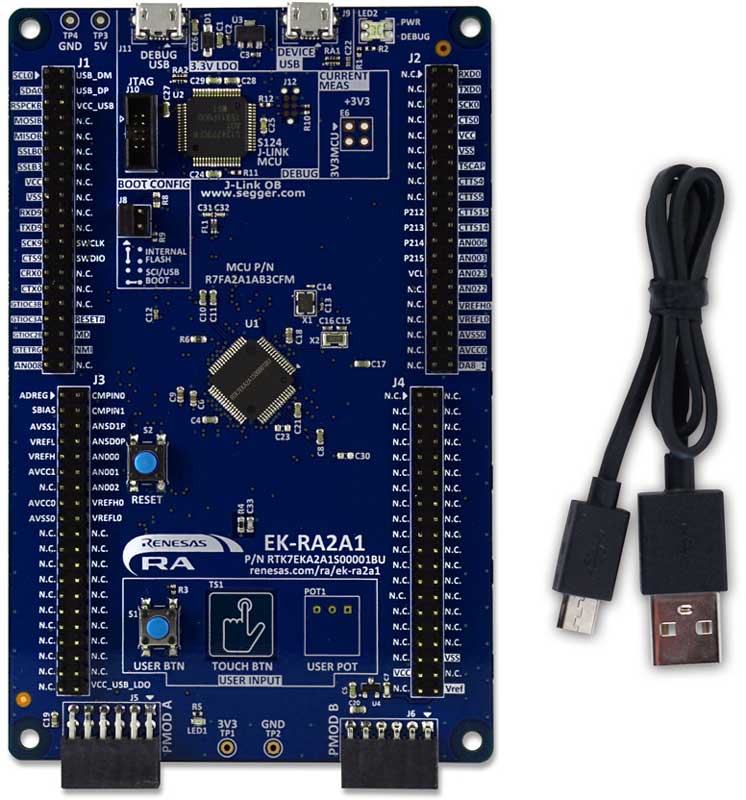
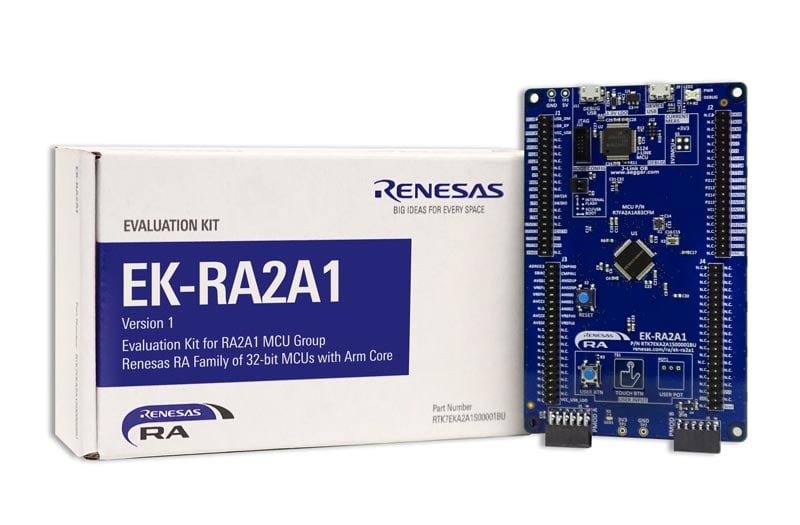
- Kit Contents: EK-RA2A1 v1 board, Micro USB device cable (type-A male to micro-B male)
Getting Started
Explore Ready-to-Run Solutions
Sample & Buy

Evaluation Kit for RA2A1 MCU Group
| Description: | Evaluation Kit for RA2A1 MCU Group |
| HTS (US): | 8471.50.0150 |
| ECCN (US): | 3A991.a.2 |
| SPQ: | 1 |
| Pb (Lead) Free: | No |
| Assembly Location: | CHINA |
| Easy to Start: | 1 |
Add-on Hardware

Evaluation Kit for RA2L1 MCU Group

Evaluation Kit for RA2E1 MCU Group

Evaluation Kit for RA2E2 MCU Group
Application Block Diagrams
 | Waste Collection Fleet Management System Smart waste management system boosts efficiency with weight tracking, route optimization, and real-time monitoring. |
Videos & Training
Kickstart IoT and embedded systems development using Renesas EK-RA2E1 and EK-RA2L1, Evaluation Kits for RA2E1 and RA2L1 MCU Groups. Familiarize yourself with the kit architecture, key features, quick start example project and many useful resources to begin innovating quickly.
Additional Videos
News & Blog Posts
Blog Post Jan 28, 2022 |
Blog Post Jan 28, 2022 |
Blog Post Nov 18, 2021 |
Blog Post Nov 11, 2021 |
Support
Support Communities
- EK-RA2A1 SPI slave interface
Hello, I am currently using the Arduino UNO as Master SPI and wants to configure the EK-RA2A1 as SPI slave device. Moreover, the basic configuration has been performed using the E2 Studio, but my question is how can program so that RA2A1 can receive the SPI messages. Any simple ...
Feb 14, 2022 - CAN BUS problem on EK-RA2A1
Hi all, We are having CANBUS init issue while using simple_can example shared by malokani in the topic below. https://renesasrulz.com/ra/f/forum/17081/ek-ra2a1-can-example Code stucks at "FSP_HARDWARE_REGISTER_WAIT" macro inside "r_can_switch ...
May 15, 2021 - EK-RA2A1 keil flash erase fail
Hi,I started developing for the R7A2A1AB3CFM Renesas mcu using the EK-RA2A1 board.The board comes equipped with a J-link debugger.I'm still trying to run a simple blinky example.The board hardware is ok because I can program and debug the board using e2studio, but I ...
Apr 21, 2022
Knowledge Base
- Buffering DAC8 Outputs with on-chip Op Amp on RA2A1 in FSP 3.0.0
The below attached project demonstrates the configuration and use of the RA2L1 Op Amp to buffer the output of the DAC08 using FSP 3.0.0 on the EK-RA2A1 kit.The program opens the DAC08 0 and DAC08 1 channels, opens the Op Amp and then starts the Op ...
Jun 10, 2021 - RA Family: How to use the Debug Out function of J-Link OB on EK (Evaluation Kit)
Last Updated: 12/14/2023 Question: How to use the Debug Out function of J-Link OB on EK (Evaluation Kit) Answer: Renesas has equipped each EK (Evaluation Kit) for RA MCUs, such as EK-RA2E1, EK-RA2E2, EK-RA2L1, EK-RA2A1, etcEK-RA4M1、EK-RA4M2、EK-RA4M3 ...
Dec 14, 2023 - RA Family: Example of Composite USB PHID/PMSC Project for FSP 3.6.0
Last Updated: 03/03/2022 The below attached project for FSP 3.6.0 and the EK-RA2A1 kit demonstrates the use of a composite USB HID/MSC project. It uses a PMSC RAM disc with some default settings (so it isn't optimized) but it enumerates ...
Mar 3, 2022

Support Communities

