
Overview
Description
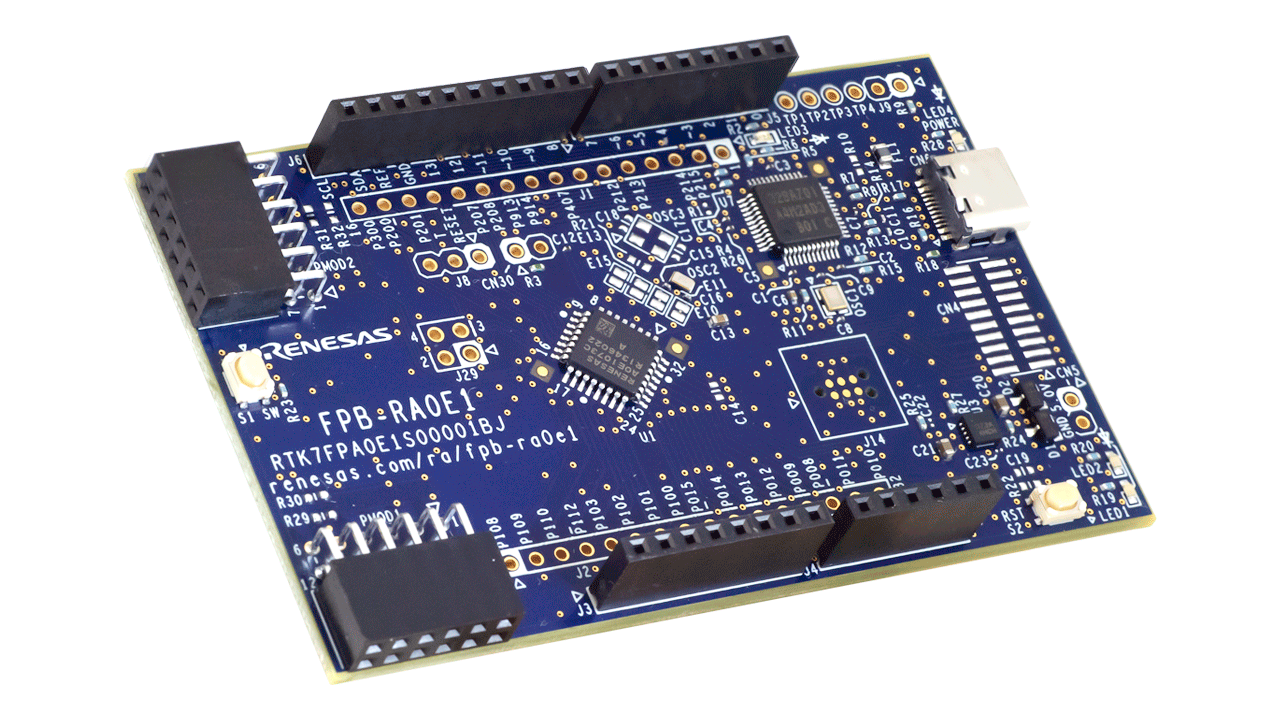
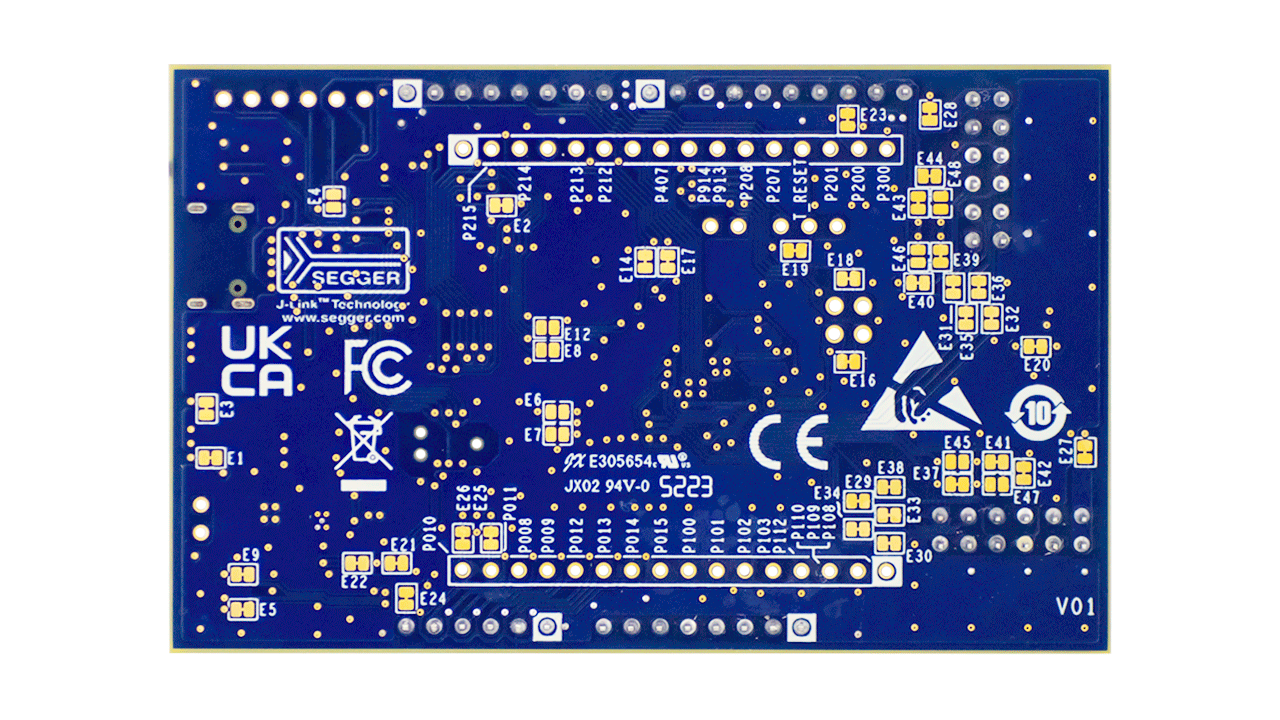
The RA0E1 Fast Prototyping Board is equipped with an RA0E1 MCU, making it an evaluation board specialized for prototype development for a variety of applications. It has a built-in SEGGER J-Link™ emulator circuit so you can write and debug programs without additional tools. In addition, it includes Arduino® UNO and Pmod™ interfaces as standard, along with through-hole access to all pins of the microcontroller, offering high expandability.
Sample software is available to demonstrate the functionality of the RA0E1 MCU and to facilitate connections between the RA0E1 Fast Prototyping Board and various wireless or sensor modules. The kit includes the FPB‑RA0E1 v1 board and either a USB 2.0 Type‑C™ cable (Type‑A male to Type‑C male) or a USB 2.0 Type‑C cable (Type‑C male to Type‑C male); the cable type varies by FPB lot number.

Features
- Equipped with an RA0E1 32-bit microcontroller (R7FA0E1073CFJ):
- 32MHz, Arm® Cortex®-M23 Core
- 64KB ROM, 12KB RAM, Data Flash: 1KB
- 32-pin LQFP (7mm x 7mm x 1.7mm, 0.8mm pitch)
- No additional tools are required for program writing/debugging with the built-in SEGGER J-Link™ emulator circuit
- Through-holes with access to all of the pins of the MCU
- Arduino UNO and Pmod interfaces
- Small size board: 53mm x 85mm
- Support for various RA0E1 software and tools
Applications
Documentation
|
|
|
|
|---|---|---|
| Type | Title | Date |
| Quick Start Guide | PDF 220 KB | |
| Manual - Development Tools | PDF 1.53 MB 日本語 | |
| PCB Design Files | FPB-RA0E1 - Design Package
|
|
| Application Note |
PDF
594 KB
The FPB-RA0E1 example project shows how to write code for various Renesas Flexible Software Package (FSP) modules supported by the FPB-RA0E1 kit. The Flexible Software Package provides an optimized, easy-to-use, scalable, and high-quality software solution for embedded system design. This is the application note for the FPB-RA0E1 example project.
|
|
| Application Note |
PDF
4.90 MB
日本語
This tutorial describes the basic development workflow for the RA0 series MCUs (e.g., RA0E1), covering TAU timer configuration, interrupt handling, and 500ms LED control coding, as well as build and debug procedures using e² studio and FSP. Using the FPB-RA0E1 in a bare-metal setup, it demonstrates clock, pin, and timer configuration along with C code examples to illustrate the minimal development flow for RA0 devices.
|
|
| Application Note |
PDF
6.16 MB
Clear, step‑by‑step instructions guide developers in building a secure bootloader using the MCUboot module with TinyCrypt, enhancing security for applications targeting Renesas RA0 and RA2 series MCUs. This application note also outlines project configuration requirements and system startup procedures.
|
|
| Application Note |
PDF
579 KB
The LoRaWAN stack supports LoRaWAN interface which implements LoRaWAN protocol (Class A/B/C) specified in the specification version 1.0.4 and 1.0.3 which encompasses version 1.0.2. This document describes the API references and other information to use the LoRaWAN stack.
|
|
| Application Note |
PDF
490 KB
The LoRaWAN stack supports LoRaWAN interface which implements LoRaWAN protocol (Class A/B/C) specified in the specification version 1.0.4 and 1.0.3 which encompasses version 1.0.2. This document describes a sample software to control the LoRaWAN stack by AT command sets.
|
|
| Application Note |
PDF
482 KB
The Private LoRa stack supports a custom protocol for the LoRa-based wireless communication, which can be mainly used for the peer-to-peer and star network. This document describes the API references and other information to use the Private LoRa stack.
|
|
| Application Note |
PDF
493 KB
The Private LoRa stack supports a custom protocol for the LoRa-based wireless communication, which can be mainly used for the peer-to-peer and star network. This document describes a sample software to control the Private LoRa stack by AT command sets.
|
|
| Application Note |
PDF
667 KB
AI-generated Summary:
The LoRaWAN Sensor Demo package includes sample software that introduces how to visualize sensor data transmitted by a sensor node to Cloud (AWS/Azure) via LoRaWAN networks. This document describes the specification and usage of the sample software.
|
|
| Application Note |
PDF
786 KB
AI-generated Summary:
This LoRa-based wireles softwar package includes the sample software and evaluation tools to develop the LoRa and LoRaWAN based applications.This document describes the information on the contents of this package and how to setup the hardware and software.
|
|
| Application Note |
PDF
411 KB
The Radio Driver supports basic wireless communictions such as transmit and receive frames with LoRa-based modulation and (G)FSK modulation. This document is an API reference guide for the Radio Driver and MCU timer driver.
|
|
| Application Note |
PDF
430 KB
The support functions for regional radio regulations can be used for the Radio Driver to comply with the regional radio regulations. This document describes the support functions and how to configure each support function.
|
|
| Application Note |
PDF
426 KB
The Radio Evaluation Program can be used when to evaluate the characteristics of the board utilizing the LoRa-based transceiver. This document describes the specification and usage of the Radio Evaluation Program.
|
|
| Manual - Software | PDF 370 KB | |
| Manual - Software | PDF 1.86 MB | |
| Flyer | PDF 481 KB 日本語 | |
| Report | PDF 187 KB 日本語 | |
19 items
|
||
Design & Development
Sample Code
Sample Code
Filters
|
||
|---|---|---|
| Type | Title | Date Date |
| Sample Code | FPB-RA0E1 Example Project Bundle
The FPB-RA0E1 example project shows how to write code for various Renesas Flexible Software Package (FSP) modules supported by the FPB-RA0E1 kit. The Flexible Software Package provides an optimized, easy-to-use, scalable, and high-quality software solution for embedded system design.
|
|
| Sample Code |
ZIP
6.56 MB
Learn how to build a secure bootloader for Renesas RA0 and RA2 MCUs using MCUboot with TinyCrypt. This sample package includes bootloader and example application projects to help you implement secure boot functionality.
|
|
| Sample Code | RA2E1, RA2L1, RA0E1, RA0E2 LoRaWAN® Sensor Demo Rev.2.90
[Software=RA Flexible Software Package|v6.2.0],[Toolchains=GNU Arm Embedded|13.2.1.arm-13-7]
ZIP
1.92 MB
Application:
Appliances, Building Automation, Communications Infrastructure, Connected Home & Entertainment, Industrial, Industrial Automation, Security
Compiler:
GNU ARM Embedded
Function:
Software Package
IDE:
e2 studio
The LoRaWAN Sensor Demo package includes sample software that introduces how to visualize sensor data transmitted by a sensor node to Cloud (AWS/Azure) via LoRaWAN networks. This document describes the specification and usage of the sample software.
|
|
| Sample Code | RA2E1, RA2L1, RA0E1, RA0E2 LoRa®-based Wireless Software Package Rev.4.90
[Software=RA Flexible Software Package|v6.2.0],[Toolchains=GNU Arm Embedded|13.2.1.arm-13-7]
ZIP
12.01 MB
Application:
Appliances, Building Automation, Communications Infrastructure, Connected Home & Entertainment, Industrial, Industrial Automation, Security
Compiler:
GNU ARM Embedded
Function:
Software Package
IDE:
e2 studio
This LoRa-based wireles softwar package includes the sample software and evaluation tools to develop the LoRa and LoRaWAN based applications.This document describes the information on the contents of this package and how to setup the hardware and software.
|
|
4 items
|
||
Product Options
| Part Number | Status | Stock | Budgetary Price (USD) | Sampleable |
|---|---|---|---|---|
| RTK7FPA0E1S00001BJ | Active | In Stock | 1u | $10.75 | Available |
Videos & Training
This video demonstrates the RA0E1 fast prototyping board, designed for the RA0E1 MCU. It includes a built-in SEGGER J-Link emulator circuit, enabling program writing and debugging without additional tools. The board also provides Arduino UNO and Pmod™ interfaces, along with through-hole access to all microcontroller pins for enhanced expandability.
Additional Videos
News & Blog Posts
Blog Post Apr 22, 2025 |
Blog Post Apr 9, 2024 |
Support
Support Communities
- CMSIS DSP -compilation error for FPB-RA0E1
Hi, i was tried CMSIS DSP library build for FPB-RA0E1, but getting the following error make -r -j8 all Building target: CMSIS_FFT_Dummy.elf C:/Users/1064238/AppData/Local/Programs/Renesas/RA/e2studio_v2024-10_fsp_v5.6.0/ ...
Nov 28, 2024 - reception event is not generate for I2C communication, FPB-RA0E1 and external EEPROM communication
Hi, i wanted to communicate I2C master as FPB-RA0E1 and external EEPROM as slave device. The steps i flow is given below. - Create new bare metal project for R7FA0E1073CFJ as shown below - Create SAU_I2C module in stack tab and configure the properties. Slave address is 0x50 - Create my ...
Nov 21, 2024 - Unable to Locate DMA Module in FSP for ADC Data Storage on FPB-RA0E1 Board
Hi Team, I'm working with the FPB-RA0E1 board to capture sound waveforms using the ADC and store the data via DMA. However, when I attempted to add a DMA module in FSP, I couldn't find an option for it; only the DTC driver module was listed as ...
Dec 12, 2024
Knowledge Base
- How to use digital PIR Motion Sensor with FPB-RA0E1
Last updated on 28th May 2026 Summary of the video This video demonstrates how to read a digital motion sensor input on RA0E1 Fast Prototyping Board. Flexible Software Package (FSP) supports GPIO operations with the r_ioport module.It shows how the MCU continuously polls the sensor pin and updates ...
- How to use different low power modes on FPB-RA0E1 board
Last updated on 25th May 2026 Summary of the video This video demonstrates how to setup and enter a low-power mode on EK-RA0E1. FSP supports LPM operations on RA0E1 with the r_lpm FSP module. It shows how the ICU external IRQ and LPM modules are initialized, how ...
- How to use the UART Peripheral on FPB-RA0E1 Board
Last updated on 25th May 2026 Summary of the video This video demonstrates basic UART communication using the UARTA peripheral EK-RA0E1. FSP supports UARTA operations on RA0E1 with the r_uarta FSP module. It shows how to initialize the UARTA driver, transmit a default message, receive data through a ...

Support Communities


