
Overview
Description
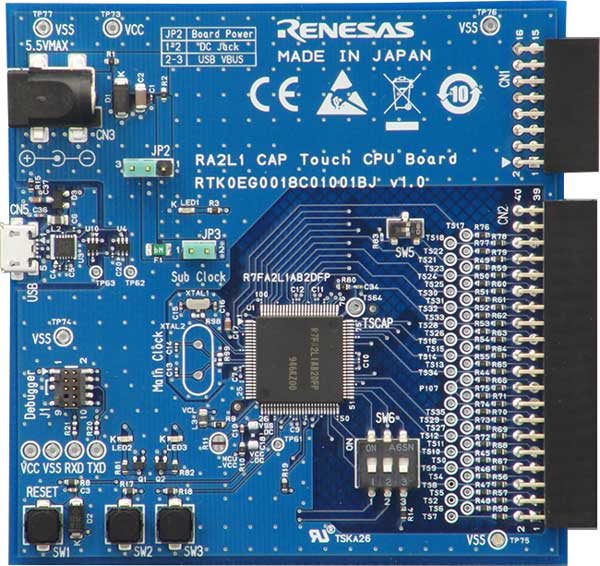
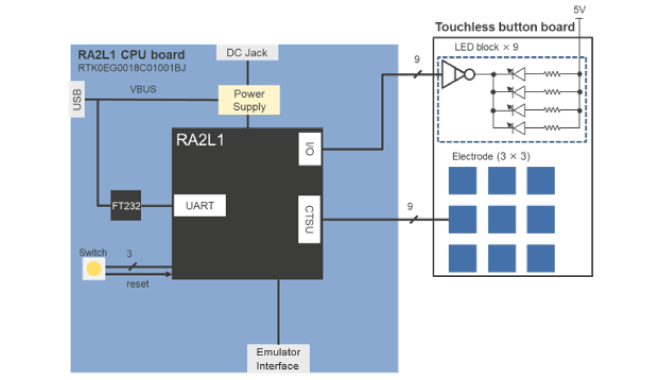
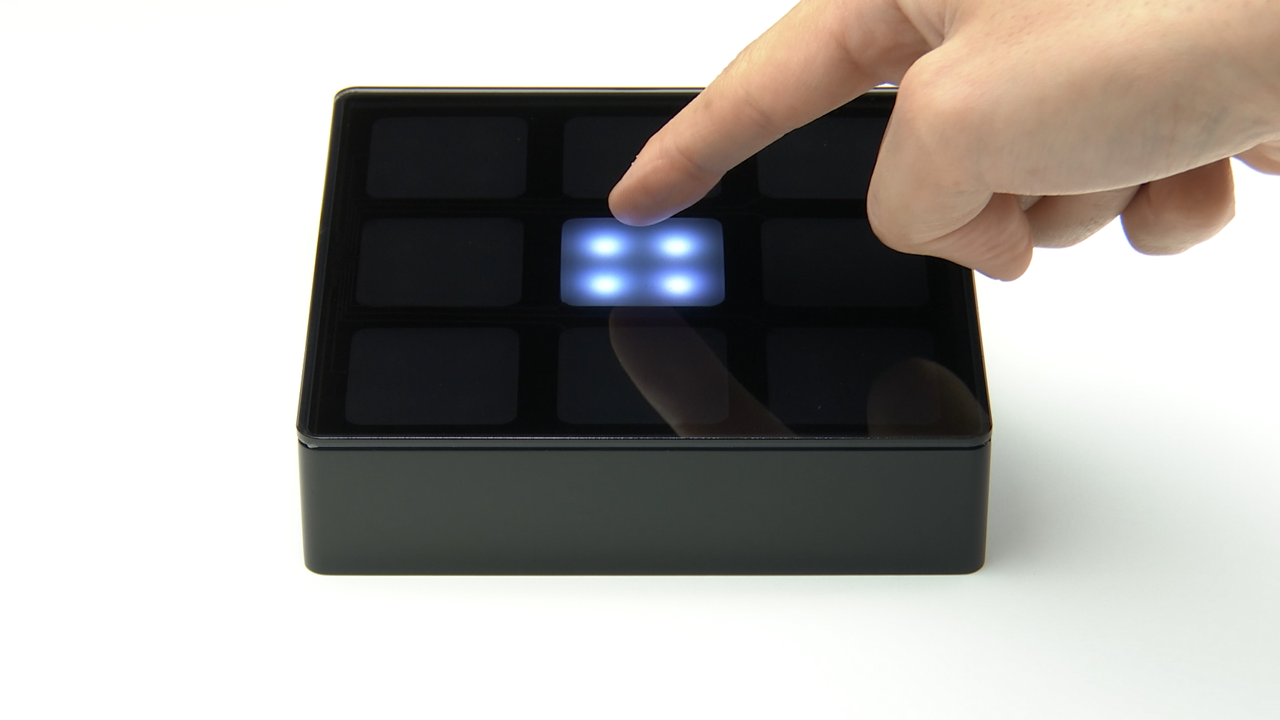
The Touchless Button Reference Design can detect the approach of fingers and hands without physical contact using Renesas’ capacitive touch solution. The electrode detects the proximity of the finger via self-capacitance and turns on the LED. The demo solution is compatible with all types of Renesas capacitive touch CPU boards.
The Touchless Button Reference Design solves the problems of conventional technologies (infrared sensor, ultrasonic, etc.). With Renesas' touchless button design, all you need is an electrode; it is not affected by light, and it can be combined with other capacitive functions.
The design should be used for the following use cases:
- When you don't want to or cannot touch a surface (elevator buttons, etc.)
- When your hands are occupied (vending machines, etc.)
- When your hands are wet (refrigerators)
- Other items that you don't want to touch (smart toilets)
Features
- Based on Renesas' high sensitivity, noise-tolerant capacitive touch solution
- Detect the approach of a finger up to 15mm above the electrode
- Sensing can be carried out with any non-conducting material, like glass or paper
- Support for IEC 61000 4-3 Level 3 Class B
- Class B: No false detection when there is no object nearby in a noisy environment.
- Applicable to various applications such as white goods and public facilities
- Realize system control and touchless operation for your product using a high-performance, low-power 32-bit microcontroller (MCU) and touch IP
- Possible to use touchless control combined with other capacitive applications (water level measurement + touchless button)
Applications

|
Touchless Button
Touchless button design using capacitive sensing ensures hygiene and reliability in varied settings.
|
Documentation
|
|
|
|
|---|---|---|
| Type | Title | Date |
| PCB Design Files | ZIP 860 KB | |
| PCB Design Files | ZIP 3.23 MB | |
| Manual - Hardware |
PDF
280 KB
日本語
AI-generated Summary:
The document details the hardware specifications and design of a touchless button demo solution using the RA2L1 Group microcontroller. It explains the capacitive self-capacitance sensing method via CTSU2 to detect human proximity without contact. The demo kit features simple parts, compatibility with a capacitive touch evaluation CPU board, USB or AC power supply, and a detection range of about 20mm. Key hardware components include a 110×122mm board, nine 30×30mm electrodes, 36 white LEDs, a buzzer, and connectors. The document also provides a block diagram, bill of materials (BOM), and external appearance images. PCB design files in the downloadable ZIP typically include the BOM, schematic, and Gerber files.
|
|
| Application Note | PDF 795 KB 日本語 | |
| Application Note |
PDF
579 KB
日本語
AI-generated Summary:
The Touchless Button Electrode Board sample software demonstrates capacitive touch detection using the self-capacitance method on RA6M2 microcontrollers. It measures electrostatic capacitance between electrodes and a hovering finger to detect touchless input. The software supports configurations for 4, 9, and 12 buttons, with or without housing, and includes tuning via QE and FSP middleware. It operates on RA6M2 CPU boards at 192 MHz and 5 V, using e2 studio and GCC ARM Embedded tools. The software structure integrates drivers and middleware for touch detection, LED indication, and sound output. Related documents provide detailed hardware and tuning information.
|
|
| Application Note |
PDF
589 KB
日本語
AI-generated Summary:
The software enables touchless button operation using capacitive touch detection with the RL78/G23 microcontroller. It measures electrostatic capacitance between the electrode and a hovering finger to detect input without contact. The project supports configurations for 4, 9, and 12 buttons with or without housing. The software integrates with e2 studio, QE for Capacitive Touch, and SIS modules, providing LED and sound feedback upon touch detection. The setup requires tuning threshold values for accurate detection depending on the electrode board type. The package includes source code structured for easy modification and deployment.
|
|
| Application Note |
PDF
593 KB
日本語
AI-generated Summary:
The software demonstrates capacitive touch detection using the self-capacitance method on the RA2L1 Group’s touchless button electrode board. It measures electrostatic capacitance changes caused by a hand hovering over electrodes to detect touch without physical contact. The software supports configurations for boards with or without housing and includes sample applications for 4, 9, and 12 button setups. It uses middleware and drivers such as rm_touch and r_ctsu to process touch signals and provides user feedback via LEDs and sound. The development environment includes e2 studio, GCC ARM Embedded compiler, and QE for Capacitive Touch IDE. The software structure integrates middleware and drivers to detect touch and output results effectively.
|
|
| Application Note |
PDF
338 KB
日本語
AI-generated Summary:
The software demonstrates a touchless button solution using self-capacitance measurement via the Capacitive Touch Sensor Unit (CTSU) on the RA6M2 microcontroller. It measures capacitance changes caused by human proximity to nine electrodes, triggering LED and buzzer notifications. The software structure integrates QE Touch and CTSU modules, with configurable build options for LED lighting modes and buzzer enablement. It operates on an RTK0EG0021S01001BJ evaluation board at 240 MHz and 3.3 V, developed using e2 studio and GNU ARM Embedded compiler. The package includes source files for LED and buzzer control, configuration files, and automatically generated QE files.
|
|
| Application Note |
PDF
338 KB
日本語
AI-generated Summary:
The software demonstrates a touchless button solution using the RL78/G23 MCU and Capacitive Touch Sensor Unit2L (CTSU2L) with a self-capacitance method. It measures capacitance changes caused by human proximity to nine electrodes, triggering LED and buzzer notifications. The software structure integrates QE for Capacitive Touch and Smart Configurator-generated modules. Initialization functions prepare LED and buzzer control, while build options allow enabling or disabling LED lighting modes and buzzer output. The package includes source files, configuration files, and application code to facilitate development and evaluation.
|
|
| Application Note |
PDF
341 KB
日本語
AI-generated Summary:
The software enables capacitive touchless button detection using the self-capacitance method with the CTSU2 hardware on RA2L1 MCUs. It measures capacitance changes caused by human proximity across nine electrodes and notifies detection results via LEDs and buzzer. The software structure integrates QE Touch and QE CTSU modules, supporting initialization, measurement, and user feedback. Build options allow customization of LED brightness modes and buzzer activation. The package includes source files for LED and buzzer control, configuration files, and project setup for development with e2 studio and QE tools.
|
|
| Application Note |
PDF
338 KB
日本語
AI-generated Summary:
The software demonstrates a touchless button solution using the RX130 MCU and Capacitive Touch Sensor Unit (CTSU) based on self-capacitance measurement. It includes initialization and control of LEDs and buzzer to notify proximity or touch detection on nine electrodes. The software structure integrates QE Touch and QE CTSU modules, developed with e2 studio and CC-RX compiler. Build options allow enabling/disabling LED lighting modes and buzzer sounds. The package contains source files, header files, and configuration files for development and debugging.
|
|
| Application Note |
PDF
5.95 MB
日本語
AI-generated Summary:
The document details the design, operation, and handling of the Touchless Button Electrode Board used with Renesas RX130 Capacitive Sensor Microcontrollers. It covers hardware configurations with and without housing, power supply options, and safety precautions including antistatic handling and proper cable connections. The board supports multiple self-capacitive electrode types and operates standalone without a PC. It complies with EU regulations including EMC and WEEE directives. The document includes product assembly, switch settings, block diagrams, circuit diagrams, board layouts, and a comprehensive bill of materials. PCB design files such as schematics, BOM, and Gerber files are bundled in the provided zip downloads.
|
|
| Application Note |
PDF
517 KB
日本語
AI-generated Summary:
The software enables capacitive touch detection using a touchless button electrode board based on the self-capacitance method. It supports RX130 Group microcontrollers and operates with an RX Capacitive Touch Evaluation System CPU board. The software includes sample applications configured for 4, 9, or 12 buttons with or without housing. It uses e2studio and QE for Capacitive Touch tools for development and tuning. The touchless detection works by measuring electrostatic capacitance changes when a finger hovers over electrodes attached behind an acrylic plate. The package includes source code and configuration files for easy adaptation and tuning based on the electrode setup.
|
|
13 items
|
||
Design & Development
Sample Code
Sample Code
Filters
|
||
|---|---|---|
| Type | Title | Date Date |
| Sample Code | RX140 Group Touchless Button Demo Solution Sample Software
|
|
| Sample Code | RA6M2 Group Touchless Button Electrode Board Sample Software - Sample Code
|
|
| Sample Code | RL78/G23 Group Touchless Button Electrode Board Sample Software Rev.1.00 - Sample Code
|
|
| Sample Code | RA2L1 Group Touchless Button Electrode Board Sample Software Rev.1.00 - Sample Code
|
|
| Sample Code | RA6M2 Group Touchless Button Demo Solution Sample Software Rev.1.00 - Sample Code
|
|
| Sample Code | RL78/G23 Group Touchless Button Demo Solution Sample Software Rev.1.00 - Sample Code
|
|
| Sample Code | RA2L1 Group Touchless Button Demo Solution Sample Software Rev.1.01 - Sample Code
|
|
| Sample Code | RX130 Group Touchless Button Demo Solution Sample Software Rev.1.00 - Sample Code
|
|
| Sample Code | RX130 Group Touchless Button Electrode Board Sample Software Rev.1.00 - Sample Code
|
|
9 items
|
||
Related Boards & Kits
Boards & Kits
Capacitive Touch Evaluation System for RX130
The RX130 capacitive touch evaluation system makes it easy for users to evaluate touch solutions offered by Renesas. You can start evaluating immediately out of the box using the board and software included in each kit.
Configuration
- RX130 CPU board
- Touch application...
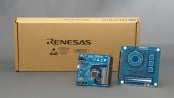
Capacitive Touch Evaluation System for RA2L1
The RA2L1 capacitive touch evaluation system makes it easy for users to evaluate touch solutions offered by Renesas. You can start evaluating immediately out of the box using the board and software included in each kit.
Configuration
- RA2L1 CPU board
- Touch application board
- Self-capacitance... Read More
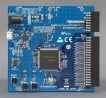
Capacitive Touch Evaluation System for RA6M2
The RA6M2 capacitive touch evaluation system makes it easy for users to evaluate touch solutions offered by Renesas. You can start evaluating immediately out of the box using the board and software included in each kit.
Videos & Training
Additional Videos
Support

Support Communities


