
Overview
Description
The EK-RA6M3G evaluation kit enables users to seamlessly evaluate the features of the RA6M3 MCU Group and develop embedded systems applications using Renesas' Flexible Software Package (FSP) and e2 studio IDE. You can utilize rich on-board features along with your choice of popular ecosystem add-ons to bring your big ideas to life.
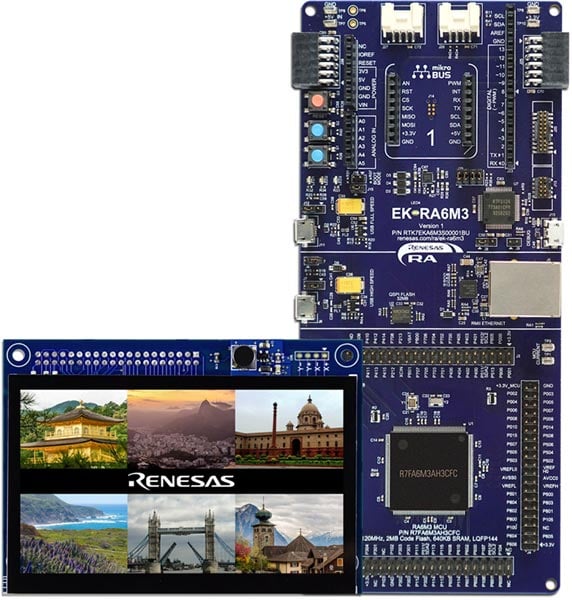
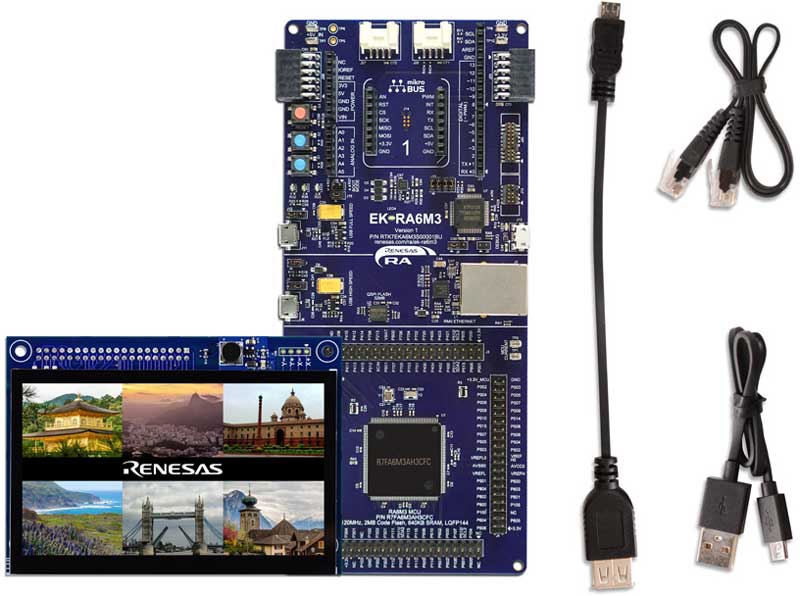
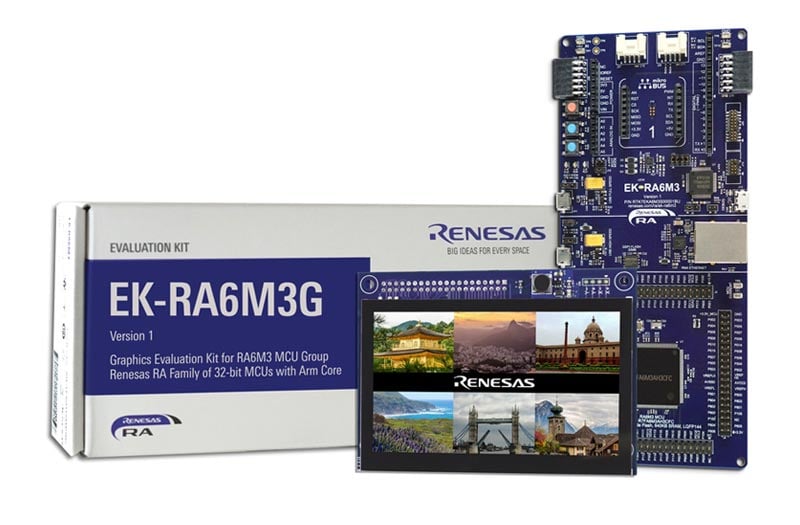
The EK-RA6M3G kit consists of two boards: the EK-RA6M3 board featuring the RA6M3 MCU with on-chip graphics LCD controller and the graphics expansion board featuring a 4.3-inch TFT color LCD with capacitive touch overlay.
Getting Started
Running the Quick Start Example Project
- The EK-RA6M3G comes pre-programmed with quick start example project (provided with the example projects bundle).
- Connect the graphics expansion board to the graphics expansion port (J1) on the EK-RA6M3 board.
- Power up the EK-RA6M3G board through the debug USB port (J10) using the micro USB device cable connected to a 5V power source. The white power LED will light up.
- The quick start example project will begin to execute showing graphics elements on the screen.
- Refer to the EK-RA6M3G – Quick Start Guide (PDF) to explore additional functionality of the quick start example project.
Developing Embedded Applications
- Start with one of the many other example projects (provided in the example projects bundle) – choose from many example projects to learn about different peripherals for the RA6M3 MCU Group. These example projects can serve as excellent starting points for you to develop your custom applications.
Building Custom Hardware
- Start by building a functional prototype - utilize the EK-RA6M3 and graphics expansion boards with your choice of hundreds of popular ecosystem add-ons.
- Build custom hardware – develop custom hardware by referring to the design and manufacturing information provided in the EK-RA6M3G v1 - Design Package (ZIP)
Features
- Special Feature Access
- Ethernet (RMII and PHY)
- USB High Speed host and device
- 32MB External QSPI Flash
- MCU Native Pin Access
- R7FA6M3AH3CFC MCU
- 120MHz, Arm Cortex®-M4 core
- 2MB Code Flash, 640kB SRAM
- 176 pins, LQFP package, 24mm x 24mm x 1.70mm, 0.5mm pitch
- Native pin access through 4x 40-pin male headers
- MCU and USB current measurement points
- Ecosystem & System Control Access
- USB Full Speed host and device
- Multiple 5V input sources
- USB (Debug, Full Speed, High Speed)
- External power supply
- SEGGER J-LinkTM on-board programmer and debugger
- Debug modes
- Debug On-board (SWD) – via J-Link
- Debug Out (SWD) – via J-Link
- Debug In (ETM, SWD & JTAG) – via J-Link, Arm® Keil® ULINKTM, IAR I-jetTM, Renesas E2/E2 Lite, etc.
- User LEDs and buttons
- Three user LEDs (red, blue, green)
- Power LED (white) indicating availability of regulated power
- Debug LED (yellow) indicating the debug connection
- Two User buttons
- One Reset button
- Four most popular ecosystems expansions
- MikroElektronikaTM mikroBUS connector
- Two SeeedGrove® system (I2C) connectors
- Two Digilent PmodTM (SPI and UART) connectors
- ArduinoTM (Uno R3) connector
- MCU boot configuration jumper
- Graphics Expansion Board
- 4.3-inch TFT color LCD
- 480 x 272 resolution
- Capacitive touch overlay with controller
- Back light controller
- SeggerTM emWin Embedded GUI Library
- Enables the creation of stunning graphics
- Powerful and easy to use API
- Uses ANSI C/C++ development environment
Applications
Documentation
|
|
|
|
|---|---|---|
| Type | Title | Date |
| Quick Start Guide | PDF 566 KB | |
| Manual - Development Tools |
PDF
2.18 MB
日本語
Describes an overview of the EK-RA6M3G kit's specifications and how to use it to evaluate the RA6M3 MCU quickly.
|
|
| PCB Design Files | EK-RA6M3 v1 - Design Package
|
|
| Application Note |
PDF
738 KB
The EK-RA6M3G example project shows how to write code for various Renesas Flexible Software Package (FSP) modules supported by the EK-RA6M3G kit. The Flexible Software Package provides an optimized, easy-to-use, scalable, and high-quality software solution for embedded system design.
|
|
| PCB Design Files | Parallel Graphics Expansion Board 1 v1 for EK-RA6M3G - Design Package
The design data includes the schematic, BOM, PCB layout files, and Gerber artwork of the parallel graphic expansion board that is compatible with EK-RA6M3.
|
|
| Tool News - Release |
PDF
153 KB
日本語
This is the Tool News announcing the revision upgrade to QE for Display [RX,RA] V3.7.0, Development Assistance Tool for Display Applications.
QE for Display [RX,RA] is a development assistance tool that supports the development of embedded systems using the LCD display functions of display controllers from Renesas.
With this revision upgrade, the tool now supports the new device RA8D2.
|
|
| Application Note |
PDF
4.21 MB
AI-generated Summary:
The document explains how to develop complex multi-threaded graphical applications with touchscreen Human Machine Interfaces (HMI) using the Renesas RA Flexible Software Package (FSP) and SEGGER AppWizard on the EK-RA6M3G kit. It covers setting up the board, integrating AppWizard projects, configuring peripherals like PWM backlight control, and leveraging FreeRTOS features such as threads and semaphores. The development environment is Renesas e2 studio, and the document details step-by-step procedures for building, importing, and running the graphics application. It also lists required software versions and hardware components, including the RA6M3 MCU and a 4.3-inch TFT LCD with capacitive touch.
|
|
| Application Note |
PDF
3.64 MB
AI-generated Summary:
This document guides the development of a multi-threaded thermostat application featuring a touch screen graphical Human Machine Interface (HMI) using Renesas RA Flexible Software Package (FSP) and Azure RTOS GUIX. It covers creating GUIX projects, integrating touch drivers, managing hardware access, system updates, and event handling. It details tool installation, project creation, hardware setup, and controlling LCD backlight via PWM. The development environment includes e2 studio IDE, FSP, and Azure RTOS GUIX Studio. The document assumes familiarity with RTOS concepts and multi-threaded programming.
|
|
| Tool News - Release | PDF 152 KB 日本語 | |
| Tool News - Release | PDF 335 KB 日本語 | |
| Tool News - Release | PDF 169 KB 日本語 | |
| Application Note |
PDF
5.25 MB
AI-generated Summary:
The document guides the development of a multi-threaded thermostat application with a touch screen GUI using Renesas RA MCUs, Azure RTOS GUIX, and the Flexible Software Package (FSP). It covers setting up the parallel LCD display, integrating touch drivers, managing hardware access, and implementing system updates and event handling. The guide includes steps for project creation, enabling SDRAM for GUIX storage, configuring timers for backlight control, and debugging. It supports rapid development of connected IoT devices with secure, production-ready drivers and middleware stacks such as Ethernet and USB. The package includes PCB design files like BOM, schematics, and Gerber files for hardware integration.
|
|
| Flyer | PDF 534 KB 日本語 | |
| Flyer | PDF 412 KB | |
| Tool News - Release | PDF 266 KB 日本語 | |
| Presentation | PDF 7.02 MB | |
| Presentation | PPS 18.12 MB | |
| Application Note |
PDF
5.08 MB
AI-generated Summary:
The document guides users through creating a two-screen GUI application using Azure RTOS GUIX Studio on the EK-RA6M3G kit. It covers setting up the Renesas Flexible Software Package (FSP), including ThreadX RTOS, GUIX library, and hardware drivers. Users learn to configure the GLCD controller, touch screen driver, and semaphores for task communication. The guide details installing required tools, creating projects, enabling backlight, and integrating pre-written source code. It also explains basic debugging and GUI creation steps, enabling touchscreen interaction with a simple graphical interface. The zip download includes source files: touch_ft5x06 folder, hal_entry.c, system_thread_entry.c, touch_thread_entry.c, and windows_handler.c.
|
|
| Report | PDF 187 KB 日本語 | |
19 items
|
||
Design & Development
Software & Tools
Software & Tools
| Software title
|
Software type
|
Company
|
|---|---|---|
| ProtoKit A robust protocol library stack for Renesas RA series microcontrollers, enabling fast integration of industrial communication. With support for IEC 60870-5-101/104 and Modbus, it delivers reliable device connectivity for utilities, power substations, railways, and industrial automation. Built on an optimized C++ architecture with FreeRTOS compatibility and simple APIs, it helps OEMs accelerate product development cycles while building scalable, communication-ready embedded systems.
|
Application Specific SW | Gayatri Comtek Lab Pvt. Ltd. |
| QuickConnect Platform QuickConnect platform enables fast prototyping by providing compatible hardware and software building blocks.
|
Software and Hardware Development Tools | Renesas |
| RA Flexible Software Package (FSP) FSP is an enhanced software package designed to provide easy-to-use, scalable, high-quality software for embedded system designs using Renesas RA Family of Arm Microcontrollers.
Note: FSP with e² studio Installer (Platform Installer) will install the e² studio tool, FSP packs, GCC toolchain, and Segger J-Link drivers required to use this software. No additional installations are required.
|
Software Package | Renesas |
| Renesas Flash Programmer (Programming GUI) Flash memory programming software [Support MCU/MPU and devices: RA, RE, RX, RL78, RH850, RISC-V MCU, Renesas Synergy, DA1453x, DA1459x, DA1469x, DA1470x, DA148xx, Power Management, Renesas USB Power Delivery Family, ICs for Motor Driver/Actuator Driver, V850, 78K0R, 78K0]
|
Programmer (Unit/SW) | Renesas |
| Scalable Embedded UI Platform for MCUs/MPUs LVGL is an embedded UI ecosystem that enables companies to build consistent user interfaces across their product portfolios. LVGL Open is a free, open source graphics library supporting 2D and 3D graphics on both MCUs and MPUs. LVGL Safe targets functional safety applications, while LVGL Pro provides professional UI development tools. With no royalties and a scalable architecture, LVGL allows OEMs to standardize UI development across products and teams while maintaining full control over their software stack.
|
HMI | LVGL |
| Slint Slint allows product teams to build modern user interfaces for any device. Slint tools enable teams to transform Figma designs into production-ready code and iterate quickly with live preview on target devices. With automated GUI testing in continuous integration and continuous delivery (CI/CD) pipelines, regressions and UI bugs can be detected early. Slint delivers efficient rendering for resource-constrained hardware and supports Rust, C++, JavaScript, and Python. Slint also offers Safety-critical graphics capabilities to support UI in systems requiring functional safety certification.
|
HMI | Slint |
| SquareLine Studio SquareLine Studio enables users to create visually impressive and high-performance UI interfaces for Renesas hardware quickly and efficiently.
|
HMI | SquareLine Kft |
7 items
|
||
Sample Code
Sample Code
Filters
|
||
|---|---|---|
| Type | Title | Date Date |
| Sample Code | EK-RA6M3G Example Project Bundle
[Software=RA FSP],[Board=EK-RA6M3G]
ZIP
30.04 MB
IDE:
e2 studio/GCC/AC6, IAR, Keil MDK
The EK-RA6M3G example project shows how to write code for various Renesas Flexible Software Package (FSP) modules supported by the EK-RA6M3G kit. The Flexible Software Package provides an optimized, easy-to-use, scalable, and high-quality software solution for embedded system design.
|
|
| Sample Code | Getting Started with the Graphics Application
|
|
| Sample Code | Getting Started with GUIX Thermostat Application
|
|
| Sample Code | "GUIX Thermostat" for EK-RA8D1 Parallel GLCD Display
|
|
| Sample Code | Security Design with Arm® TrustZone® using Cortex-M33
|
|
| Sample Code | GUIX "Hello World" for EK-RA6M3G - Application Project - Sample Code
The Renesas Flexible Software Package includes Azure RTOS ThreadX® real-time operating system, the
Azure RTOS GUIX library and hardware drivers unified under a single robust software package.
[Toolchains=GCC Arm Embedded|9.3.1.20200408] [Software=RA FSP|v3.1.0] [Board=EK-RA6M3G]
ZIP
4.97 MB
Compiler:
GNU Arm Embedded
IDE:
e2 studio
|
|
6 items
|
||
Related Boards & Kits
Boards & Kits

Evaluation Kit for RA6M3 MCU Group
The EK-RA6M3 evaluation kit enables users to seamlessly evaluate the features of the RA6M3 MCU Group and develop embedded systems applications using the Flexible Software Package (FSP) and e2studio IDE. Utilize rich on-board features along with your choice of popular ecosystem add-ons to bring... Read More
Product Options
| Part Number | Status | Stock | Budgetary Price (USD) | Sampleable |
|---|---|---|---|---|
| RTK7EKA6M3S01001BU | Active | In Stock | 1u | $129.41 | Available |
Videos & Training
Kickstart IoT and embedded systems development using Renesas EK-RA6M3, Evaluation Kit for RA6M3 MCU Group. Familiarize yourself with the kit architecture, key features, quick start example project and many useful resources to begin innovating quickly.
Additional Videos
News & Blog Posts
Blog Post Jan 28, 2022 |
Blog Post Jan 28, 2022 |
Blog Post Nov 18, 2021 |
Blog Post Nov 11, 2021 |
Certifications
The EK-RA6M3G kit meets the following certifications/standards. Refer to the EK-RA6M3G kit’s user manual for the disclaimer, precautions and more details on the certifications.
EMC/EMI Standards
- FCC Notice (Class A) – Part 15
- Innovation, Science and Economic Development Canada ICES-003 Compliance: CAN ICES-3 (A)/NMB-3(A)
- CE Class A (EMC Directive 2004/108/EEC)
- Taiwan Chinese National Standard 13438, C6357 compliance, Class A limits
- Australia/New Zealand AS/NZS CISPR 32:2015, Class A
Material Selection, Waste, Recycling, and Disposal Standards
- EU RoHS
- China SJ/T 113642014, 10-year environmental protection use period
Safety Standards
- UL 94V-0
Support
Support Communities
- EK-RA6M3G Display Orientation Problem
Hello, I'm using the Renesas Evaluation Kit EK-RA6M3G with a display resolution of 480x272 pixels. I tested the Segger software project RA6M3_EK_emWin_Quickstart_100 provided by their website and all worked fine. But for a new product we have to use the display in portrait mode ...
Nov 18, 2021 - Can't debug RA8D1 with EK-RA6M3G (J-Link OB-S124)
I'm trying to externally debug an RA8D1 with the EK-RA6M3G. Flash programmer seems to be able to connect, but J-Link gives the following error: The log: LOG: Connecting to J-Link via USB... LOG: Device "R7FA8D1BH" selected. LOG: ConfigTargetSettings() start LOG: Configuring FlashDLNoRMWThreshold=0x200 in order to ...
May 28, 2024 - EK-RA6M3G / Quick Start Example Project
Hello, I want to get the "Quick Start Example Project" code showing in the Graphics Evaluation Kit for RA6M3 Microcontroller Group EK-RA6M3G Quick Start Guide. Could you let me know where I can get it? I downloaded the examples in here(https://www.renesas.com/br ...
Aug 25, 2021
Knowledge Base
- LVGL: Using 32-bit Color Formats with GLCDC
... out-of-the-box. These examples are available on GitHub and demonstrate working configurations for display, timing, color format, etc. RX72N Envision Kit EK-RA8D1EK-RA6M3GEK-RA8D2 EK-RA8P1 *Note that FSP LVGL port requires the GLCDC HAL Layer. If your MCU does not contain a GLCDC, then ...
Jan 6, 2026

Support Communities


