
Overview
Description
The EK-RA4W1 evaluation kit enables users to effortlessly evaluate the features of the RA4W1 MCU Group and develop embedded systems applications using Renesas' Flexible Software Package (FSP) and various IDEs.
Getting Started
Running the Quick Start Example Project
- Power up the EK-RA4W1 board through the USB debug port (J11) using the micro USB device cable connected to a 5V power source. The green power LED will light up.
- The quick start example project will begin to execute blinking the red user LED.
- Refer to the EK-RA4W1 – Quick Start Guide (ZIP) to explore additional functionality of the quick start example project.
Developing Embedded Applications
- Modifying the quick start example project – refer to the EK-RA4W1 Quick Start Guide for instructions on importing, modifying and building the quick start example project.
- Start with one of the many other example projects – choose from many example projects to learn about different peripherals of the RA4W1 MCU group. These example projects can serve as excellent starting points for you to develop your custom applications.
Building Custom Hardware
- Start by building a functional prototype - utilize the EK-RA4W1 board with your choice of ecosystem add-ons.
- Build custom hardware – develop custom hardware by referring to the design and manufacturing information provided in the EK-RA4W1 design package.
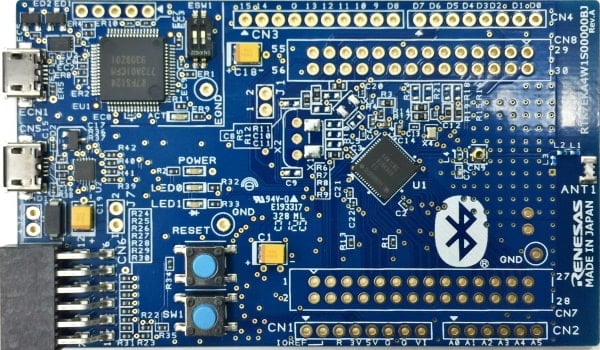
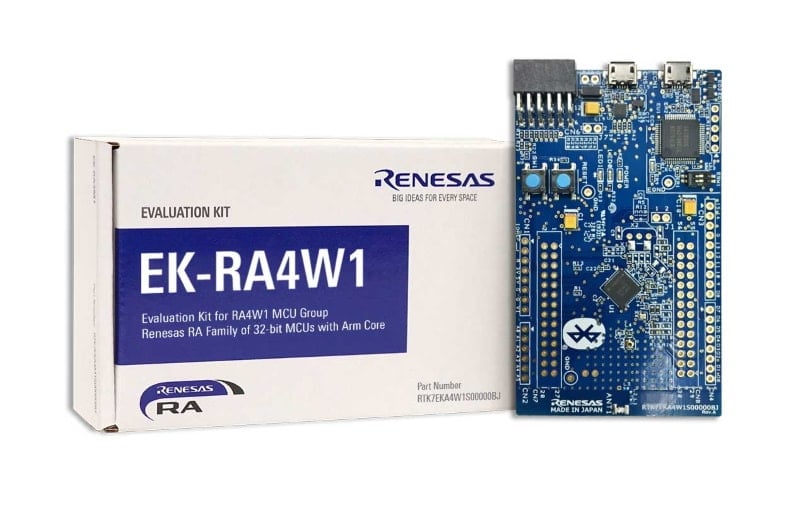
Features
- MCU Native Pin Access:
- R7FA4W1AD2CNG MCU
- 48MHz, Arm Cortex®-M4 core
- 512kB Code Flash, 96kB SRAM
- 56 pins, QFN package, 7mm x 7mm x 0.90mm, 0.5mm pitch
- MCU headers: 28 pins x2
- MCU current measurement points
- Ecosystem & System Control Access:
- USB Full Speed device
- 5V input through USB debug
- Debug on-board (Segger J-Link®)
- One Digilent PmodTM (SPI)
- User LED
- Mechanical user button
- MCU boot configuration jumper
- ArduinoTM UNO connector
Applications
Design & Development
Videos & Training
The Renesas RA Family of 32-bit MCUs is designed to help device developers create the next generation of secure IoT devices. They are low power, have a wide variety of peripherals and connectivity options, and sport the latest HMI to help end customers have an immersive experience.
Additional Videos
News & Blog Posts
Blog Post Jan 28, 2022 |
Blog Post Jan 28, 2022 |
Blog Post Nov 18, 2021 |
Blog Post Nov 11, 2021 |
Certifications
The EK-RA4W1 kit meets several certifications/standards. Refer to the EK-RA4W1 User's Manual (PDF | English, 日本語) for the disclaimer, precautions and details on the certifications.
Partners
Zephyr Project
The Zephyr Project is an open-source, scalable real‑time operating system (RTOS) designed for resource-constrained embedded systems and supports a wide range of hardware architectures and development boards. For the Renesas RA4W1 Evaluation Kit, Zephyr provides focused documentation covering board features, supported peripherals, and basic build, flashing, and debugging workflows to help developers quickly get started.
Resources
Support
Support Communities
- Can't debug with VSC on Linux (EK-RA4W1)
Hi I use the latest Renesas VSC extensions on Linux Mint 21 (Ubuntu 22.04). The Supports Folder Path is "/home/p/.eclipse/com.renesas.platform_311039091" according to e2studion installation details / Support Folders. I added this information to the Renesas Debug Settings as shown ...
Jun 8, 2025 - RA4W1 BLE authentication pairing
Dear Team, I am using the EK_RA4W1 evaluation kit for DIY. There I am able to create a project to BLE paring and Characteristics configuration. Everything working fine.1) Now I wanted to do authentication based pairing. Any steps/Example project available to do so.2) When I ...
Jan 4, 2021 - Issues in generating config for BLE: FSP issues.
... get flushed out every time a new FSP generate is done. I'm using E2 studio ver 2021-04 (21.4.0) Project Summary: Board: EK-RA4W1 Device: R7FA4W1AD2CNG Toolchain: GCC ARM Embedded Toolchain Version: 9.3.1.20200408 FSP Version: 3.1.0 Project Type: Flat Any idea anyone ...
Jun 30, 2021
Knowledge Base
- RA Family: How to use the Debug Out function of J-Link OB on EK (Evaluation Kit)
... has equipped each EK (Evaluation Kit) for RA MCUs, such as EK-RA2E1, EK-RA2E2, EK-RA2L1, EK-RA2A1, etcEK-RA4M1、EK-RA4M2、EK-RA4M3、EK-RA4W1、EK-RA6M1、EK-RA6M2, EK-RA6M3, EK-RA6M4, EK-RA6M5, etc., all EKs come with J-Link OB (On-Board Debugger), which means ...
Dec 14, 2023

Support Communities

