
Overview
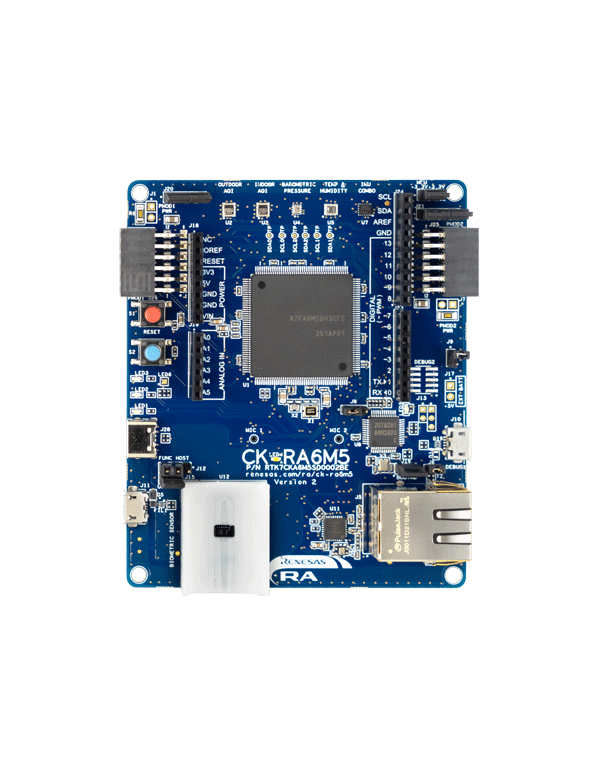
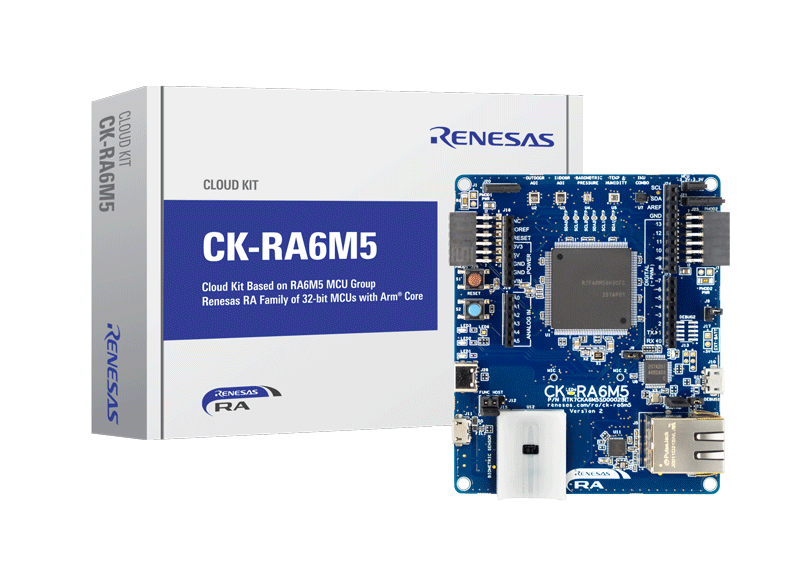
The CK-RA6M5 Cloud Kit enables users to securely connect to the cloud and explore the features of the Cortex®-M33 based RA6M5 group of MCUs and cloud services. With multiple network connectivity options, the kit provides a seamless cloud connectivity experience to most of the global cloud service providers. The kit is equipped with an on-board ethernet PHY for ethernet connectivity and includes the DA16600MOD for wireless connectivity. With the Renesas Flexible Software Package (FSP), the kit has complete software stack support using FreeRTOS, Azure RTOS, and other middleware stacks, thereby making it an ideal platform for efficiently developing cloud solutions and greatly reducing the time-to-market.
Visit Renesas Cloud Solutions for a complete cloud solution package.
Features
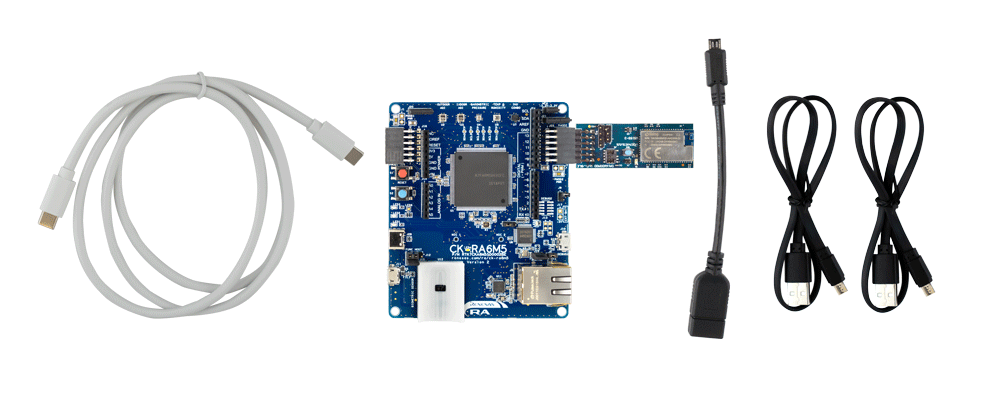
- CK-RA6M5 v2 baseboard
- Wi-Fi with US159-DA16600EVZ Pmod
- Ethernet
- USB Full-Speed host and device
- Sensors:
- Humidity and temperature
- Indoor air quality index
- Outdoor air quality index
- Heart rate, blood oxygen saturation (SpO2), respiration rate
- Barometric pressure
- 6 axis motion tracking
- 2 MEMS microphones
- Battery connector for portability
- Arduino™ (Uno R3) connector
- USB Type-C power connector
- On-board MCU:
- RF7A6M5BH3CFC microcontroller
- 200MHz, Arm® Cortex®-M33 core
- 2MB Code Flash, 512KB SRAM
- 176 pins, LQFP package
- Ecosystem:
- MCU and Pmod current measurement points
- 5V input through USB or external power supply
- USB serial converter
- Debug onboard (SEGGER J-Link)
- 4 user LEDs
- One user button
- 2 Digilent Pmod (SPI/UART/I2C: Type-6A and Type-2A) connectors
Products in the Design
| DA14531 | SmartBond TINY Ultra-Low Power Bluetooth 5.1 System-on-Chip |
| DA16200 | Ultra-Low Power Wi-Fi SoC for Battery-Powered IoT Devices |
| DA16600MOD | Ultra-Low Power Wi-Fi + Bluetooth Low Energy Combo Modules for Battery Powered IoT Devices |
Sample & Buy

Renesas Cloud Kit Based on the RA6M5 MCU Group
| Description: | Renesas Cloud Kit Based on the RA6M5 MCU Group |
| SPQ: | 1 |
| Pb (Lead) Free: | No |
| Temp. Range (°C): | -40 to +85°C |
| Assembly Location: | UNITED KINGDOM |
Add-on Hardware

Evaluation Kit for RA6M5 MCU Group
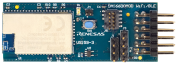
Ultra-Low-Power Wi-Fi and Bluetooth Low Energy Combo Pmod Board
Videos & Training
Watch a short overview of the Renesas CK-RA6M5 and CK-RX-65N certified cellular-to-cloud IoT development kits to see how they can simplify solution prototyping for your next IoT design.
Additional Videos
News & Blog Posts
Support
Support Communities
- ck-ra6m5 v2 quick start example project issue
... /../../arm-none-eabi/bin/ld.exe: ./src/net_thread_entry.o: in function `net_thread_entry': C:\r20qs0059eg0100-ck-ra6m5-v2- exampleprojects\ck_ra6m5-v2\_quickstart\quickstart_ck_ra6m5_v2_ep\e2studio\Debug/../src/net_thread_entry.c:317: undefined ...
Jul 3, 2024 - CK-RA6M5 v1 quick start
... consider following query regarding CK-RA6M5 v1 kit. I tried to search for quick start sample code for CK-RA6M5 v1, but looks like only CK-RA6M5 v2 kit examples are available on REN website. Therefore, I have gone ahead with the quick start sample code of CK-RA6M5 v2 ...
Aug 29, 2025 - Where is CK-RA6M5 "Quick Start Example Project"?
According to CK-RA6M5 with RYZ014A Pmod Quick Strart Guide, Rev. 1.01, the example project is "available in the Downloads tab of CK-RA6M5 webpage atrenesas.com/ra/ck-ra6m5". But there is no Downloads tab. Anywhere else on this page, I don't find the sources ...
Sep 30, 2022
Knowledge Base
- RA Family: CK-RA6M5/CK-RX65N is used. I can only read 00h data from the outdoor sensor (ZMOD4510) installed in the same kit. Is it malfunctioning?
The ZMOD4510 (outdoor sensor) in the CK-RA6M5 and CK-RX65N requires a warm-up time. This time varies depending on the operating mode of the sensor.It is 60 minutes when operated in Gen1 mode and 42 hours in Gen2 mode.Also, since this warm-up time is required ...
Jun 9, 2022 - RX Family: CK-RA6M5/CK-RX65N is used. I can only read 00h data from the outdoor sensor (ZMOD4510) installed in the same kit. Is it malfunctioning?
The ZMOD4510 (outdoor sensor) in the CK-RA6M5 and CK-RX65N requires a warm-up time. This time varies depending on the operating mode of the sensor.It is 60 minutes when operated in Gen1 mode and 42 hours in Gen2 mode.Also, since this warm-up time is required ...
Jun 9, 2022

Support Communities

