
Overview
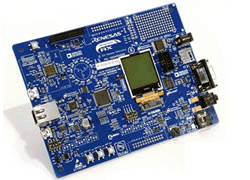
The Renesas Demonstration Kit (RDK) for RX62N is an evaluation and demonstration tool for Renesas RX62N microcontrollers. The goal is to provide the user with a powerful debug and demonstration platform targeted at common applications. The board also provides a useful platform for evaluating the Renesas suite of development tools for coding and debugging, using the High-performance Embedded Workshop (HEW) IDE as well as programming the device using the on-board SEGGER J-Link JTAG debugger.
The Renesas Demonstration Kit for RX62N is also the hardware platform that is included in a special RX62N-specific edition of Micrium's book on the µC/OS-III Real Time Kernel. The book and board combo targets serious programmers and college students who need to understand and create programs based on the timesaving features of a real-time kernel. Part I of the text covers the internals of the new µC/OS-III real-time kernel. The emphasis is on the internals, features, API calls, and where and how to use an RTOS, all presented in a clear and useful way, and accompanied by a wealth of diagrams. Part II provides specific examples for using µC/OS-III on the new Renesas RX62N microcontroller.
Features
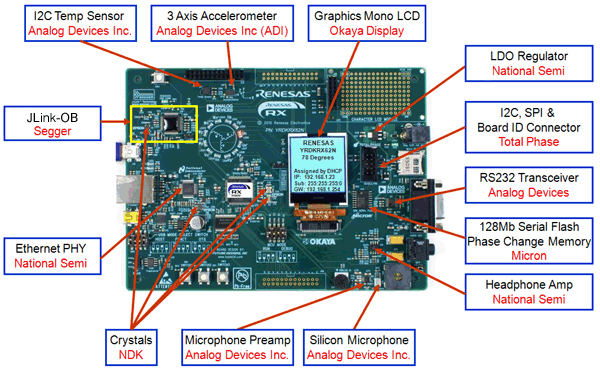
- Stereo audio driver connected to the PWM interface
- On-board microphone to demonstrate sampling, FFT/FPU capabilities
- Volume Control Potentiometer
- Micro SD card interface for audio and data files
- 3-Phase motor control algorithm representation with LEDs
- Motor control algorithm speed variation through volume control potentiometer
- 3-Axis Accelerometer (Digital)
- User pushbutton switches
- 10/100 Etherface connected to an internal EthernetMAC (1588 compatible)
- USB Interface connected to an internal USB controller (Host, Device and OTG)
- RS-232 Interface
- CAN Interface
- I*C, SPI with Debug through the Beagle connector from Total Phase
- On-board J-link Lite for high-quality source code debugging
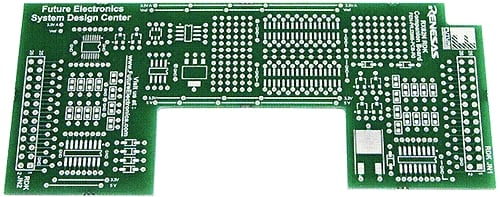
- User circuit breadboard area
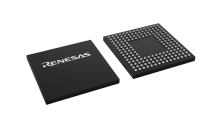
Sample & Buy
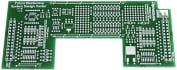
YRDKRX62N
Obsolete| Pb (Lead) Free: | No |
| ECCN (US): | 3A991.a.2 |
| HTS (US): | 8471.50.0150 |
| RoHS Compliant: | No |
| China RoHS Compliant: | No |
Videos & Training
Additional Videos
Support
Support Communities
- RX62N on the YRDKRX62N demo - DAC floor?
I'm tinkering with the D/A converter on the YRDKRX62N board and I've noticed a quirk--at DA.DADR1 = 0, I'm getting 1.3V out on P05/DA1 pin. JP17 isn't populated fyi, nor is J8. DA.DADR1 = 1023 shows full Vcc (~3.27V ...
Dec 21, 2012 - Specs and Usage for MicroSD Memory Card Slot of YRDKRX62N Evaluation Board
Where can I find detailed specs and usage information for the MicroSD Memory Card Slot of YRDKRX62N Evaluation Board?Are there any software examples of how to configure and use the slot?What is the maximum storage capacity for the slot?What MicroSD devices is it compatible with?
Jan 11, 2011 - Errors in Schematics of YRDKRX62N rev.3
I do not know, how much errors are in that doc, because I did not follow all components, linesand addresses. But I was searching something and found on page 7(total 9) the signal and component numbering of LED ARRAY and LED RESISTORS not logical, in other words, it is ...
Jan 6, 2011

Support Communities

