
Overview
Description
Solutions for More Efficient Development
Smart Utilities can expand your development environment as plug-ins of integrated development environments.
Target Devices
Documentation
|
|
|
|
|---|---|---|
| Type | Title | Date |
| Application Note |
PDF
1.88 MB
日本語
AI-generated Summary:
This guide explains how to create an Ethernet echo server program using FIT modules in Smart Configurator for RX64M, RX6SN, and RX651 groups. It outlines the operating environment, including evaluation boards, debuggers, IDE, and toolchains. The basic steps involve selecting devices, configuring clocks, drivers, and pins, generating code, and adding application code. The module structure includes middleware, interface conversion, device drivers, system timer, and BSP, with specific versions listed for each FIT module.
|
|
| Tool News - Note | PDF 95 KB 日本語 | |
| Tool News - Release | PDF 366 KB 日本語 | |
| Tool News - Note | PDF 206 KB 日本語 | |
4 items
|
||
Videos & Training
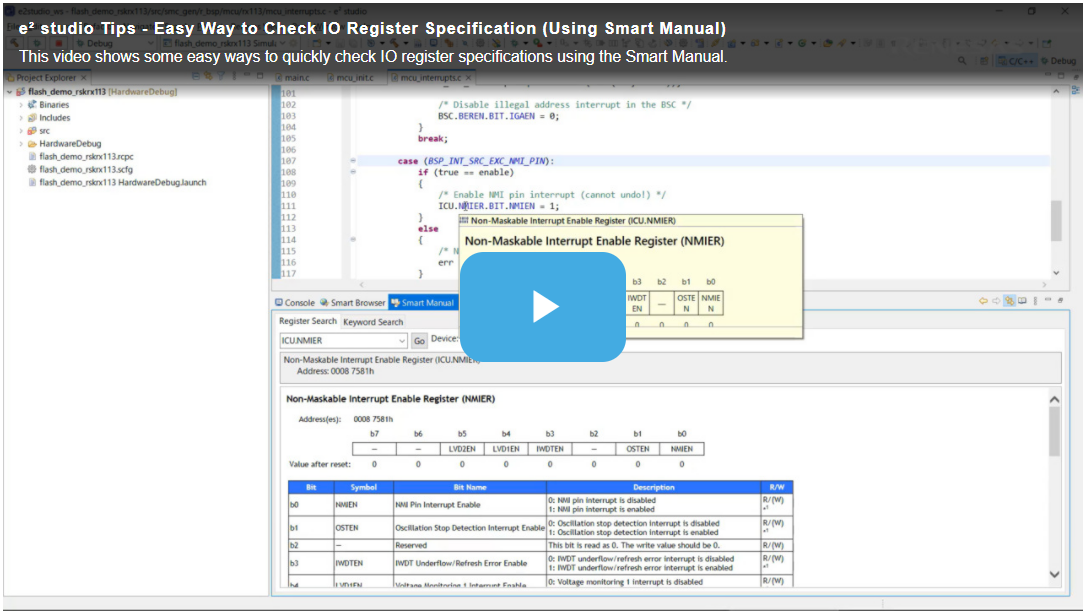
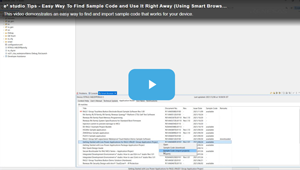
When you need MCU/MPU technical information, you can quickly find it on e² studio without surfing the web. This video demonstrates how to easily access MCU/MPU technical information using the Smart Browser.
Additional Details
Product Lineup
The product has five features for more efficient development.
| Smart Utility | IDE |
|---|---|
| Smart Configurator | CS+/e² studio |
| Smart Manual | CS+/e² studio |
| Smart Browser | CS+/e² studio |
| Assistant for Optimization | e² studio |
| Open-source Plugins | CS+ (partially)/e² studio |
Smart Configurator
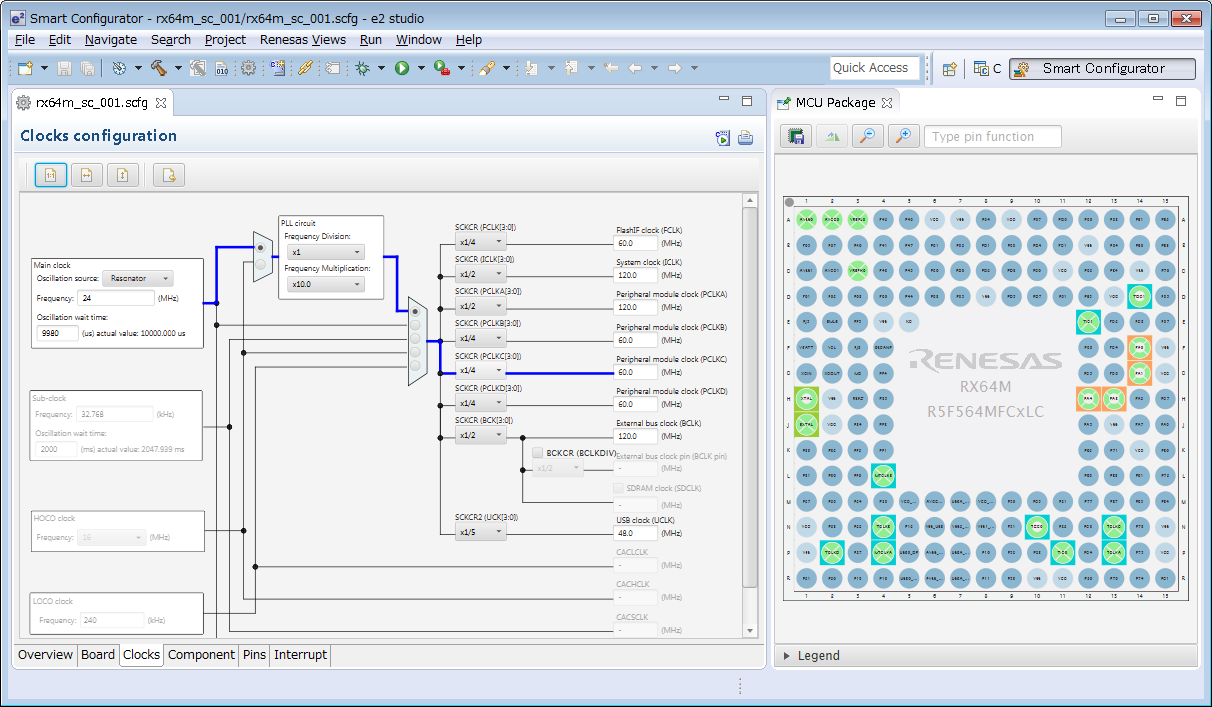
The Smart Configurator is a utility for combining software as you wish. It supports the following three functions related to the embedding of Renesas drivers in your systems.
- Importing middleware in the form of FIT (Firmware Integration Technology) modules
- Generating driver code
- Setting pins
Smart Manual
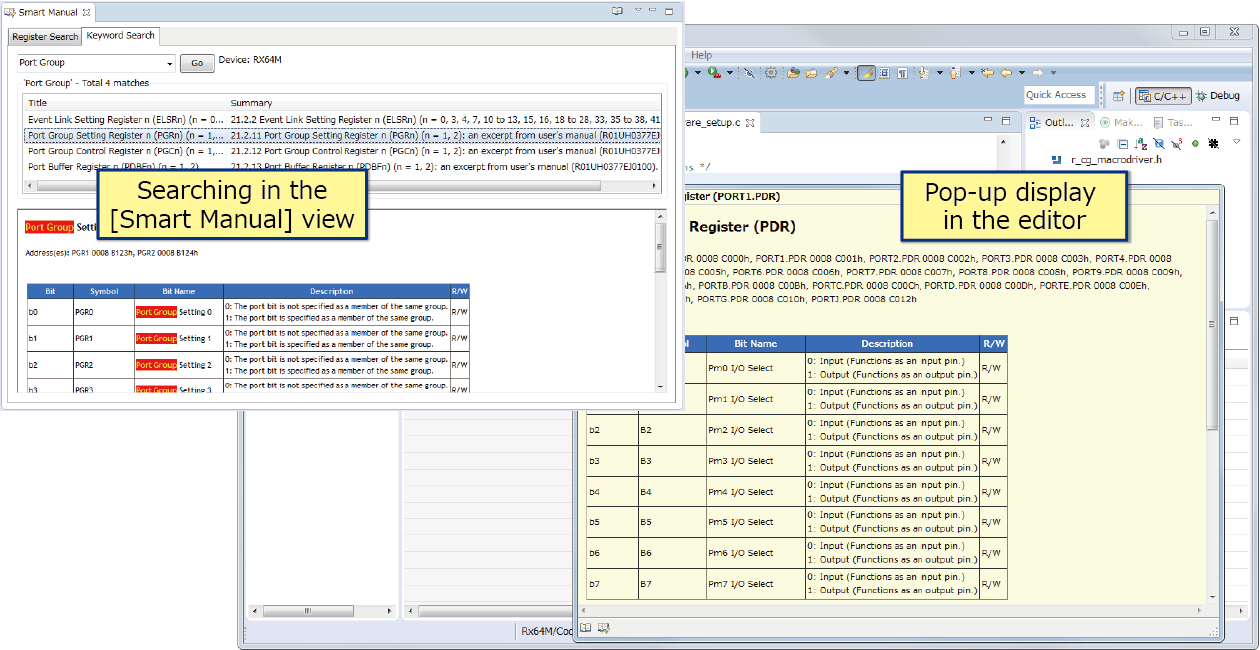
Smart Manual makes it easy to find a hardware manual or information on the registers of a Renesas device (Note1).
The [Smart Manual] view is for browsing through hardware manuals and searching for occurrences of the names of registers (Note2) or keywords (Note3) in the manual.
The smart manual features also include popping up a description of the specifications in response to placing the mouse cursor over a register name or API function name (Note4) while editing.
Notes
- Some devices are not supported.
- Information on the registers and bits of peripheral I/O is searchable.
- Topical key words are used in searching for manuals.
- Output functions by a code generator (for RX, RL78, and RZ devices), FIT modules (for RX devices), and service calls to Renesas real-time OS (RI600V4).
Smart Browser
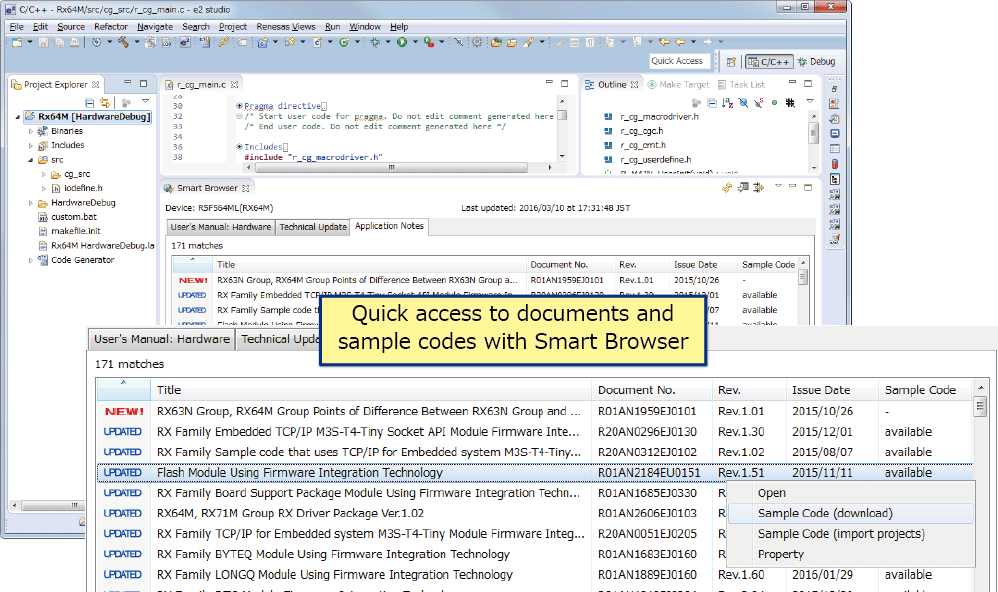
With the Smart Browser, you can easily find and display the latest Renesas hardware manuals, technical updates, and application notes from within the e² studio or CS+. It is also able to download sample code and import projects from projects which include sample code.
In CS+, searching for FAQs that match keywords you have entered is also possible.
Assistant for Optimization
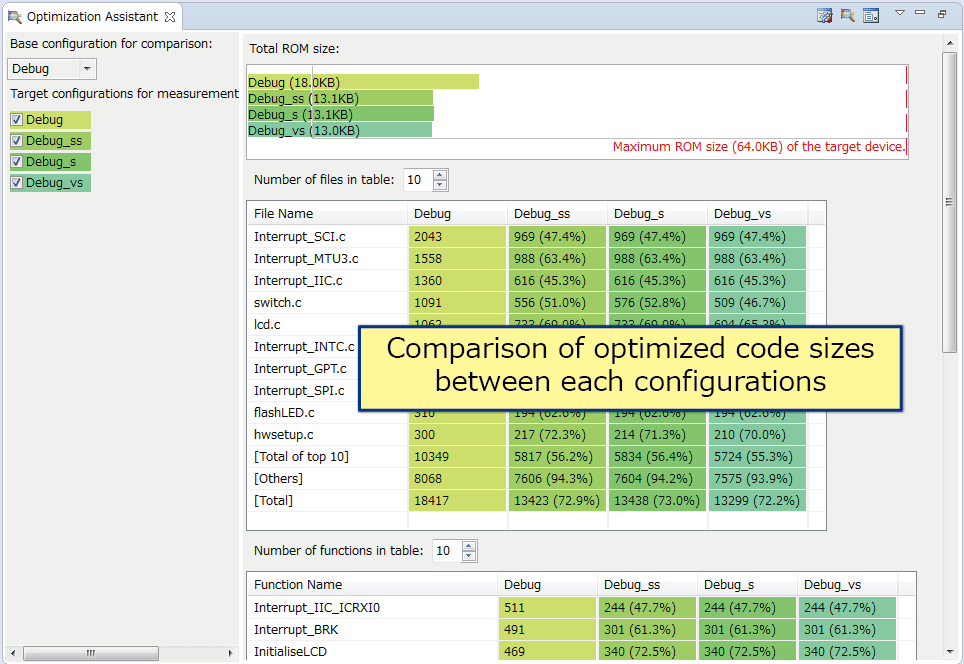
The assistant for optimization assists in optimizing amounts of executable program code. This tool lets you easily see the changes in code size produced by changing compiler and linker options for building, so can help by shortening the time needed to reduce amounts of code.
Open-source Plugins that are Useful in Development
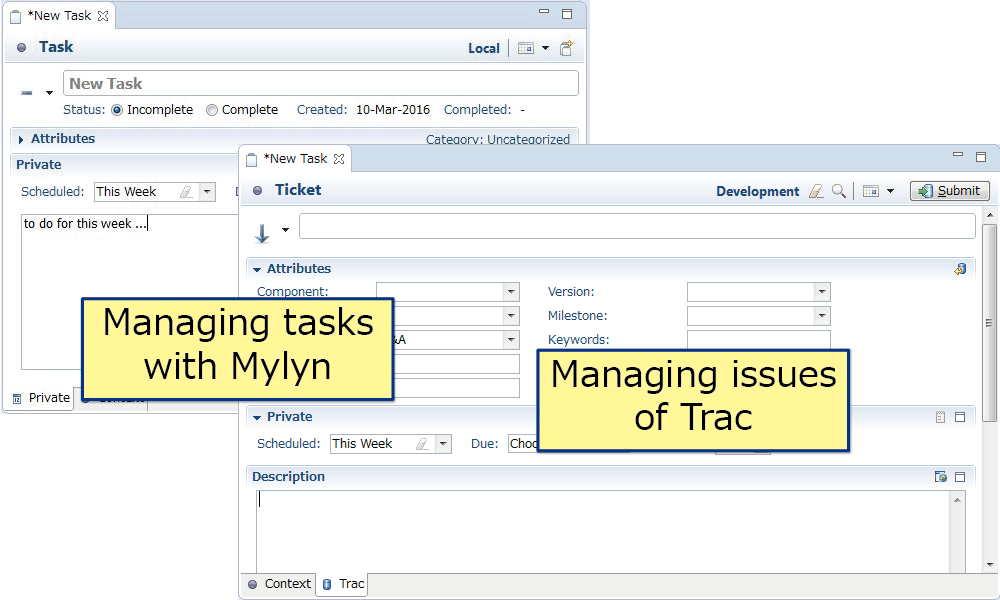
The e² studio also supports plugins which are useful for any development, such as for managing problems, version control, code reviews, and developing documentation. (Note1)
- Trac for managing bugs and requirements
- Subversion and Git for version and configuration control (Note2)
- AgileReview for code reviews
- Doxygen for developing documentation
- Jenkins for build management
- CUnit and Unity for testing
Note
- The above open-source tools can be found on their respective official download pages. Refer to the relevant page for the license conditions of each. Note that Renesas assumes no responsibility for failures of or other problems with this software.
- Those that can be run from a Windows Explorer window can also be run from the CS+ project tree (e.g. version management tools).
Support
Support Communities
- DA14531 Extended Sleep Mode
Hi Dialog, After putting My DA14531 into Extended sleep mode by setting static const sleep_state_t app_default_sleep_mode = ARCH_EXT_SLEEP_ON; in user_config.h file, How do i come to know whether my device is in extended sleep mode or not? And how to check ...
Mar 14, 2022 - SmartSnippetsToolbox Flash memory issues with DA1453x remote support pack
Dear team, I've come across what seems to be an abonrmal behavior of the flash memory utility within SmartSnippets Toolbox. I have a DA14531 USB development kit used as a programming probe through SWD interface with a custom board. The latter embeds a DA14531 interfaced with an external FLASH ...
Sep 28, 2021 - DA14531 Schematic review
... t want to use JTAG. I already have a USB-to-TTL dongle which I'd like to use for flashing the firmware through the SmartBond Flash Programmer utility. Firmware I intend to use is the CodeLess default firmware (set one) which I'll control through an external STM32U5 MCU ...
May 19, 2026
Knowledge Base
- Error (E0210002) occurs when connecting MCU and E1 (E2, E2 Lite, E1, E20)
Install the CS+ QE, which is necessary for debugging on the CS+ V4.00.00 or later.The CS+ supports Smart Utility and QE (Quick and Effective tool solution), which are advanced development environment tools. Download the suitable CS+ QE module for the CS+ which you are using. To download ...
Mar 8, 2021 - How to develop software for Renesas devices using Visual Studio Code
Five extensions, Renesas Platform, Renesas Build Utilities, Renesas Debug, Renesas Memory Usage View and Renesas Smart Manual, are available to assist in software development for Renesas products. See "Renesas VS Code Extensions User Guide" for details.In addition to Visual Studio Code, the required tools vary depending on the device ...
Dec 19, 2025 - GAP Service and GATT Service cannot be added to custom profile. (QE for BLE[RX])
... r_ble_qe_utility] and [BLE Profile Creation]. You must add these components in the following steps. (If [r_ble_rx23w] and [r_ble_qe_utility] have already been added, you do not need to add them again.) (1) Display the [Components] tab of the Smart Configurator for the C ...
Mar 16, 2020

Support Communities


