
Overview
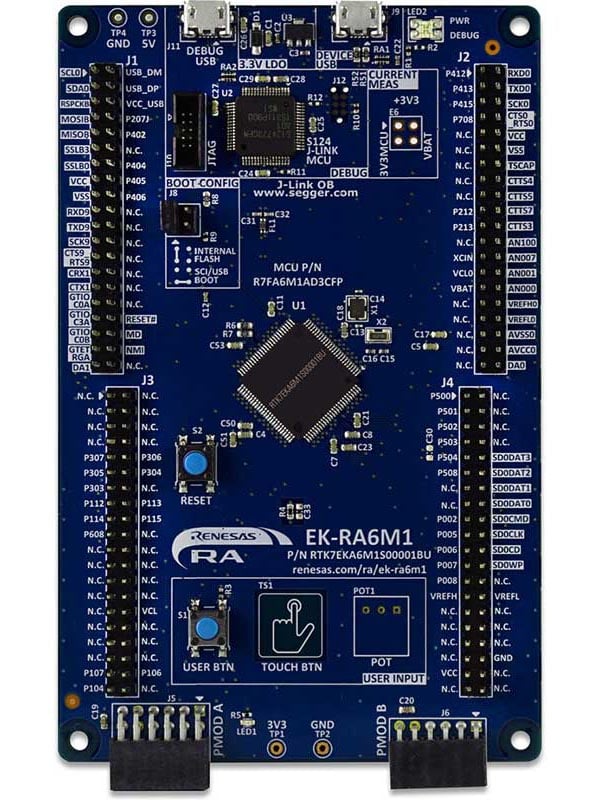
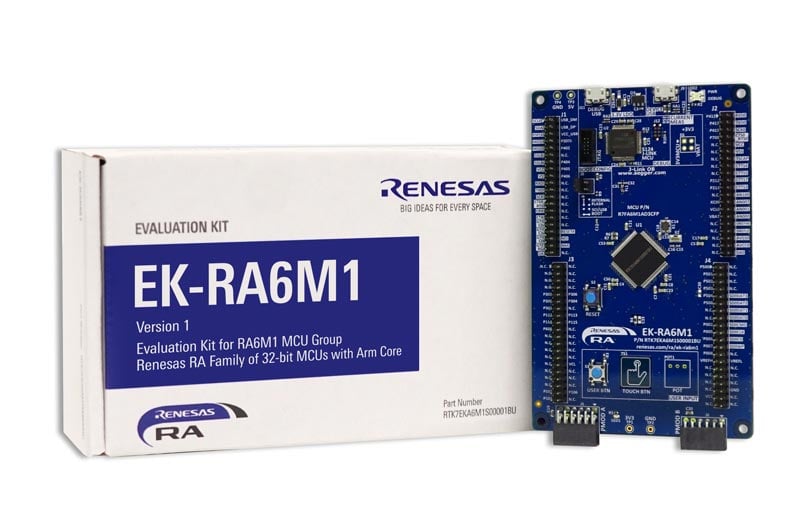
The EK-RA6M1 evaluation kit enables users to effortlessly evaluate the features of the RA6M1 MCU Group and develop embedded systems applications using Renesas' Flexible Software Package (FSP) and various IDEs.
Getting Started
Running the Quick Start Example Project
- The EK-RA6M1 board comes pre-programmed with a quick start example project (provided with the example projects bundle).
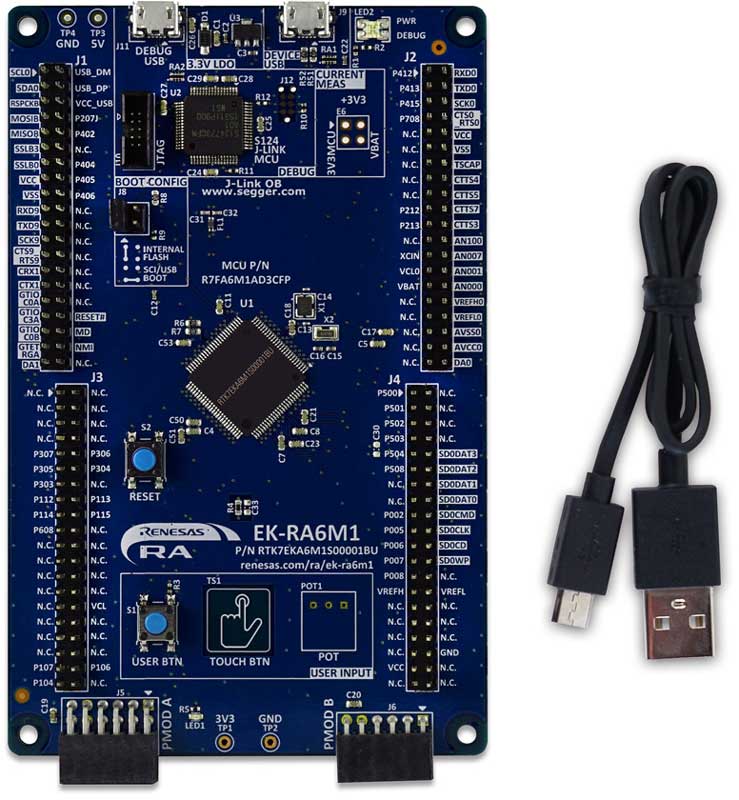
- Power up the EK-RA6M1 board through the USB debug port (J11) using the micro USB device cable connected to a 5V power source. The green power LED will light up.
- The quick start example project will begin to execute blinking the red user LED.
- Refer to the EK-RA6M1 – Quick Start Guide (PDF | English, 日本語) to explore additional functionality of the quick start example project.
Developing Embedded Applications
- Modifying the quick start example project – refer to the EK-RA6M1 Quick Start Guide for instructions on importing, modifying, and building the quick start example project.
- Start with one of the many other example projects (provided in the example projects bundle) – choose from many example projects to learn about different peripherals of the RA6M1 MCU Group. These example projects can serve as excellent starting points for you to develop your custom applications.
Building Custom Hardware
- Start by building a functional prototype - utilize the EK-RA6M1 board with your choice of ecosystem add-ons.
- Build custom hardware – develop custom hardware by referring to the design and manufacturing information provided in the EK-RA6M1 v1 - Design Package (ZIP | English, 日本語)
Features
- MCU Native Pin Access
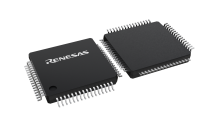
- R7FA6M1AD3CFP MCU
- 120MHz, Arm Cortex®-M4 core
- 512KB Code Flash, 256KB SRAM
- 100 pins, LQFP package, 14mm x 14mm x 1.70mm, 0.5mm pitch
- Native pin access through 4x 40-pin male headers
- MCU current measurement points
- Ecosystem & System Control Access
- USB Full Speed device
- 5V input through USB debug
- SEGGER J-LinkTM on-board programmer and debugger
- Debug modes
- Debug On-board (SWD) – via J-Link
- Debug Out (SWD) – via J-Link
- Debug in (SWD and JTAG)
- Two Digilent PmodTM (SPI and UART)
- User LED
- Mechanical user button
- Capacitive user button
- MCU boot configuration jumper
Getting Started
Explore Ready-to-Run Solutions
Sample & Buy

Evaluation Kit for RA6M1 MCU Group
| Description: | Evaluation Kit for RA6M1 MCU Group |
| HTS (US): | 8471.50.0150 |
| ECCN (US): | 3A991.a.2 |
| SPQ: | 1 |
| Pb (Lead) Free: | No |
| Assembly Location: | CHINA |
Add-on Hardware

Evaluation Kit for RA6M2 MCU Group

Evaluation Kit for RA6M3 MCU Group

Evaluation Kit for RA6M4 MCU Group

Evaluation Kit for RA6M5 MCU Group
Videos & Training
Kickstart IoT and embedded systems development using Renesas EK-RA6M5, EK-RA6M4, and EK-RA6M3 evaluation kits for the RA6 MCU series. This video provides an overview of the kit architecture, key features, a quick start example project, and many useful resources to begin innovating quickly with Renesas RA MCUs.
Additional Videos
News & Blog Posts
Blog Post Jan 28, 2022 |
Blog Post Jan 28, 2022 |
Blog Post Nov 18, 2021 |
Blog Post Nov 11, 2021 |
Support
Support Communities
- Internal Clock details EK-RA6M1
Hi, From the EK-RA6M1 description I could see that it uses a R7FA6M1AD3CFP microcontroller. My question was can the stock EK-RA6M1 execute the instructions at 120 Mhz using the internal clock or will I have to solder an external 120 Mhz clock on the board tp get 120 ...
Oct 6, 2020 - SPI bitrate don't up to 3M (EK-RA6M1)
... at SCK pin and MOSI pin. I see pulse wrong. when I lower the clock to 500K, I see pulse correct. I use spi\spi_ek_ra6m1_ep examble. When I use sci_spi\sci_spi_ek_ra6m1_ep examble, I see it correct at 1M, but I config 3M ...
May 6, 2021 - Some Questions for Bootloader on R7FA6M1AD3CFM (Test on EK-RA6M1)I'm currently trying to create the MCU Boot project for the RA6M1 As a guide I use the document https://www.renesas.com/us/en/document/apn/ra6-basic-secure-bootloader-using-mcuboot-and-internal-code-flash from Renesas. I have my blinking application runs and also the MCU Boot part is also on the controller, that's mean, if I set the Boot / Config Jumper to Boot position I can see the USB-Device in my windows device manager But I can't use XModem to transfer the new blinking appication. But this should not be part of my question, because you should not do my troubleshooting here. Rather, I want to know, with this jumper I operate the MD pin to jump into the bootloader part, right? If I haven't this PIN on the outside of my bord, is there still a way to get into this mode via software to address the bootloader part? Or does anyone know of a way to implement a bootloader that only works with the jumper setting internal flash. And I can use the XMODEM on a Serial Interface like UART? Thanks for your help and I hope you understand my english !
I'm currently trying to create the MCU Boot project for the RA6M1 As a guide I use the document https://www.renesas.com/us/en/document/apn/ra6-basic-secure-bootloader-using-mcuboot-and-internal-code-flash from Renesas. I have my ...
Aug 22, 2024
Knowledge Base
- RA Family: How to use the Debug Out function of J-Link OB on EK (Evaluation Kit)
... each EK (Evaluation Kit) for RA MCUs, such as EK-RA2E1, EK-RA2E2, EK-RA2L1, EK-RA2A1, etcEK-RA4M1、EK-RA4M2、EK-RA4M3、EK-RA4W1、EK-RA6M1、EK-RA6M2, EK-RA6M3, EK-RA6M4, EK-RA6M5, etc., all EKs come with J-Link OB (On-Board Debugger), which means that the ...
Dec 14, 2023

Support Communities

