
Overview
Description
The Renesas RA Smart Configurator (RA SC) is a desktop application that helps you in configuring software systems (including a Board Support Package (BSP), drivers, RTOS, and middleware) for RA-Family MCUs when you are using a third-party IDE and toolchain.
You need to download the platform installer included FSP (Flexible Software Package) to use RA Smart Configurator .
For details, see Release Information.
Release Information
| MCU | Supported IDEs and user guides | Latest Ver. | ||
|---|---|---|---|---|
| e² studio | IAR | Arm Keil | ||
| RA | e² studio plug-in (Note1) | download RA SC User Guide for MDK and IAR | V2025-12 | |
Note
- The package of the e² studio includes this plug-in.
Target Devices
Videos & Training
The tutorial demonstrates how to configure pins for each SAU module using the FSP Smart Configurator, and shares best practices outlined in the Usage Notes to help you optimize your designs.
Additional Details
Functions
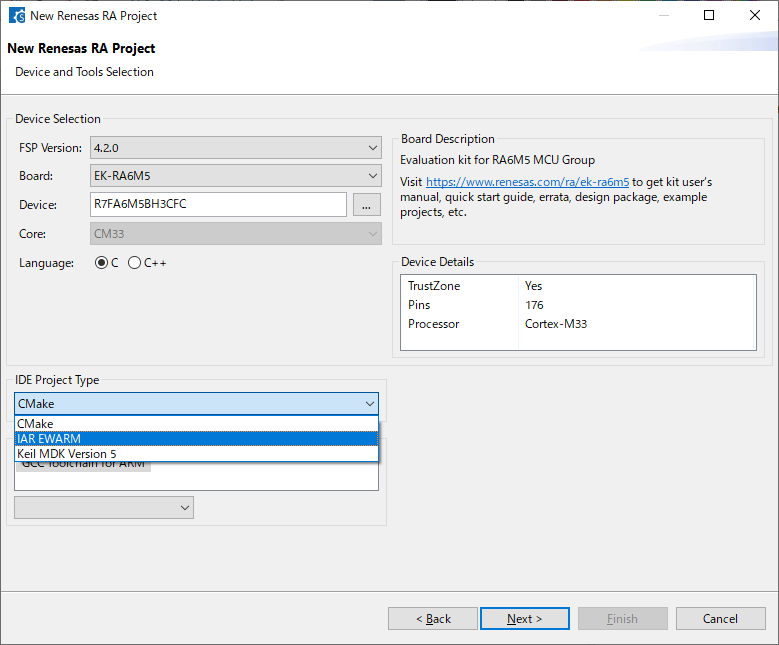
Creating Projects for the IDEs from Renesas Partners
You can create projects for EWARM from IAR Systems or the Keil MDK from Arm.
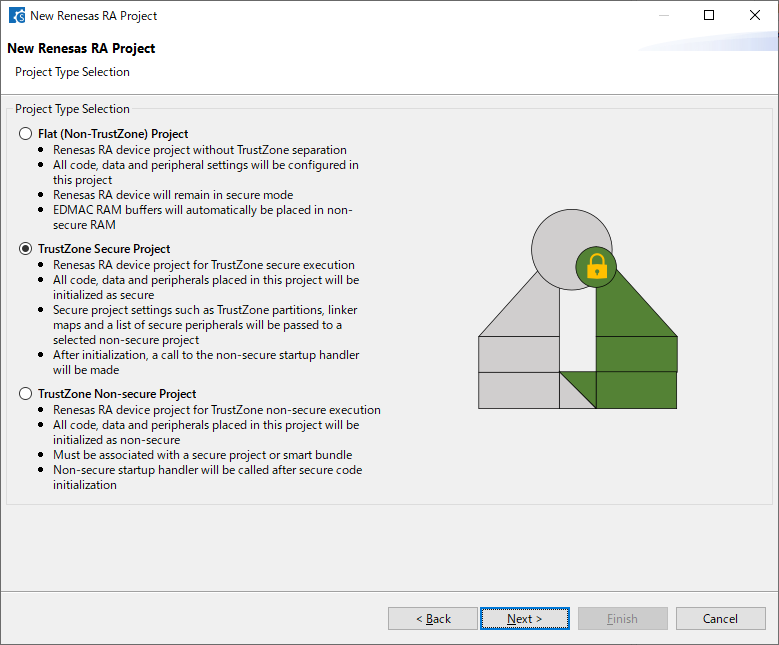
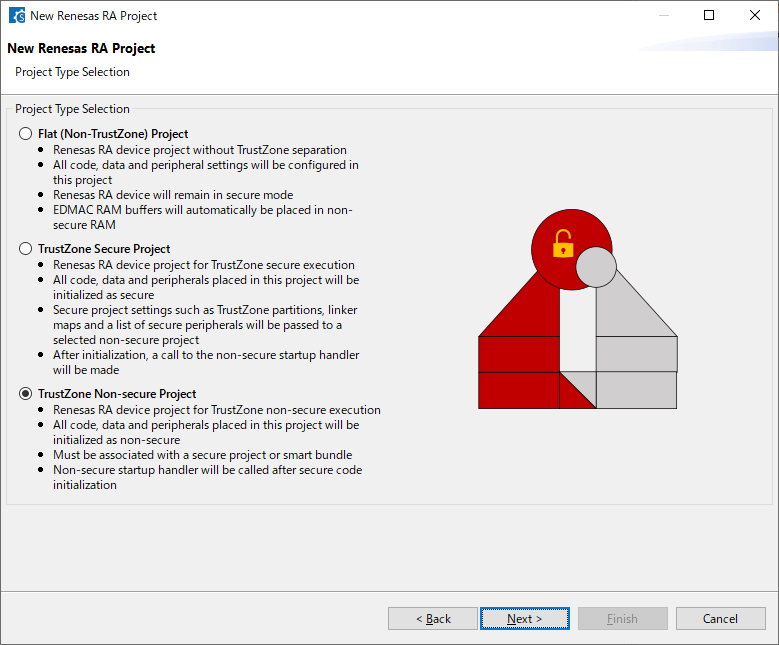
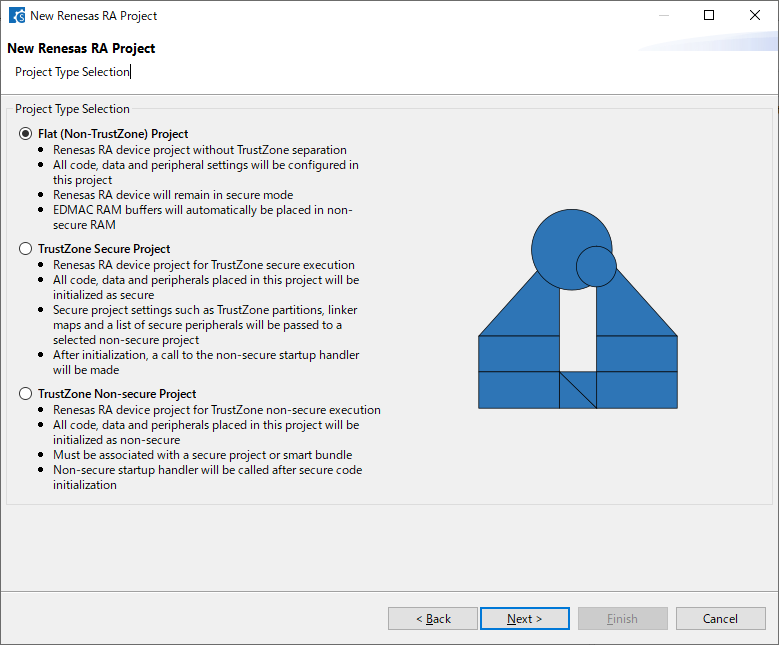
Creating a Project that Supports TrustZone®
You can create a project that supports TrustZone® or a flat project that does not support TrustZone®
Reading and Changing the State of a Device that Supports TrustZone®
You can read and change the state of a device that supports TrustZone®
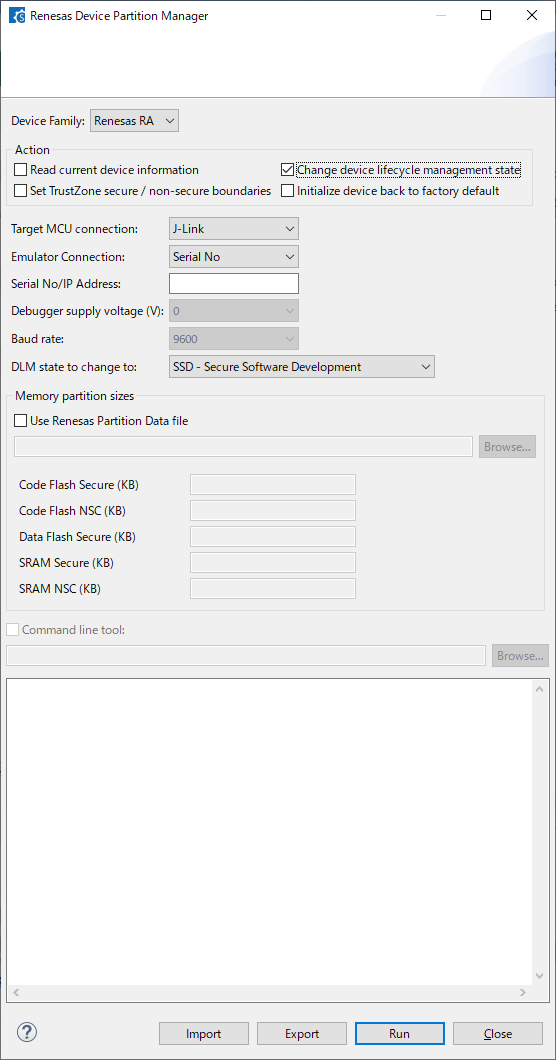
For a device that supports TrustZone®, you can use the Renesas Device Partition Manager (RDPM) to check and change the state of the device lifecycle management (DLM), make the memory partition settings, and restore the state of the device to that at the time of shipment.
Setting Pins
You can set pins via a GUI and verify and resolve cases where conflicting functions are assigned to the same pins.
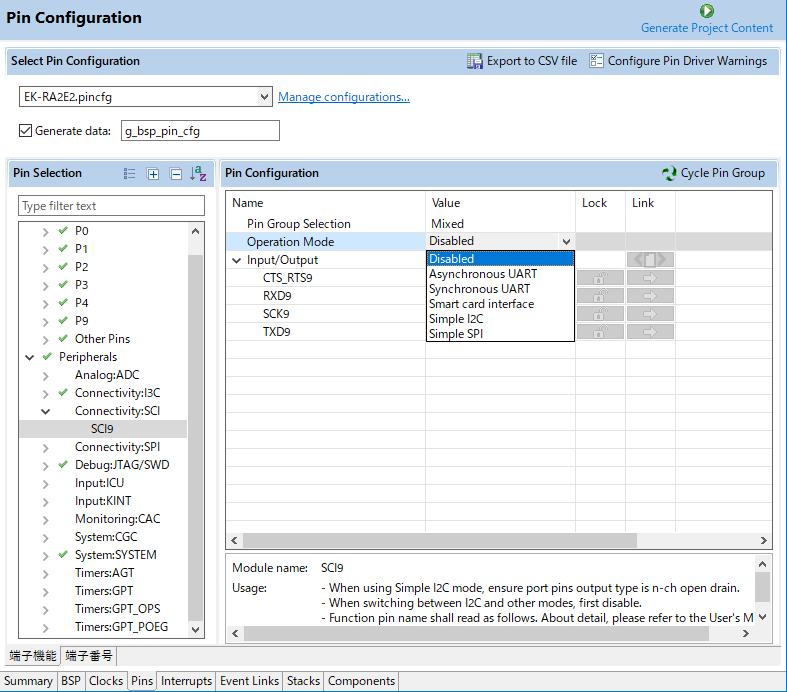
You can set the pins to be used for each peripheral function on the [Pins] page.
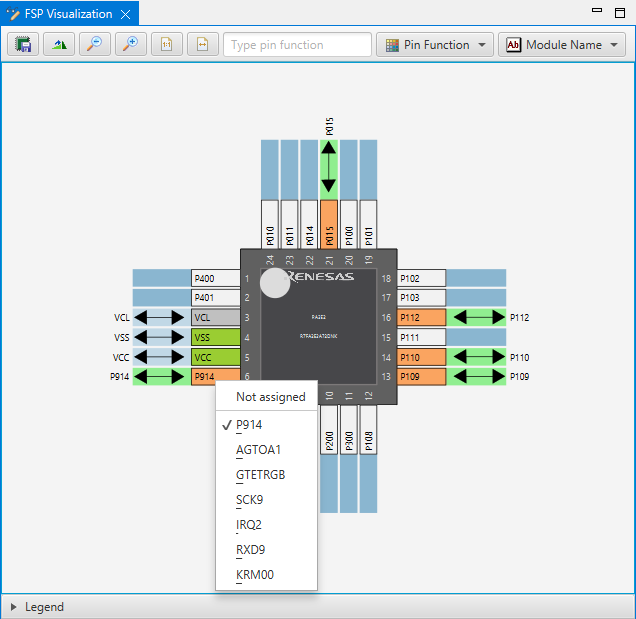
The [FSP Visualization] view shows used pins, unused pins, and pins to which conflicting functions are assigned in different colors to allow easy confirmation of the overall state.
Adding and Deleting Threads and Objects
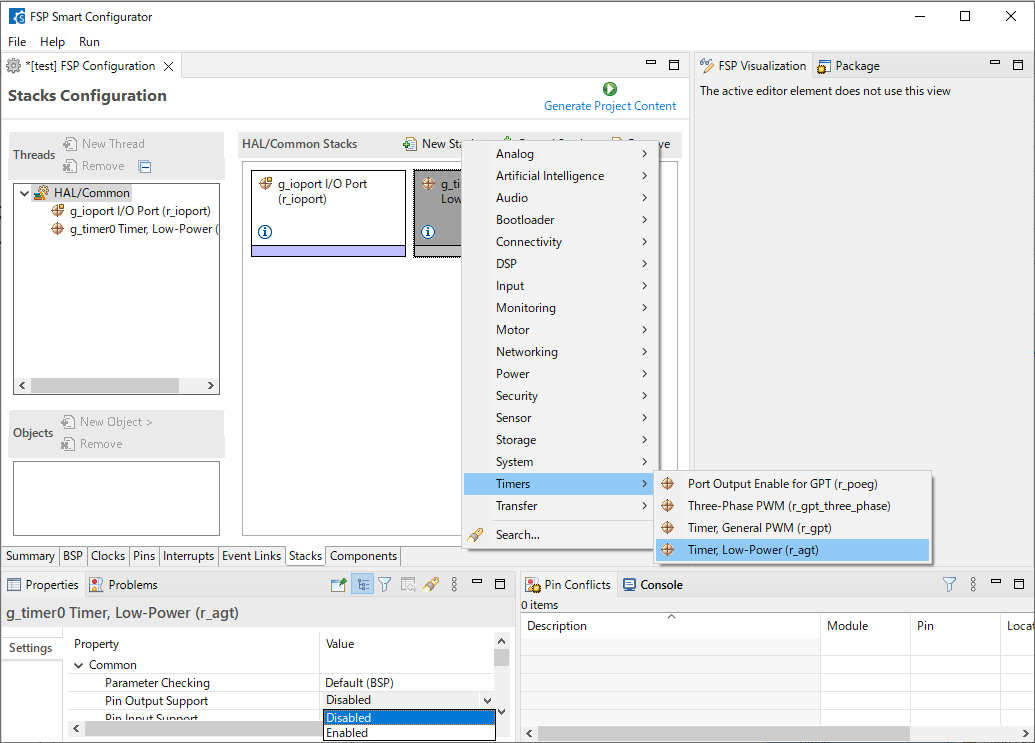
You can add and delete threads, FSP module instances, and kernel objects on the [Stacks] page and change each of the properties in the [Properties] view.
Support
Support Communities
- E2 Studio CLI Code Generation
... code generation steps. So far, it looks like the contents of ra/ folder can be extracted from .pack files in internal/projectgen/ra/packs folder. However, the contents of ra_cfg/ and ra_gen/ seem to be generated from jar files in the plugins ...
Mar 2, 2022 - Requires an interrupt channel in group 0 or 4
Dear, test project file: /cfs-file/__key/communityserver-discussions-components-files/256/R7FA2L1AB2DFP_5F00_Copy.zip I am trying to add drivers on FSP. But I'm facing an error in the following picture. So, I tried to disable GPT0 capture A interrupt and it ...
Jul 27, 2022 - Input pulse interval measurement interrupt does not trigger
... /(TO03)) and TX on pin 43 P13/IVREF1/EO13/TxD2/SO20/(SDAA0)/(TI04)/(TO04). Unfortunately, a baud rate of 2400 is required and it seems the lowest you can select if you configure the pins as UART is 9600. Instead, I tried ...
Jul 20, 2023
Knowledge Base
- RA Family: Implementing CTSU Driver and Touch Middleware APIs from Developer Assistance
... Answer The CTSU driver and Touch middleware instances are generated by QE for Capacitive Touch (hereafter referred to as the QE tool), not by the RA Smart Configurator.Developer Assistance cannot reference the instance names defined by the QE tool.As a result, APIs inserted by Developer Assistance use placeholder ...
Apr 8, 2026 - How to convert an e² studio FSP project into an RA or RZ Smart Configurator project that can be built in a partner IDE
Install RA or RZ SC v2022-07 or higher, open Quick Start Guide from the Help menu, and then see the chapter "From Existing e² studio Projects."
Jul 30, 2024 - Why Does I²C Baud Rate Set by Smart Configurator for RX Differ from Actual Value
... fall time (tf) change depending on the total bus line capacity (Cb) and pull-up resistance (Rp).Cb and Rp cannot be set by the Smart Configurator. With this in mind, set ICBRH and ICBRL according to your environment.Related FAQ- RX Family Measured vs Calculated Transfer Rate of I2C
Jul 26, 2019

Support Communities

