
Overview
Description
[Updated: Jul. 21, 2026 Rev. 1.10] [Notes] Emulator and Flash Memory Programmer Products Notice Regarding Changes to Windows Driver Policy (PDF | English, 日本語)
The IECUBE is a high-Performance full-spec emulator for RL78, 78K, and V850 MCUs. Affordable in cost, it provides high-performance debugging functions such as time measurement, coverage, and trace. In addition, a self-testing function detects faults in the IECUBE and performs maintenance.
Features
- Lineup [Learn More]
- IECUBE for RL78
- IECUBE for 78K0R (Discontinued product)
- IECUBE for 78K0 (Discontinued product)
- IECUBE for 78K0S (Discontinued product)
- IECUBE for V850 (Discontinued product)
- Components [Learn More]
- Optional Products (Sold Separately) [Learn More]
- Target Devices [Learn More]
- Learn More
Target Devices
Additional Details
Lineup
IECUBE for RL78
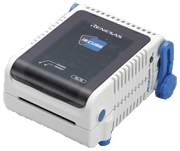
IECUBE for 78K0R (Discontinued product)
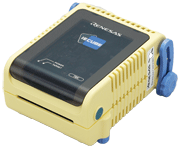
IECUBE for 78K0 (Discontinued product)
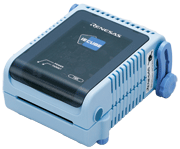
IECUBE for 78K0S (Discontinued product)
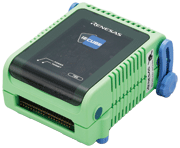
IECUBE for V850 (Discontinued product)
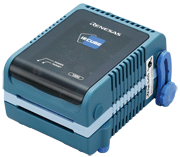
Components
- Emulator main unit (IECUBE)
- Softeware CD-ROM (USB driver is included.)
- USB interface cable
- User's Manuals
Note: For development work, a power supply adapter and options such as probe or socket compatible with the target device, all sold separately, are required.
Optional Products (Sold Separately)
- Emulation Probe
- Exchange Adapter
- Space Adapter
- YQ Connector
- Target Connector
- Mount Adapter
Optional product list of IECUBE for RL78 family (PDF | English, 日本語)
Optional product list of IECUBE for 78K0R (PDF | English, 日本語)
Optional product list of IECUBE for 78K0 (PDF | English, 日本語)
Optional product list of IECUBE for 78K0S (PDF | English, 日本語)
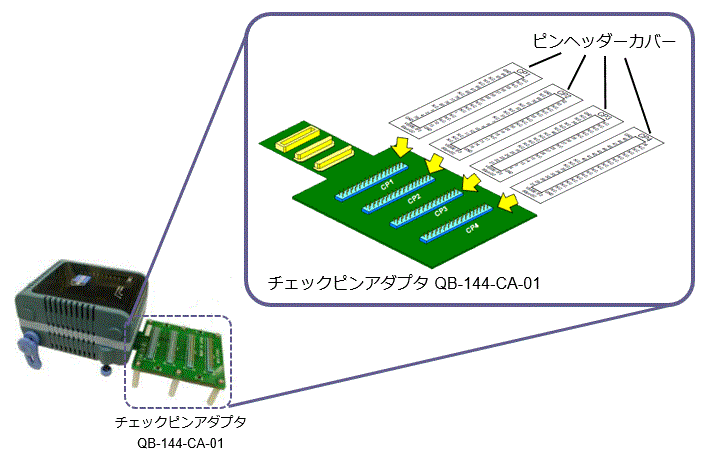
Optional product list of IECUBE for V850 (PDF | English, 日本語) - Check pin adapter Drawings of QB-144-CA-01 (PDF)
* Usable in common with RL78, 78K0R, 78K0, 78K0S, V850.
The pin header cover corresponded to the pin arrangement of the MCU is required. You can get the pin header cover package from the following package list. Please print the package and cut out the pin header cover for using.
Package list of pin header cover (PDF | English, 日本語)
Usage of Pin Header Cover - Power Supply Adapter
Specifications of the power supply adapter, QB-COMMON-PW-xx, vary depending on the region. Be sure to use an adapter designed for your region.
Target Devices
Support
Support Communities
- IECUBE/MINICUBE USB Drivers supporting 64bit Windows Versions
... 70 installation folder (e.g. "C:Program Files\IAR Systems\Embedded Workbench 6.0") and overwritethe existing files. To install the USB drivers, please goto the subfolder "78k\drivers\renesas\MINICUBE\64bitDrivers"respectively "78k\drivers\renesas\IECUBE\64bitDrivers", select the INF-file, press the right mouse button and select 'Install".
Sep 11, 2012 - Illegal memory access / RL78
Hello everyone, I have a problem in my project with RL78 as following: The system resets itself and when i check the register it says: Illegal-memory access What is illegal memory access? Which part of memory is being accessed wrongly? Could anybody tell me what this means and if ...
Jan 21, 2013 - V850 and e2studio
Hi folks,I'm new to e2studio and have tested it succesfully on a RL78. No problems so far.Now, I would like to know if there is any roadmap for the V850 support. I couldn't find any information about it on the net.If I just try to ...
Jul 31, 2013
Knowledge Base
- Using the E1 or E20 emulator, is it possible to use the AZ78V4 performance analyzer to obtain a trace display for an application which is using the RI78V4 operating system? (E2, E2 Lite, E1, E20)
No, it is not possible. This is because the AZ78V4 uses a record of data access to obtain a trace display. To use the AZ78V4 in tracing, you need to• use IECUBE, or• use a simulator.
Mar 8, 2021 - Why "?" is displayed and the value is not displayed at real time? (CS+, E2, E2 Lite, E1, E20)
... Note: This answer also applies to the emulators listed in the applicable products. Suitable Products CS+ E2 E2 Lite E20 E1 Discontinued product IE850 IE850AIECUBECheck the settings with the following procedure. 1. Open the Property panel of the debug tool. 2. Open the [Debug Tool Settings] tabbed page ...
- Connection of tools was successful when it was connected
The USB selective suspend function for the PC being enabled or the tool being connected to the USB 3.0 port of the PC are two possibilities. Follow the procedures below to check for and eliminate these situations.Procedure 1:Take both of the following countermeasures. Disable the setting of ...
Nov 7, 2023

Support Communities

