
Features
- Complete digital power supply
- 20A single channel output current
- 4.75V to 15V single rail input voltage
- Up to 94% efficiency
- Programmable output voltage
- 0.45V to 3.3V output voltage settings
- ±0.7% accuracy over line, load, and temperature
- Advanced linear digital modulation scheme
- Up to 1.25MHz fixed switching frequency operations
- Dual edge modulation with optional diode braking for faster transient response
- Excellent VOUT transition performance
- PMBus v1.3 compatible
- Fully programmable through PMBus
- Up to 16 user configurations stored in device Non-Volatile Memory (NVM)
- Real-time telemetry for VIN, VOUT, IOUT, temperature, duty cycle, and fSW.
- Advanced soft-start/stop, sequencing, and margining
- Complete customizable over/under voltage, current, and temperature protections
- Black Box status recording with first fault indicator
- 10mm × 13mm × 5.9mm BGA (POP) package
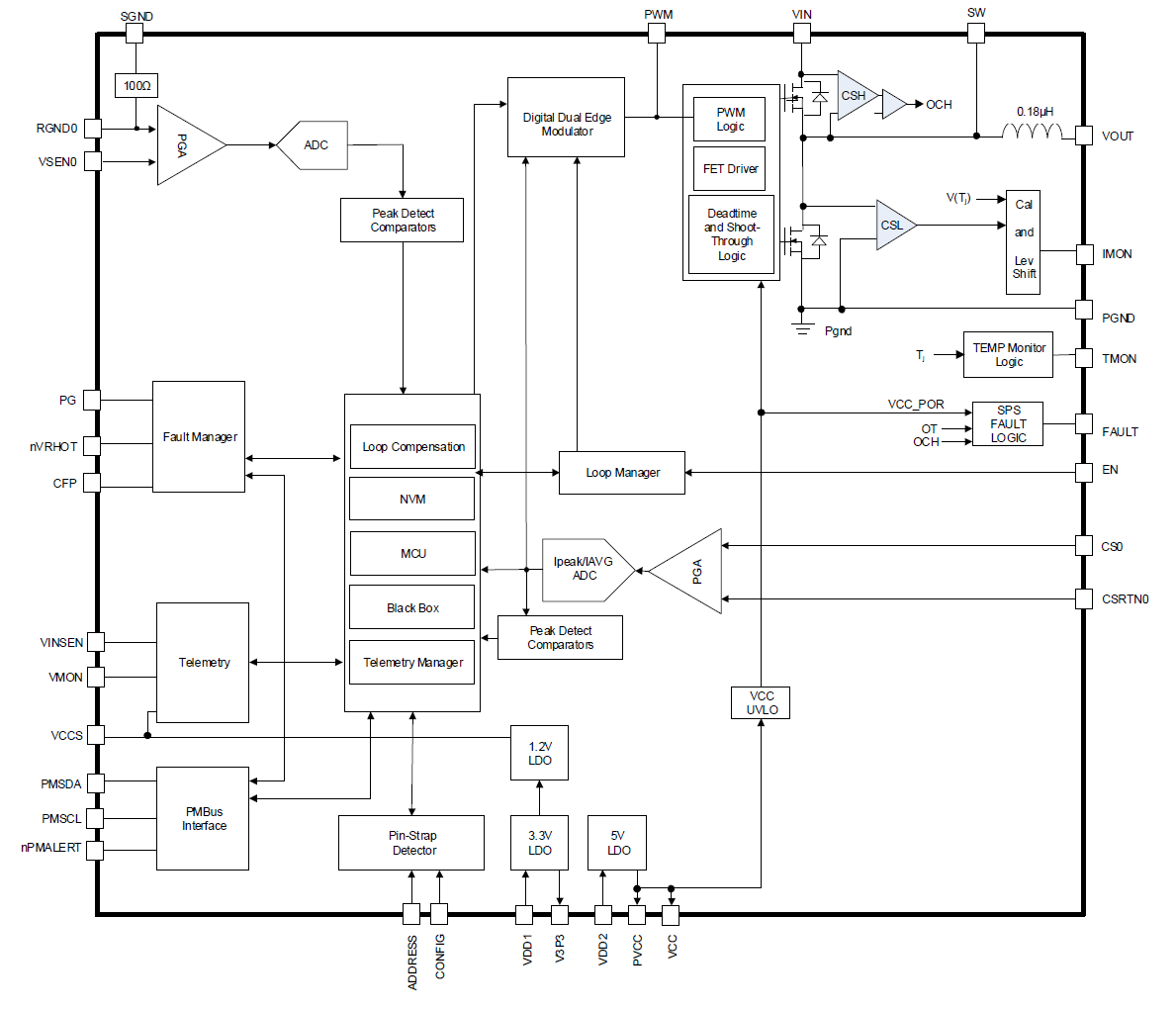
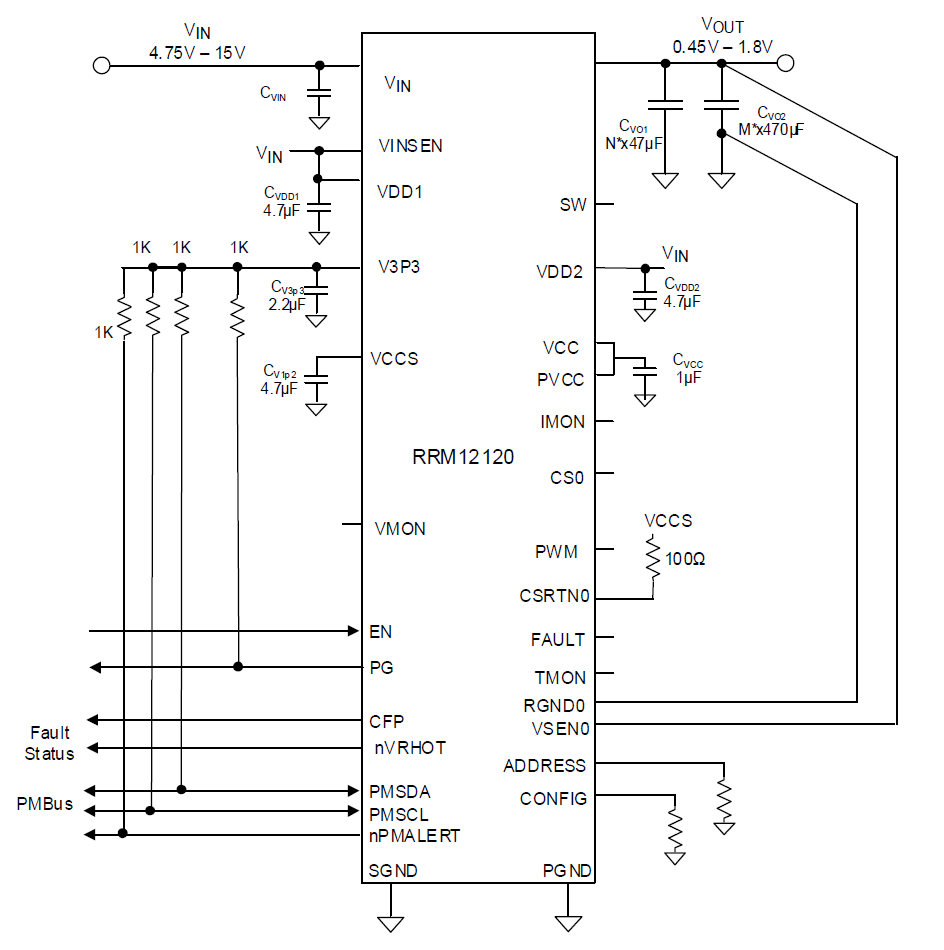
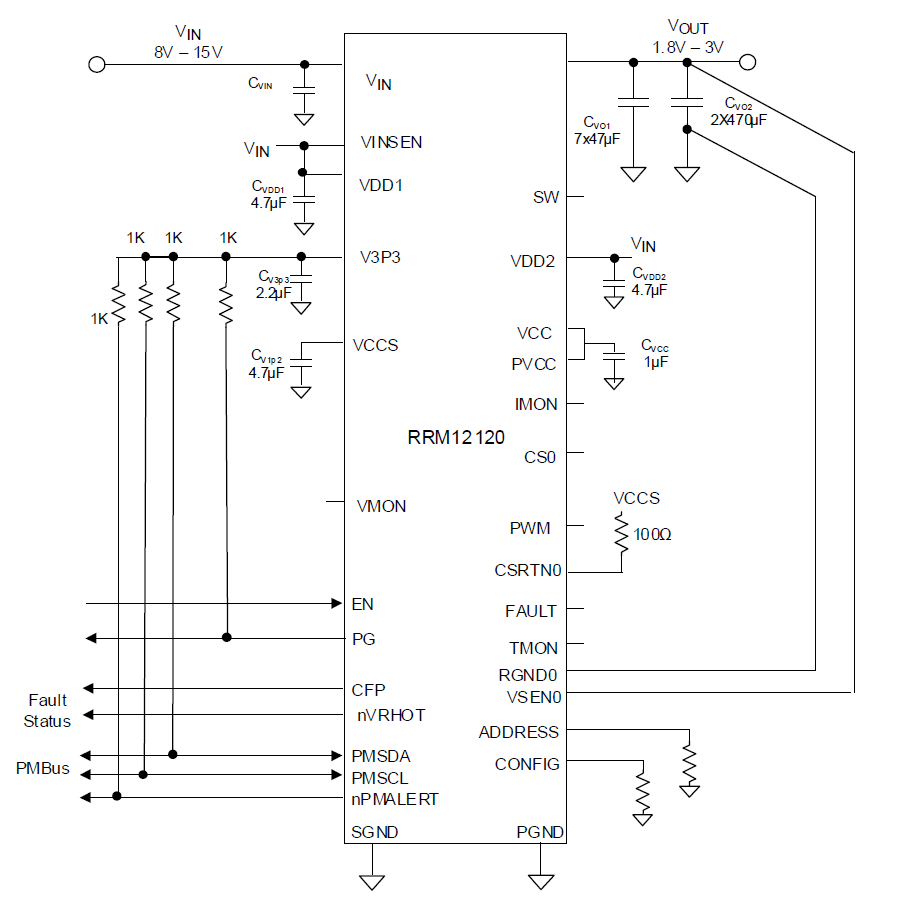
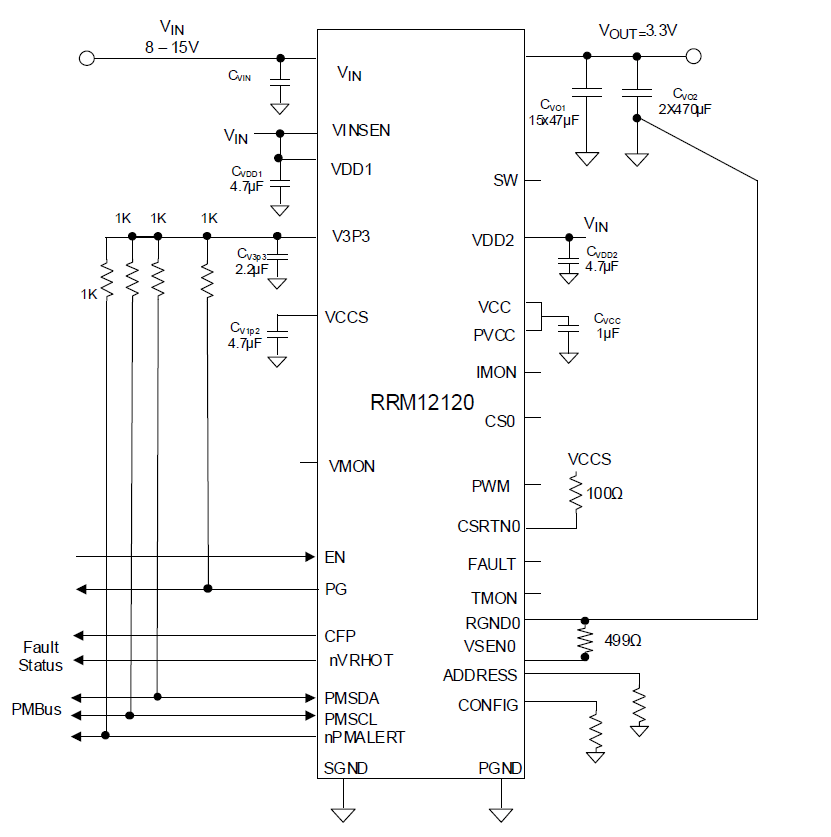
Description
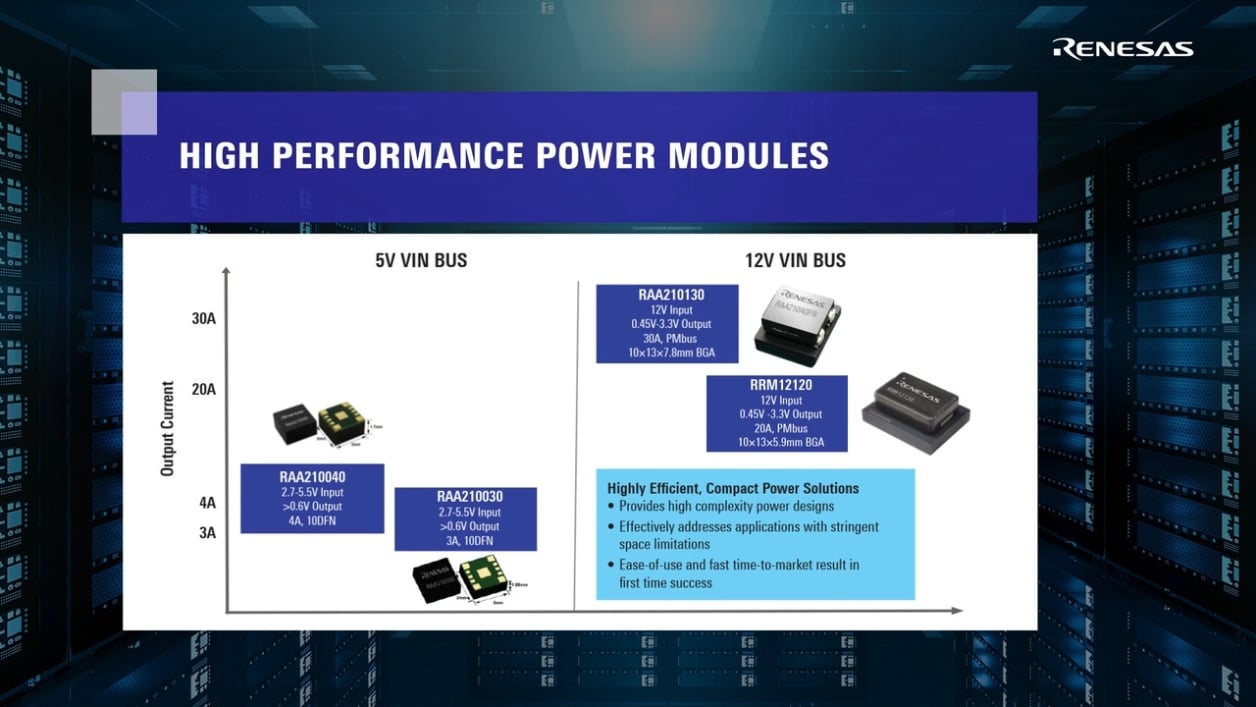
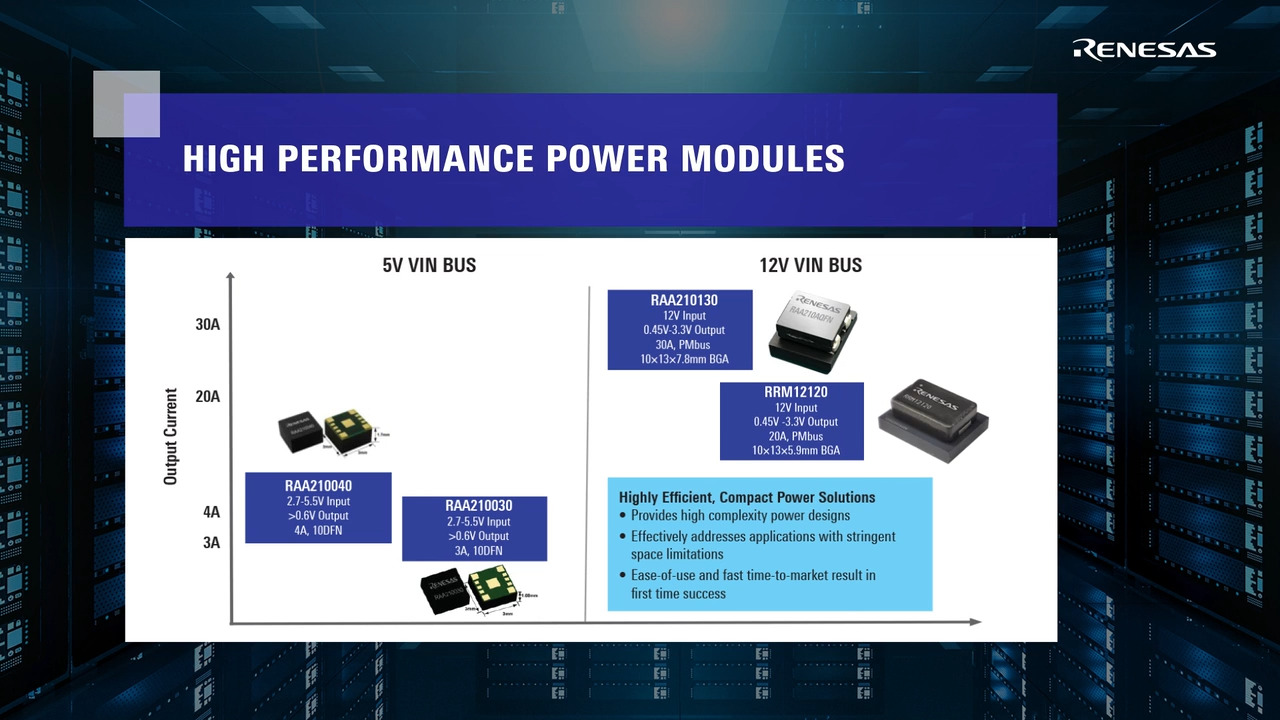
The RRM12120 is a fully PMBus-enabled DC/DC step-down power supply capable of delivering up to 20A of current from a compact 10mm × 13mm × 5.9mm thermally enhanced BGA package.
Operating across an input voltage range of 4.75V to 15V, the RRM12120 offers adjustable output voltages down to 0.45V and achieves up to 94% efficiency. The RRM12120 implements the proprietary Renesas digital synthetic current modulation scheme to achieve an industry-leading combination of transient response, ease of tuning, and efficiency across the full load range. With minimal external components, simple configuration, robust fault management, and highly accurate regulation capability, implementing a high-performance regulator has never been easier.
A standard PMBus interface with PMBus v1.3 compatibility facilitates device configuration, addresses sequencing and fault management, provides real-time full telemetry and point-of-load monitoring, and detailed fault reporting. All of these features are conveniently accessible through the PowerNavigator™ software tool.
A fully customizable cycle-by-cycle current (peak overcurrent and peak undercurrent limit), voltage, and temperature protection scheme is capable of latching off or restarting the output in response to system faults.
Parameters
| Attributes | Value |
|---|---|
| Input Voltage (Max) (V) | 15 |
| Output Voltage (Min) (V) | 0.45 |
| Output Voltage (Max) (V) | 3.3 |
| Output Current (Max) [Rail 1] (A) | 20 |
| Switching Frequency Range (Typical) (kHz) | 700 - 700 |
| Control Type | Digital |
| Current Sharing | No |
| Digital Bus | Yes |
| SYNCH Capability | No |
| POR | Yes |
| Peak Efficiency (%) | 94 |
| Qualification Level | MSL3 |
| Temp. Range (°C) | -40 to +85°C |
Package Options
| Pkg. Type | Pkg. Dimensions (mm) | Lead Count (#) | Pitch (mm) |
|---|---|---|---|
| Module | 13.0 x 10.0 x 5.60 | 130 | 1 |
Applications
- Server, telecommunications, storage, and data communications
- Industrial/ATE and networking equipment
- General purpose power for ASIC, FPGA, DSP, and memory
Renesas Boards & Kits
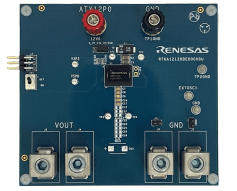
RRM12120 Evaluation Board
The RTKA12120DE0000BU evaluation board features the RRM12120 20A synchronous step-down DC/DC converter power module. The RTKA12120DE0000BU evaluation board is a 3.8in x 3.5in 6-layer FR4 board with 2oz. copper on all layers. Operating from a single 4.75V to 15V input power rail, the... Read More
Support Communities
-
Need help regarding reading the Vout, Power, Temperature. I have attached a code written in python to do the readings. NOTE: Setup I'm Currently working with has FTDI FT232H as USB to I2C BRIDGE.Give me some corrections or trouble shooting methods
import time from pyftdi.i2c import I2cController # ZL9101M PMBus Address PMBUS_ADDRESS = 0x1B # PMBus Commands READ_VOUT = 0x8B # Read output voltage (Linear16) READ_IOUT = 0x88 # Read output current (Linear11) READ_POWER = 0x8C # Read output power (Linear11) def twos_complement(value, bits): """Convert unsigned to signed ...
Feb 20, 2025

Support Communities


