Designing and validating embedded control systems is becoming more complex. Engineers must balance real-time performance, system safety, and development speed while working across simulation tools and physical hardware. Model-based design (MBD) helps address these challenges by enabling engineers to simulate, test, and refine algorithms early. Modeling algorithms in early design exploration stages to simulate and visualize outcomes based on synthesized data instills design confidence in the systems you create and reduces the risk of complications further down the process compared to traditional prototype-heavy workflows.
At Renesas, we’re excited to share that in partnership with MathWorks®, the Embedded Coder Support Package for Renesas RA Microcontrollers (MCUs) and the Embedded Coder Support Package for RH850 MCUs, new add-ons in Simulink® developed by MathWorks, are now available as part of the MATLAB® R2026a release. These support packages, commonly called hardware support packages (HSPs), allow engineers to deploy Simulink models directly to supported Renesas RA and RH850 microcontrollers, streamlining the transition from algorithm development to embedded implementation.
What is Model-Based Design and Why Should You Use It?
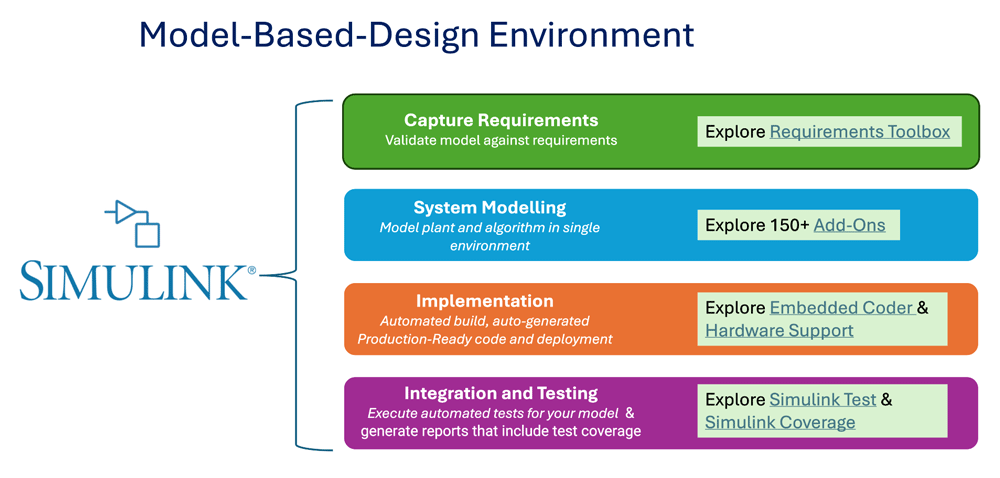
Model-based design (MBD) is a mathematical and visual methodology used to design complex systems in Simulink, simulate and test them before physical prototypes are built. It is widely used across industries such as industrial automation, robotics, and automotive engineering.
For example, engineers developing a new integrated washer-dryer system need to consider which motors are activated during each cycle, how the system behaves under varying laundry loads (like heavy bedding vs. lighter summer clothes, etc.), such that the main drum motor is driven efficiently, and more. Similarly, developers working on the drivetrain of an electric bike (e-bike) system must account for motor actuation, braking interfaces, lighting control, and traction behavior across different road surfaces and weather conditions.
Without model-based design, many of these tests would need to be done on physical hardware and prototypes. Each design change would require rebuilding and retesting hardware, increasing both cost and development time.
By contrast, modeling and simulating these systems in Simulink allows engineers to evaluate performance under different loads and scenarios early in the design process. This reduces design iterations, lowers costs, and accelerates time to market.
From Model-Based Design to Real Hardware
For embedded systems, the real value of MBD is realized when validated models can be deployed onto production-ready hardware. This is where tight integration between modeling tools and microcontrollers becomes critical.
Many development efforts begin with application areas such as:
- Motor control (industrial systems, HVAC, robotics)
- Automotive systems (xEV, motion control, powertrain, zone, and domain controllers)
- Real-time control application
These applications require a deep understanding of real-time behavior, efficient use of MCU resources, and the confidence that the algorithms tested in simulations will behave as expected when deployed to hardware.
Hardware Support Packages from MathWorks for Renesas MCUs
To bridge the gap between simulation and embedded deployment, MathWorks provides two dedicated hardware support packages for Renesas RA and RH850 MCUs - the Embedded Coder Support Package for Renesas RA Microcontrollers and the Embedded Coder Support Package for RH850 Microcontrollers. These HSPs enable engineers to execute, test, and deploy Simulink models directly onto supported Renesas devices.
Starting with the support for RA6T2 motor-control MCU and RH850/U2A automotive MCU devices, these HSPs provide an ideal entry point for algorithm-driven development in applications with high real-time and performance demands.
The MathWorks hardware support packages include:
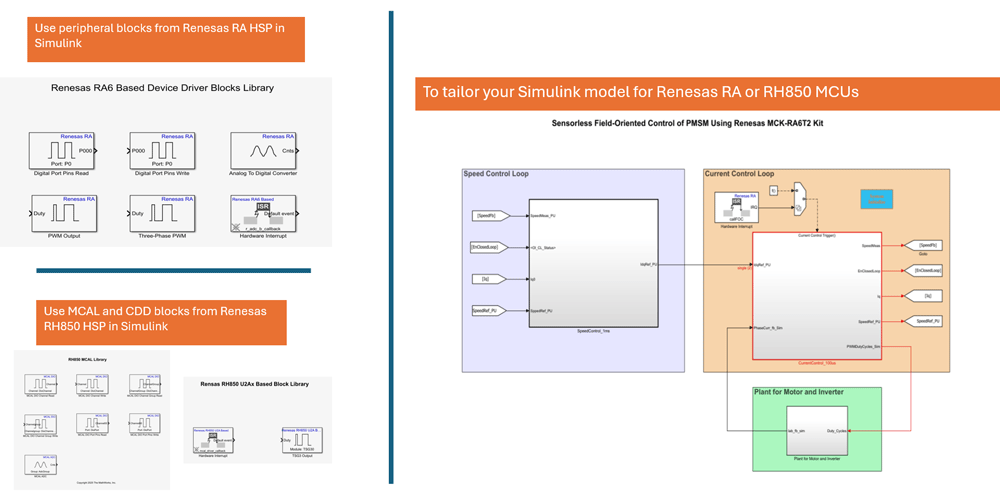
- On-chip peripheral blocks that connect your Simulink model to peripheral configurations, leveraging the Renesas RA Smart Configurator (for RA controller) and third‑party MCAL tools (for RH850 controller)
- Automated build and deployment eliminate manual integration of generated algorithms and driver code
- Automatic production-ready ANSI/ISO C code generation helps you to emphasize more on functional implementation rather than coding
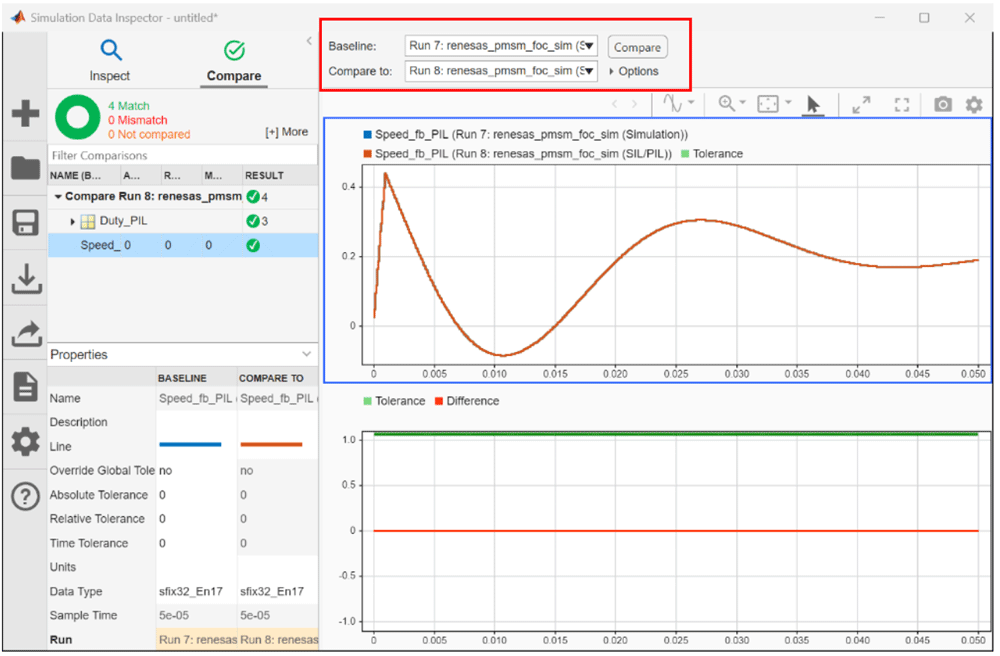
- Processor-in-the-Loop (PIL) verification ensures that the model and generated code are numerically equivalent, making it easier to see and compare the outcomes of standard simulations and PIL simulations. Additionally, profiling gives insight into execution time and memory usage on the controller.
This allows engineers to remain in a single, model-based workflow—from algorithm design and simulation through verification and deployment.
How to Get Started
Starting at System Level
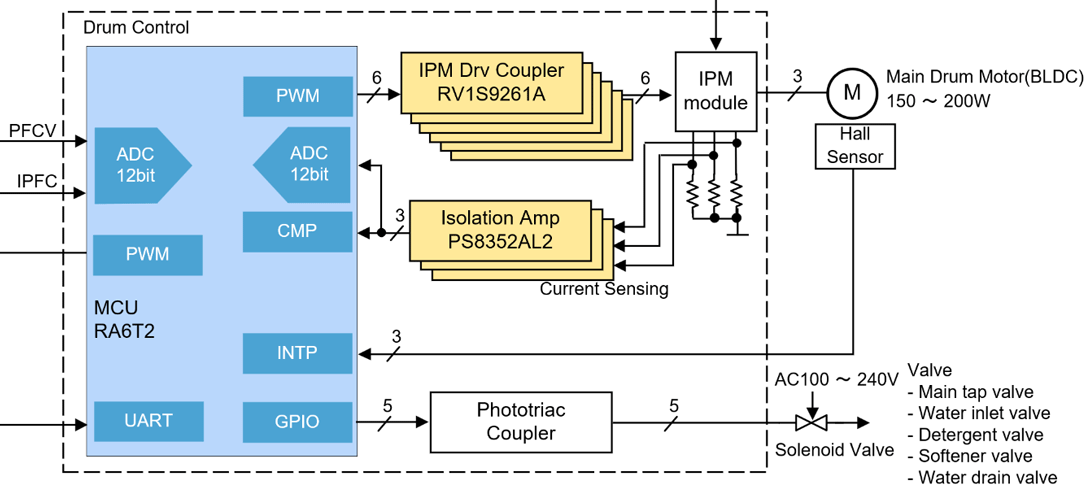
Starting at the system level, once requirements are made, such as how many motors this needs to drive, what components and subsystems your controller needs to interface with, etc., most engineers move to referencing and building system architectures for their needs. Renesas’ Winning Combo system block diagrams can provide a starting framework to help engineers focus on accounting for system behaviors and control strategies. From these system block diagrams, engineers can easily transition to a model-based design environment such as Simulink.
For example, in a washer or dryer system, the motor controller must drive the main drum motor while interfacing with valves, sensors, and safety components. Using the system block diagram as a guide, engineers can map these subsystems into Simulink and associate them with the relevant MCU peripherals—such as analog-to-digital converters (ADCs), pulse-width modulators (PWMs), general-purpose input/outputs (GPIOs), and interrupts—available on devices like the RA6T2.
Evaluating and Tuning System Behavior
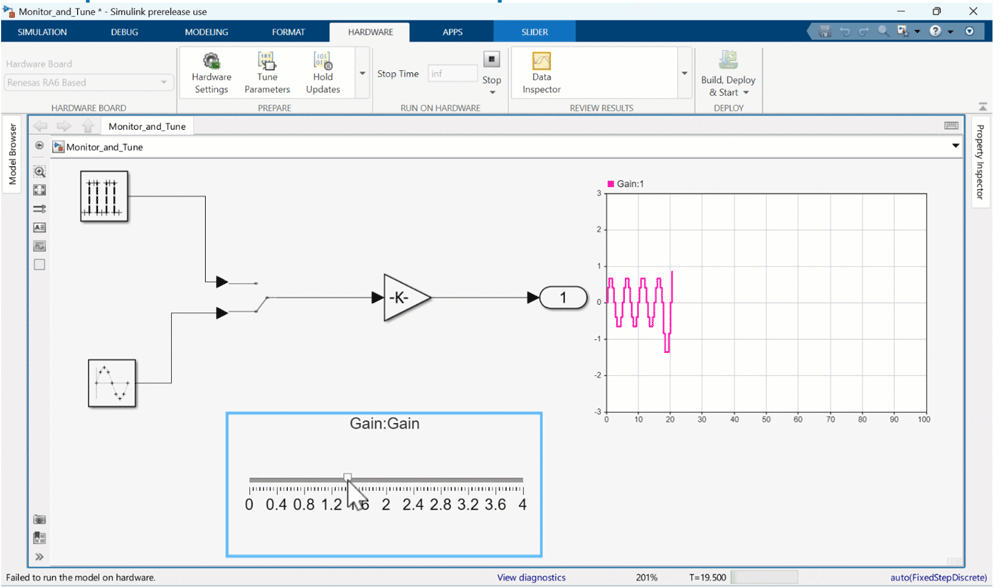
After modeling the system and peripherals, engineers can use Simulink to monitor real-time signals and adjust control parameters directly. By running the model in Monitor and Tune mode, they can observe the system’s behavior under various operating conditions and modify settings like controller gains, with changes instantly reflected in the hardware. This approach speeds up tuning by eliminating the need to rebuild code each time a change is made.
For example, in a washer or dryer application, the drum motor must be stable and predictable under changing conditions such as load weight differences (with light, heavy, or uneven loads), shifts during acceleration of spin-up, etc. Parameters such as gain define how aggressively a controller (like the RA6T2) can react to these changes in the system. Modeling and adjusting gain parameters in Simulink can help show insights into whether the heavy load in the system is causing motor lag or a drop in speed when the gain is set too low, or if the system is overcorrecting small errors when it’s set too high.
Verifying Designs with Processor-in-the-Loop
After algorithm development and simulation, Processor-in-the-Loop (PIL) verification can be used to validate that the generated code executes correctly on the target Renesas processor. In this step, compiled code runs on the actual MCU, and its behavior is compared against simulation results. PIL verification helps validate execution timing, memory usage, and numerical behavior, bridging the gap between software models and hardware testing.
Deployment on Renesas Hardware
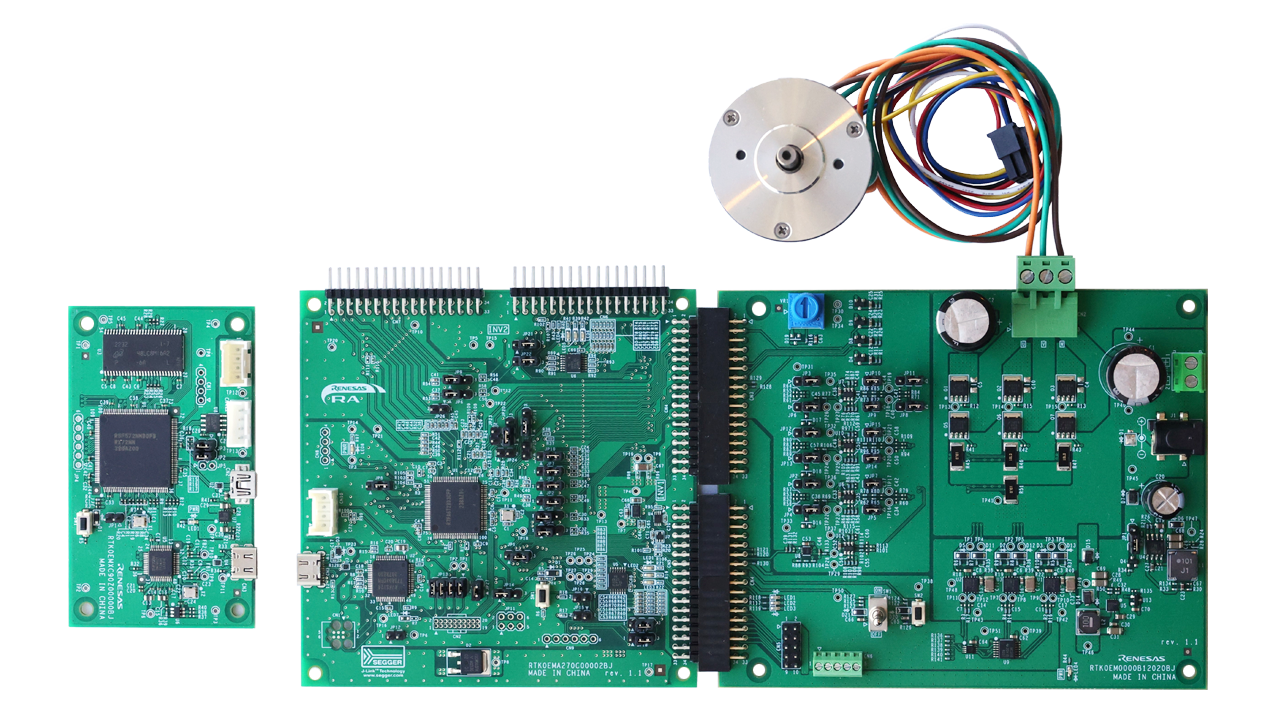
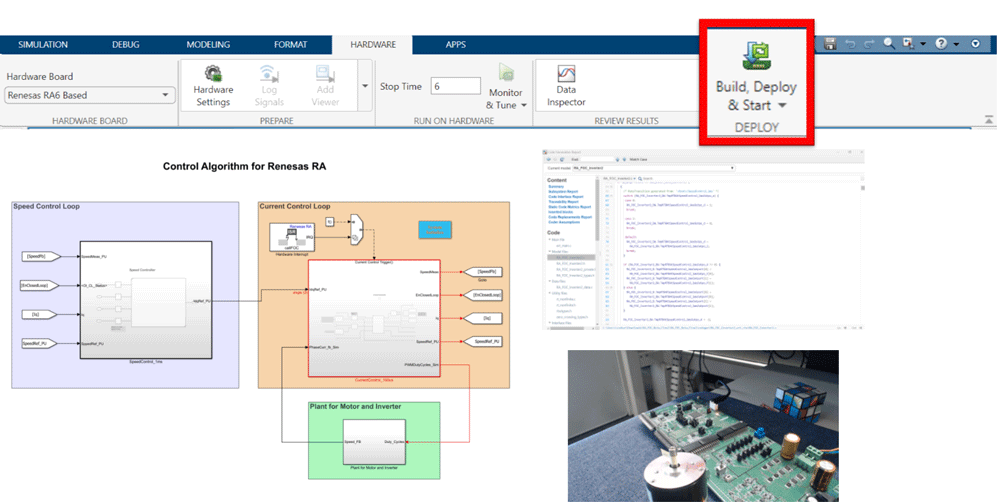
Once PIL verification is complete, engineers can deploy their models directly to Renesas development boards. Using MathWorks hardware support packages, code generation and deployment can be performed with a single click from Simulink—enabling rapid prototyping on platforms such as the Flexible Motor Control Kit for the RA6T2 MCU and RH850/U2A starter kit.
Conclusion and Resources
With hardware support packages from MathWorks, engineers can design complex embedded systems in a familiar Simulink environment and efficiently deploy them onto Renesas devices. This model-based workflow helps reduce development iterations, detect issues earlier, and accelerate the transition from algorithm design to production hardware.
To get started, explore the RA6T2 or RH850/U2A development boards, download the appropriate MathWorks Hardware Support Packages, and begin your model-based motor control development today.