
Overview
Description
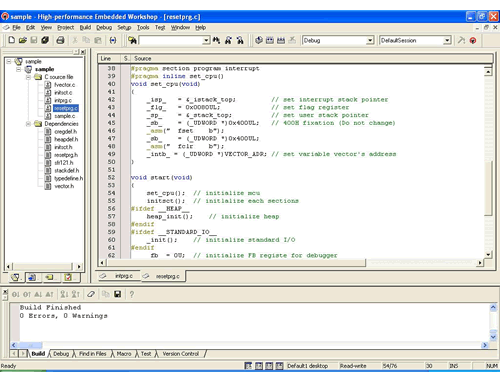
This product is a C compiler package for R32C/100 Series MCU. The powerful optimizations offer the ultimate in execution speed and code efficiency, and the utilities increase productivity. Furthermore, the MISRA C Rule Checker can also be purchased. It will help you write high-quality C source code.
Release Information
Latest Ver.: V.1.02 Release 01
Released: Apr 1, 2010
Details of upgrade (See Tool News)
Standard life cycle of Compilers (PDF | English, 日本語)
Notes
- This product is included in " C/C++ Compiler Package for R8C and M16C Families". This product is NOT available separately, but only included in the "C/C++ Compiler Package for R8C and M16C Families". To get a free upgrade version, download free updates from the Auto Update Utility or continue using separate on-line upgrade service as before.
- "C/C++ Compiler Package for R8C and M16C Families 2011.04" (released on 1 April, 2011) bundles C Compiler Package for R32C Series V.1.02 Release 01A which is identical in functionality with V.1.02 Release 01. If you purchase "C/C++ Compiler Package for R8C and M16C Families", it comes with MISRA C Rule Checker SQMlint V.1.03 Release 00C (identical in functionality with V.1.03 Release 00B).
Target Devices
Design & Development
Additional Details
Components
- Integrated development environment High-performance Embedded Workshop
- C compiler
- Assembler
- Linkage Editor
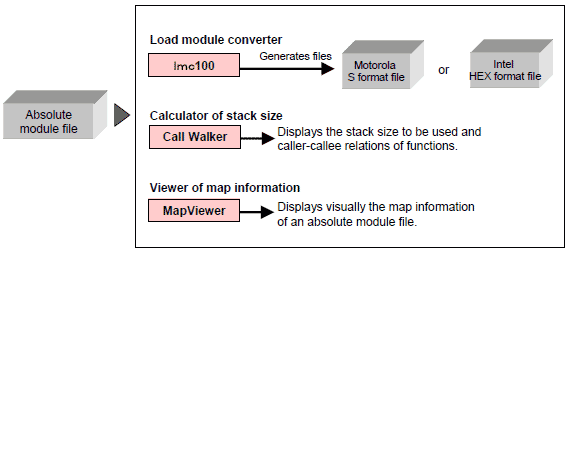
- Load module converter
- Librarian
- Absolute lister
- Standard library
- Simulator Debugger
- Call Walker
- MapViewer
Processing Flow
Installing this compiler package provides the following environment.
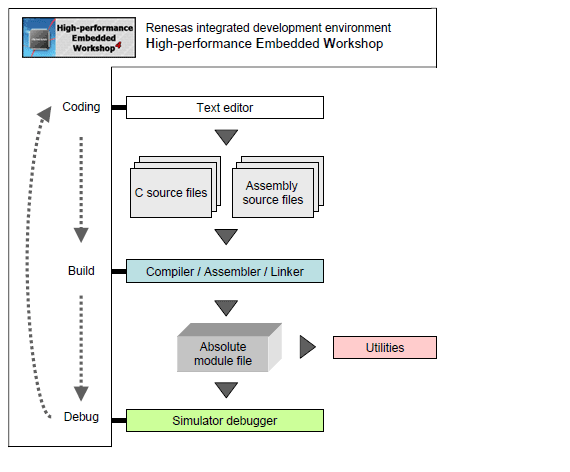
- C compiler
- Optimizing ANSI C compiler with extensions for embedded systems.
- Assembler
- Produces object code for the target MCU from assembly language source files.
- Simulator debugger
- Provides source level debugging capability in targetless system-level.
- IDE (Integrated development environment): HEW (High-performance Embedded Workshop)
- Provides seamless integration and easy access to all tools for coding, compiling, linking, and debugging. It greatly increases productivity.
[Utilities]
Target Devices
M16C Family R32C/100 Series (32-bit)
Support
Knowledge Base
- [HEW V.4, V.3] Are there methods for accomplishing the standard I/O?
When using the C/C++ compiler package for SuperH family or C/C++ compiler package for H8SX,H8S,H8 family.To accomplish the standard I/O, click to select the [Use I/O library] check box when creating a new project with the High-performance Embedded ...
Jul 27, 2010 - After installing emulator software how the can I view the build menu?
... install the compiler package in each environment. Please confirm that the compiler package is installed in your active High-performance Embedded Workshop environment.If the compiler package has not been installed, install it at this time. For instructions concerning the multi-install feature, refer to the following URL.https:/ ...
Dec 26, 2014 - Makefile is not generated and can't be terminated in HEW
... the command and default directories registered in the custom build phase is included in the custom build phase name. Example: Custom build phase name: RenRenesasCommand: $(PROJDIR)\_Sample\Renesas\test.bat Default directory: $(PROJDIR)\_Sample Difference in command and default directory names: Renesas The difference between the command ...
Jun 20, 2012

Support Communities

