
Overview
Description
[Updated: Jul. 21, 2026 Rev. 1.10] [Notes] Emulator and Flash Memory Programmer Products Notice Regarding Changes to Windows Driver Policy (PDF | English, 日本語)
The E10A-USB emulator is an on-chip debugging emulator which supports the development for systems using microcomputers of the SuperH RISC engine family, the H8SX family, and the H8S family. As the main body of the E10A-USB emulator is connected to the user system via the dedicated debug interface (H-UDI and AUD), you can debug in such a form close to the completed product.
Features
- Breakpoints
- Hardware Breakpoints, dependent on device specification
- 255 software breakpoints
- User break
- Trace functions
- 4 branch trace messages stored on device H-UDI capable devices
- Real time branch trace with AUD capable devices -HS0005KCU02H only
- RAM monitor
- The contents of a memory can be referenced and changed during program execution in real-time with AUD capable devices.
- Full source level debug
- Support for Renesas , IAR and GNU compilers
- Host requirement
- PentiumR3 600MHz or greater
- RAM 128MB or greater
- Available hard-disk 50MB or greater
- USB rev 1.1 port
- User I/F
- 14-way connector (Type: 2514-6002: [3M Co., Ltd.])
- 36-way connector (Type: DX10M-36S: [Hirose Electric Co., Ltd.])
- Learn More
Release Information
Target Devices
Design & Development
Additional Details
Lineup
See the product pages for the details of each model below.
| Item | Description | ||
|---|---|---|---|
| Products | HS0005KCU01H Image 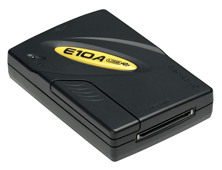 | HS0005KCU02H Image 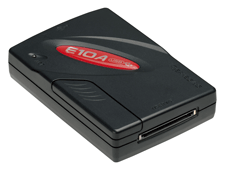 | HS0005KCU14H Image 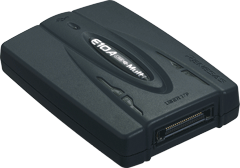 |
| MCUs |
| ・Multi-core MCUs of SuperH RISC engine Family | |
Notes
- The H-UDI (User Debugging Interface) is an interface compatible with the Joint Test Action Group (JTAG) specifications.
- The AUD (Advanced User Debugger) trace is the large-capacity trace function that is enabled when the AUD pins are connected to the emulator. When an event that starts trace acquisition occurs, the trace information is output in realtime from the AUD pins. For more details, refer to On-Chip Debugger Functional Overview (PDF | English, 日本語).
Support
Support Communities
- Technical Support Request: Flashing SH726306200FP via E10A-USB Emulator
Hi Team. I am currently developing with the SH2A series MCU and am seeking guidance on the flash programming process using the E10A-USB emulator. As I am new to this specific controller, I would also appreciate recommendations for any alternative flashing methods or tools that might be more streamlined ...
Apr 29, 2026 - MS7727CP02Y board with E10A-USB - debugging problem
Hi all,I've a MS7727CP02Y board (SH7727 processor) with T_Engine installed. I use an E10A-USB OCD to connect to the host computer.Right now I want to able to debug a simple applications (not T-Engine related) using Renesas HEW IDE.HEW is able to connect w ...
Aug 19, 2010 - WTB: Used E10a-USB red or yellow programmed for SH3 7706 (H-UDI debugger)
This is probably a long shot that someone would have one of these, but the folks at Renesas support suggested I post an inquiry here. If this is not the correct forum to post this, I will remove and post there. thanks!
Sep 26, 2019
Knowledge Base
- What debug functions enhanced on E200F compared to E10A USB?
The E200F emulator basic configuration (without options) includes all E10A-USB emulator debug functions. In addition, it comes with the following enhancements. Interface with host PC uses USB2.0 (high-speed), allowing high-speed downloads (1M byte/s). Increased trace memory capacity. Allows E200F emulator to get trace information ...
Dec 13, 2007 - E10A-USB: Program execution time takes long than expected
This may be caused by enabling the profile function.When the profile function is enabled, the program execution is stopped temporarily in order to collect measured data, causing a longer execution time. Disable the profile function as follows. From the menu, select [View] → [Performance] → [Profile] to open the profile window ...
Jun 14, 2011 - When will it be written to memory if I download program using E10A-USB?
This differs according to the target memory. RAM (internal, external)The program is written directly to RAM during of the program download process. Internal Flash MemoryThe program is stored in the emulator when it is downloaded; a write event is not generated at this time. After download is complete, the ...
Jul 20, 2007

Support Communities

