
Overview
Description
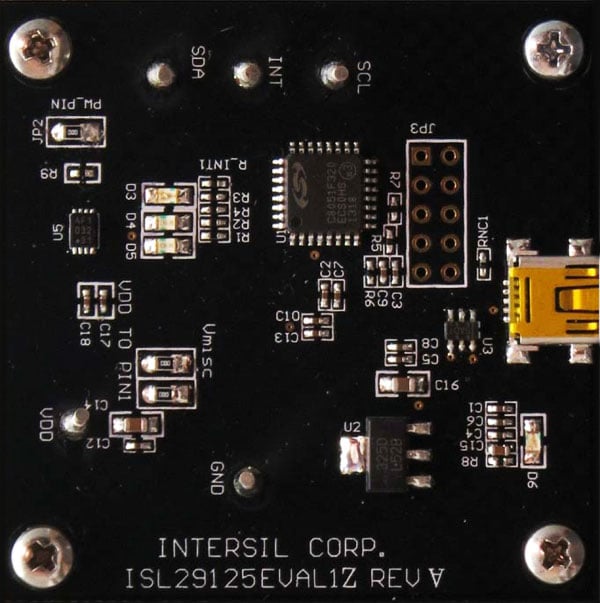
The RGB Evaluation Kit is designed to evaluate the performance of the ISL29125 RGB sensor. The kit is accompanied by a graphical user interface (GUI) that contains the CIE 1931 Chromaticity diagram with Planckian locus in an x, y- coordinate system, with cross marks to point out where the RGB sensor position is on the graph. The GUI facilitates evaluation of parameters such as raw data of Red, Green and Blue as well as X, Y and Z corrected lux measurements and also performs interrupt functions. Data can be viewed on the GUI and/or saved to a text file for future analysis. The GUI software is compatible with Windows XP®, Windows Vista®, and Windows® 7. This provides a simple user interface for exercising the device features.
The system (MCU, DUT) is powered directly from the universal serial bus (USB) or from a single-supply voltage of 2.25V to 3.6V. The evaluation board must be connected to a computer through the mini USB port for the system to function. The system uses a USB MCU to communicate to the DUT via I2C/SMBus interface.
Features
- 56µA operating current, 0.5µA shutdown current
- Selectable range (Via I2C)
- I2C (SMBus compatible) output
- ADC resolution 16 bits
- Programmable interrupt windows
- Two optical sensitivity ranges
- Range 0 = 5.7m lux to 375 lux
- Range 1 = 0.152 lux to 10,000 lux
- Operating power supply 2.25V to 3.63V
- I2C power supply 1.7V to 3.63V
- 6 Ld ODFN (1.65mm x 1.65mm x 0.7mm) package
Applications
Documentation
|
|
|
|
|---|---|---|
| Type | Title | Date |
| Application Note |
PDF
1.43 MB
AI-generated Summary:
The document explains how to connect and operate the ISL29125 evaluation board with a PC via USB, launch the RGB GUI software, and interpret the GUI display for color measurement. It details sensor settings such as auto-ranging, compensation, sensitivity, and speed modes. The GUI shows calibrated lux, color temperature, RGB raw data, and noise levels. Troubleshooting steps include checking USB connections and loading the Color Correction Matrix (CCM) via EEPROM. Users can adjust CCM coefficients through a worksheet and save configurations to the board.
|
|
| PCB Design Files | ZIP 414 KB | |
| Other | PDF 325 KB | |
| Datasheet | PDF 902 KB | |
| Manual - Development Tools | PDF 1.74 MB | |
5 items
|
||
Design & Development
Product Options
| Part Number | Status | Stock | Sampleable | Pb (Lead) Free |
|---|---|---|---|---|
| ISL29125EVAL1Z | Obsolete | In Stock | N/A | Yes |
Support

Support Communities


