
Overview
Description
[Updated: Jul. 21, 2026 Rev. 1.10] [Notes] Emulator and Flash Memory Programmer Products Notice Regarding Changes to Windows Driver Policy (PDF | English, 日本語)
The E10A-USB emulator is an on-chip debugging emulator which supports the development for systems using microcomputers of the SuperH RISC engine family, the H8SX family, and the H8S family. As the main body of the E10A-USB emulator is connected to the user system via the dedicated debug interface (H-UDI and AUD), you can debug in such a form close to the completed product.
Features
- Breakpoints
- Hardware Breakpoints, dependent on device specification
- 255 software breakpoints
- User break
- Trace functions
- 4 branch trace messages stored on device H-UDI capable devices
- Real time branch trace with AUD capable devices -HS0005KCU02H only
- RAM monitor
- The contents of a memory can be referenced and changed during program execution in real-time with AUD capable devices.
- Full source level debug
- Support for Renesas , IAR and GNU compilers
- Host requirement
- PentiumR3 600MHz or greater
- RAM 128MB or greater
- Available hard-disk 50MB or greater
- USB rev 1.1 port
- User I/F
- 14-way connector (Type: 2514-6002: [3M Co., Ltd.])
- 36-way connector (Type: DX10M-36S: [Hirose Electric Co., Ltd.])
- Learn More
Release Information
Target Devices
Design & Development
Additional Details
Lineup
See the product pages for the details of each model below.
| Item | Description | ||
|---|---|---|---|
| Products | HS0005KCU01H Image 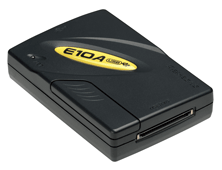 | HS0005KCU02H Image 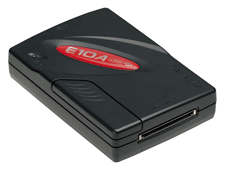 | HS0005KCU14H Image 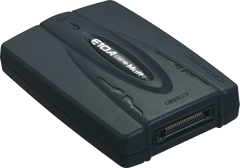 |
| MCUs |
| ・Multi-core MCUs of SuperH RISC engine Family | |
Notes
- The H-UDI (User Debugging Interface) is an interface compatible with the Joint Test Action Group (JTAG) specifications.
- The AUD (Advanced User Debugger) trace is the large-capacity trace function that is enabled when the AUD pins are connected to the emulator. When an event that starts trace acquisition occurs, the trace information is output in realtime from the AUD pins. For more details, refer to On-Chip Debugger Functional Overview (PDF | English, 日本語).
Support
Support Communities
- WTB: Used E10a-USB red or yellow programmed for SH3 7706 (H-UDI debugger)
This is probably a long shot that someone would have one of these, but the folks at Renesas support suggested I post an inquiry here. If this is not the correct forum to post this, I will remove and post there. thanks!
Sep 26, 2019 - Error while connecting the E10A- USB Emulator and SH72531 to PC
Hi, I am using SH72531 and I have an E10A USB emulator (HS0005KCU02H). I am following the process given in Renesas SuperH Family E10A-USB Emulator User’s Manual. But whenever I try to connect the SH72531 and E10A USB Emulator to the host (Desktop PC), I am getting the ...
Oct 11, 2017 - How do you disable watchdog on SH3 7706 via Workbench when debugging w/ E10a-USB
I could probably go in and tweak the register every session as it is memory mapped, but is there some setting in the Embedded Workbench to do that for all debugging sessions? I haven't been able to find it if there is. I'm using version 4.0.
Nov 21, 2019
Knowledge Base
- Error message during the E10A-USB emulator software start-up process
... between the H-UDI Port Connector and the MPU in the E10A-USB Emulator Additional Document for Users Manual for the target device.The DIP switch is under the sliding cover of the E10A-USB emulator. Device-specific E10A-USB Emulator Additional Document for Users Manuals can be downloaded here.
Jun 22, 2011 - Failure message appears in starting E10A-USB emulator
STATUS:5001 is displayed when the E10A-USB switch settings are incorrect. Please set the E10A-USB switches as follows and then re-execute the test program.E10A-USB switch settings: SW1=1, SW2=0, SW3=1
Jun 10, 2011 - Use with target mounted with 36-pin connector or 38-pin Mictor connector_E10A-USB
Yes. However, the following usage notes apply. AUD trace cannot be used.Please set the emulator as follows before using.Right click in the Trace window to display the popup menu. From the popup menu, select [Acquisition]. In the Acquisition dialog box, make sure the AUD trace radio button is ...
Oct 11, 2017

Support Communities

