
Overview
Description
The EK-RA6M2 evaluation kit enables users to effortlessly evaluate the features of the RA6M2 MCU Group and develop embedded systems applications using the Flexible Software Package (FSP) and various IDEs.
Getting Started
Running the Quick Start Example Project
- The EK-RA6M2 board comes pre-programmed with a quick start example project (provided with the example projects bundle).
- Power up the EK-RA6M2 board through the USB debug port (J11) using the micro USB device cable connected to a 5V power source. The green power LED will light up.
- The quick start example project will begin to execute blinking the red user LED.
- Refer to the EK-RA6M2 – Quick Start Guide (PDF | English, 日本語) to explore additional functionality of the quick start example project.
Developing Embedded Applications
- Modifying the quick start example project – refer to the EK-RA6M2 Quick Start Guide for instructions on importing, modifying, and building the quick start example project.
- Start with one of the many other example projects (provided in the example projects bundle) – choose from many example projects to learn about different peripherals of the RA6M2 MCU Group. These example projects can serve as excellent starting points for you to develop your custom applications.
Building Custom Hardware
- Start by building a functional prototype - utilize the EK-RA6M2 board with your choice of ecosystem add-ons.
- Build custom hardware – develop custom hardware by referring to the design and manufacturing information provided in the EK-RA6M2 v1 - Design Package (ZIP | English, 日本語)
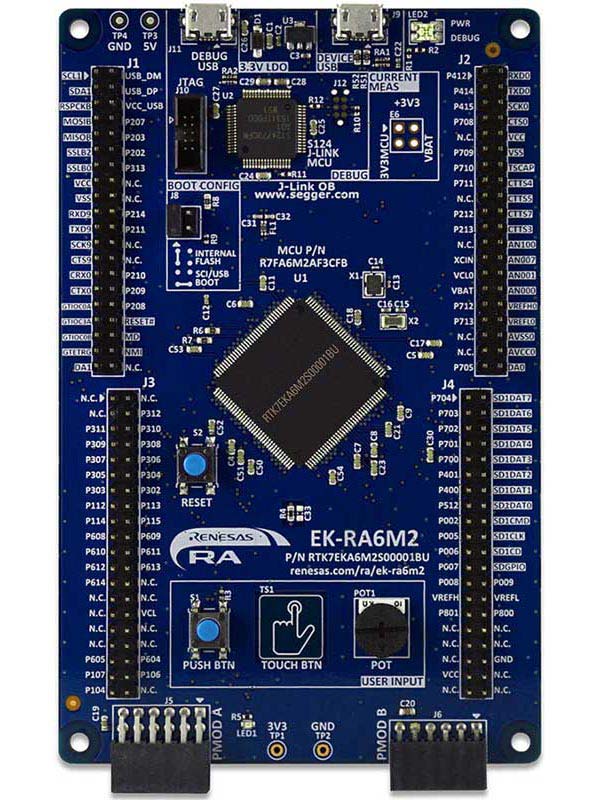
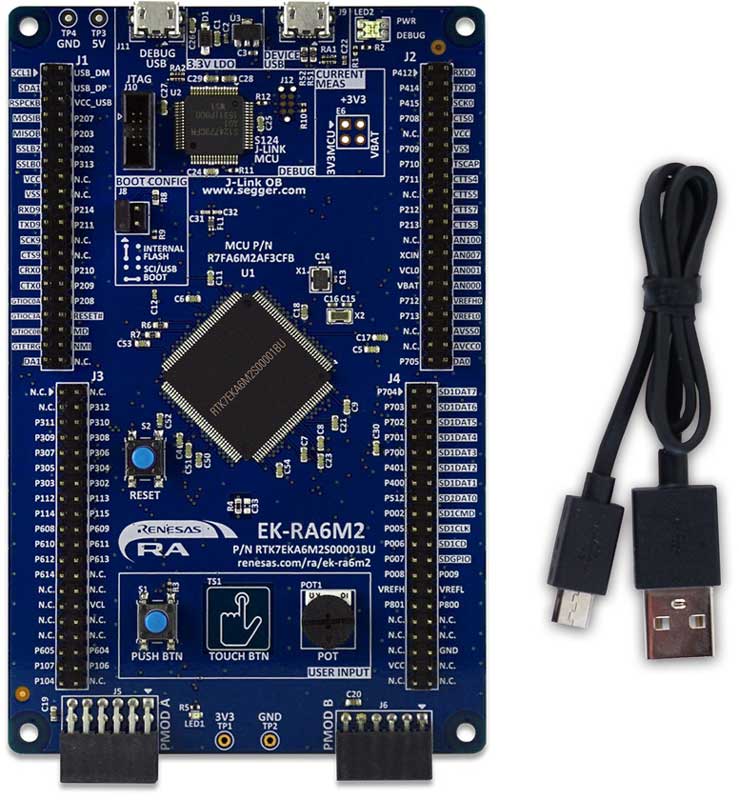
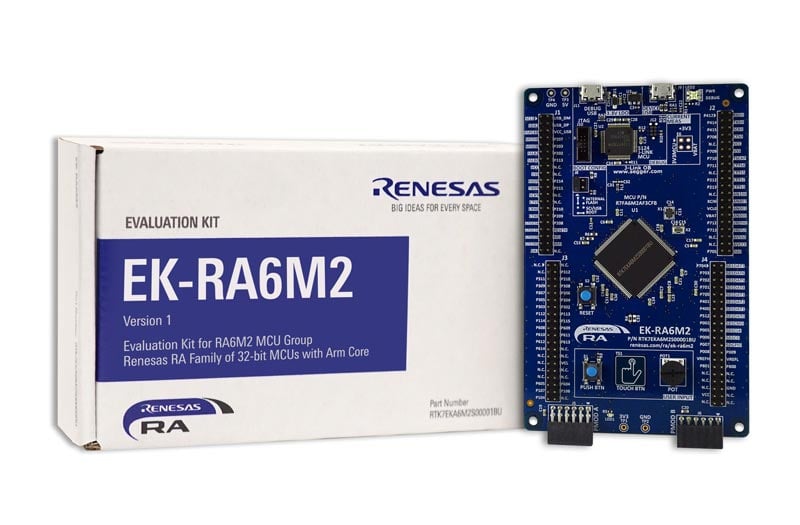
Features
- MCU Native Pin Access
- R7FA6M2AF3CFB MCU
- 120MHz, Arm Cortex®-M4 core
- 1MB Code Flash, 384kB SRAM
- 144 pins, LQFP package, 20mm x 20mm x 1.70mm, 0.5mm pitch
- Native pin access through 4x 40-pin male headers
- MCU current measurement points
- Ecosystem & System Control Access
- USB Full Speed device
- 5V input through USB debug
- SEGGER J-LinkTM on-board programmer and debugger
- Debug modes
- Debug On-board (SWD) – via J-Link
- Debug Out (SWD) – via J-Link
- Debug in (SWD and JTAG)
- Two Digilent PmodTM (SPI and UART)
- User LED
- Mechanical user button
- Capacitive user button
- MCU boot configuration jumper
Applications
Documentation
|
|
|
|
|---|---|---|
| Type | Title | Date |
| Quick Start Guide | PDF 764 KB 日本語 | |
| Manual - Development Tools | PDF 2.57 MB 日本語 | |
| PCB Design Files | EK-RA6M2 v1 - Design Package
|
|
| Application Note |
PDF
730 KB
The EK-RA6M2 example project shows how to write code for various Renesas Flexible Software Package (FSP) modules supported by the EK-RA6M2 kit. The Flexible Software Package provides an optimized, easy-to-use, scalable, and high-quality software solution for embedded system design.
|
|
| Application Note |
PDF
3.85 MB
Learn how Renesas MCU security is built around integrated security engines. The RA family includes various types, which can be identified in each MCU’s hardware manual. These engines operate in two modes: Compatibility and Protected. This application note defines both and outlines their use cases.
|
|
| Application Note |
PDF
2.35 MB
Learn how to inject plaintext keys into RA MCUs using various security engines operating in Compatibility Mode. This application note details the protection of the Root of Trust, emphasizing secure key storage through hardware unique keys (HUK) and isolated cryptographic operations within the security engine. The security engines support multiple cryptographic algorithms and key handling methods, enabling secure and efficient key management.
|
|
| Application Note |
PDF
402 KB
AI-generated Summary:
The document explains the two operational modes, highlighting their advantages and disadvantages, and provides practical guidance for selecting and using each mode. It also includes reference links to Renesas RA Family Application Projects that demonstrate these modes with detailed examples of the related FSP module usage.
|
|
| Application Note |
PDF
2.87 MB
AI-generated Summary:
Low Power Modes (LPM) reduce the effective power consumption of RA microcontrollers by stopping the CPU and selectively operating peripherals and oscillators. Four LPM types are supported: Sleep, Software Standby, Snooze, and Deep Software Standby modes, each offering different power savings and peripheral availability. The document details configuring LPMs, clock source changes at run-time, peripheral operations during LPM, and transitioning between modes. It includes example projects demonstrating LPM usage, FSP configuration steps, and debugging methods across various RA kits, enabling efficient low power application development.
|
|
| Application Note |
PDF
2.85 MB
AI-generated Summary:
MCUboot provides a secure bootloader infrastructure for 32-bit MCUs, enabling secure booting and fail-safe application updates. It supports multiple update strategies—Overwrite, Swap, and Direct Execute-In-Place (DXIP)—each with distinct advantages and memory requirements. The bootloader authenticates firmware images using RSA or ECDSA signatures and SHA-256 hashing. Integration with Renesas Flexible Software Package (FSP) allows easy MCUboot deployment across RA Family MCUs, supporting TrustZone-based security. Example projects demonstrate multi-image and single-image configurations on EK-RA6M4 and EK-RA6M3 kits. The document guides hardware setup, software configuration, project creation, signing, and debugging to implement secure bootloader solutions.
|
|
| Flyer | PDF 534 KB 日本語 | |
| Flyer | PDF 412 KB | |
| Presentation | PDF 7.02 MB | |
| Flyer | PDF 333 KB 日本語 | |
| Manual - Development Tools | PDF 301 KB 日本語 | |
| Report | PDF 187 KB 日本語 | |
15 items
|
||
Design & Development
Software & Tools
Software & Tools
| Software title
|
Software type
|
Company
|
|---|---|---|
| RA Flexible Software Package (FSP) FSP is an enhanced software package designed to provide easy-to-use, scalable, high-quality software for embedded system designs using Renesas RA Family of Arm Microcontrollers.
Note: FSP with e² studio Installer (Platform Installer) will install the e² studio tool, FSP packs, GCC toolchain, and Segger J-Link drivers required to use this software. No additional installations are required.
|
Software Package | Renesas |
| Renesas Flash Programmer (Programming GUI) Flash memory programming software [Support MCU/MPU and devices: RA, RE, RX, RL78, RH850, RISC-V MCU, Renesas Synergy, DA1453x, DA1459x, DA1469x, DA1470x, DA148xx, Power Management, Renesas USB Power Delivery Family, ICs for Motor Driver/Actuator Driver, V850, 78K0R, 78K0]
|
Programmer (Unit/SW) | Renesas |
| QuickConnect Platform QuickConnect platform enables fast prototyping by providing compatible hardware and software building blocks.
|
Software and Hardware Development Tools | Renesas |
3 items
|
||
Sample Code
Sample Code
Filters
|
||
|---|---|---|
| Type | Title | Date Date |
| Sample Code | EK-RA6M2 Example Project Bundle
[Software=RA FSP],[Board=EK-RA6M2]
ZIP
18.93 MB
IDE:
e2 studio/GCC/AC6, IAR, Keil MDK
The EK-RA6M2 example project shows how to write code for various Renesas Flexible Software Package (FSP) modules supported by the EK-RA6M2 kit. The Flexible Software Package provides an optimized, easy-to-use, scalable, and high-quality software solution for embedded system design.
|
|
| Sample Code | Injecting and Updating Secure User Keys - Sample Code
Learn how Renesas MCU security revolves around integrated security engines. There are different types of security engines across the RA MCU. Users can find the specific engine used in a particular MCU from its hardware user’s manual. The security engines can operate in two different modes, called Compatibility Mode and Protected Mode. The application note “Renesas Security Engine Operational Modes” explains the definition of the two modes and their use cases.
|
|
| Sample Code | Injecting Plaintext User Keys
Learn how to inject plaintext keys into RA MCUs using security engines operating in Compatibility Mode. Example projects for various MCUs and security engines demonstrate plaintext key injection with Renesas Flexible Software Package (FSP) APIs and PSA Certified Crypto APIs.
|
|
| Sample Code | LPM Application Package
|
|
| Sample Code | RA6 Basic Secure Bootloader Using MCUboot and Internal Code Flash
MCUboot is a secure bootloader for 32-bit MCUs. It defines a common infrastructure for the bootloader, defines system flash layout on microcontroller systems, and provides a secure bootloader that enables easy software update.
ZIP
4.13 MB
Compiler:
GNU Arm Embedded
IDE:
e2 studio
|
|
5 items
|
||
Related Boards & Kits
Boards & Kits

Evaluation Kit for RA6M5 MCU Group
The EK-RA6M5 evaluation kit enables users to effortlessly evaluate the features of the RA6M5 MCU Group and develop embedded systems applications using the Flexible Software Package (FSP) and e2 studio IDE. Utilize rich on-board features along with your choice of popular ecosystem add-ons to... Read More

Evaluation Kit for RA6M4 MCU Group
The EK-RA6M4 evaluation kit enables users to effortlessly evaluate the features of the RA6M4 MCU Group and develop embedded systems applications using the Flexible Software Package (FSP) and e2 studio IDE. Utilize rich on-board features along with your choice of popular ecosystem add-ons to... Read More
Test This Board Remotely

Evaluation Kit for RA6M3 MCU Group
The EK-RA6M3 evaluation kit enables users to seamlessly evaluate the features of the RA6M3 MCU Group and develop embedded systems applications using the Flexible Software Package (FSP) and e2studio IDE. Utilize rich on-board features along with your choice of popular ecosystem add-ons to bring... Read More

Evaluation Kit for RA6M1 MCU Group
The EK-RA6M1 evaluation kit enables users to effortlessly evaluate the features of the RA6M1 MCU Group and develop embedded systems applications using Renesas' Flexible Software Package (FSP) and various IDEs.
Getting Started
Running the Quick Start Example Project
- The EK-RA6M1 board comes... Read More
Product Options
| Part Number | Status | Stock | Budgetary Price (USD) | Sampleable |
|---|---|---|---|---|
| RTK7EKA6M2S00001BU | Active | In Stock | 1u | $73.53 | Available |
Videos & Training
Kickstart IoT and embedded systems development using Renesas EK-RA6M5, EK-RA6M4, and EK-RA6M3 evaluation kits for the RA6 MCU series. This video provides an overview of the kit architecture, key features, a quick start example project, and many useful resources to begin innovating quickly with Renesas RA MCUs.
Additional Videos
News & Blog Posts
Blog Post Jan 28, 2022 |
Blog Post Jan 28, 2022 |
Blog Post Nov 18, 2021 |
Blog Post Nov 11, 2021 |
Certifications
The EK-RA6M2 kit meets the following certifications/standards. Please refer to the EK-RA6M2 user manual for the disclaimer, precautions and more details on the certifications.
EMC/EMI Standards
- FCC Notice (Class A) – Part 15
- Innovation, Science and Economic Development Canada ICES-003 Compliance: CAN ICES-3 (A)/NMB-3(A)
- CE Class A (EMC Directive 2004/108/EEC)
- Taiwan Chinese National Standard 13438, C6357 compliance, Class A limits
- Australia/New Zealand AS/NZS CISPR 32:2015, Class A
Material Selection, Waste, Recycling, and Disposal Standards
- EU RoHS
- China SJ/T 113642014, 10-year environmental protection use period
Safety Standards
- UL 94V-0
Partners

Zephyr Project
The Zephyr Project is an open-source, scalable real‑time operating system (RTOS) designed for resource-constrained embedded systems and supports a wide range of hardware architectures and development boards. For the Renesas RA6M2 Evaluation Kit, Zephyr provides focused documentation covering board features, supported peripherals, and basic build, flashing, and debugging workflows to help developers quickly get started.
Support
Support Communities
- EK-RA6M2 USB host mass storage device not detected
I am using the usb_hmsc_ek_ra6m3_ep sample code for reference. but Device/Pendrive not detected. Always waiting for the device (free_rtos_fat_callback event not generated). here is my test code -> ums_boot_v01.rar what changes need to be done? Does EK-RA6M2 support ...
Apr 6, 2022 - I have successfully ported AzureRTOS to EK-RA6M2
Dear RA Fellows, I was long waiting for AzureRTOS source code, and finally, Microsoft announced it. Azure RTOS is available at the following link with All components. https://github.com/azure-rtos I spent a couple of hours and was able to Run azureRTOS on the RA ...
May 29, 2020 - EK-RA6M2 FSP 3.5 USB PCDC : How to create 2 or more virtual com. ports
Recently I have done my project on pic32mx series microcontroller where I used a single CDC with multiple interfaces(Created 4 VCP). now I am porting my project to a ra6m2 microcontroller where I need 4 virtual comm ports, I have changed the USB descriptor for 4 VCP interfaces. but ...
Mar 25, 2022
Knowledge Base
- RA Family: How to use the Debug Out function of J-Link OB on EK (Evaluation Kit)
... Evaluation Kit) for RA MCUs, such as EK-RA2E1, EK-RA2E2, EK-RA2L1, EK-RA2A1, etcEK-RA4M1、EK-RA4M2、EK-RA4M3、EK-RA4W1、EK-RA6M1、EK-RA6M2, EK-RA6M3, EK-RA6M4, EK-RA6M5, etc., all EKs come with J-Link OB (On-Board Debugger), which means that the user can ...
Dec 14, 2023 - RA Family: Why are UART channel 1 pins P212 and P213 not working ?
... them as SCI channel 1 pins, you need to have a clock source different than XTAL. Please change accordingly on Clocks tab (you can change PLL source or clock source itself): A new blank project by default is using XTAL as clock source which is already on the EK-RA6M2.

Support Communities


