
- |
概要
e² studio環境において異なるコンパイラのプロジェクトとして作成したプロジェクトを移行するには以下の方法があります。
新規にe² studioプロジェクトを作成し、お客様のソースファイルを登録
- e² studioのメニューバーから[ファイル] → [新規] → [C Project] の順にクリックして新しいCプロジェクトを作成します。右図に示す新規プロジェクト作成ウィザードが起動します。
- ダイアログでプロジェクト名を入力し、ツールチェインを選択します。[次へ(N)>] をクリックしてください。
画像
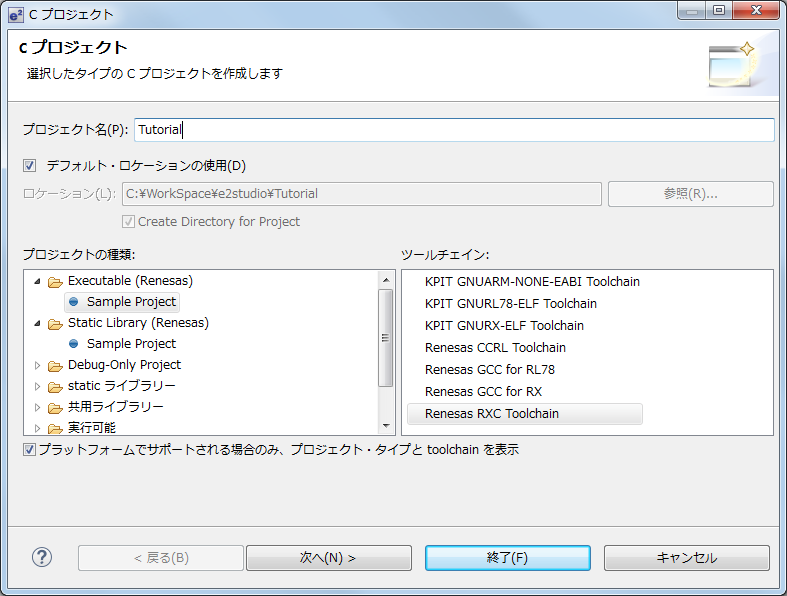
- [ツールチェーン・バージョン]、[デバッグ・ハードウェア]、[ターゲットの選択] を指定し、 [次へ(N)>] をクリックして次へ進みます。
画像
![[Create Project] dialog box of e² studio](/sites/default/files/media/images/migration-e2studio-new-02-ja.png)
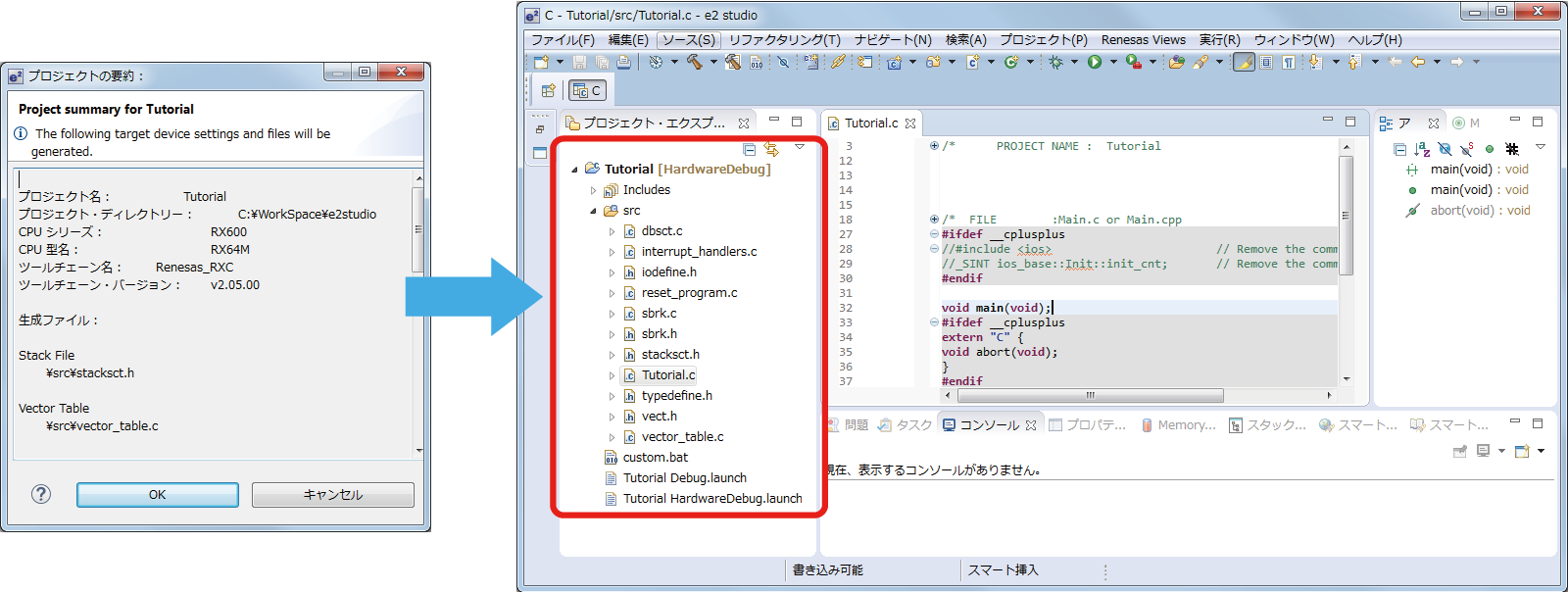
- 必要なオプション等の設定後、最後に[終了(E)]ボタンを押すとプロジェクトの要約が表示されます。さらに[OK] をクリックするとプロジェクトが生成され、右図の画面例のように表示されます
画像
- [インポート]→[ファイル・システム]を選択し、プロジェクトに既存のソースファイルを追加してください。また、[ファイル]→[新規]から新しいソースフォルダ・ソースファイルを追加することも可能です。
画像
![[Import…] -> [File System] to add an existing source file to the project](/sites/default/files/media/images/migration-e2studio-new-04-ja.png)


