
概要
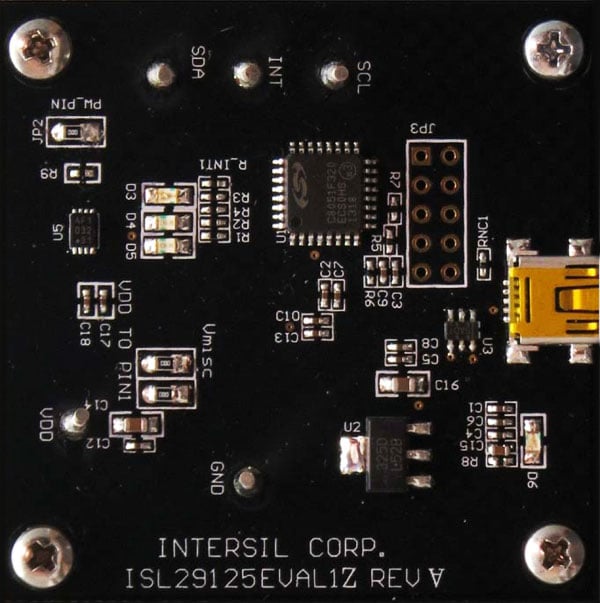
The RGB Evaluation Kit is designed to evaluate the performance of the ISL29125 RGB sensor. The kit is accompanied by a graphical user interface (GUI) that contains the CIE 1931 Chromaticity diagram with Planckian locus in an x, y- coordinate system, with cross marks to point out where the RGB sensor position is on the graph. The GUI facilitates evaluation of parameters such as raw data of Red, Green and Blue as well as X, Y and Z corrected lux measurements and also performs interrupt functions. Data can be viewed on the GUI and/or saved to a text file for future analysis. The GUI software is compatible with Windows XP®, Windows Vista®, and Windows® 7. This provides a simple user interface for exercising the device features.
The system (MCU, DUT) is powered directly from the universal serial bus (USB) or from a single-supply voltage of 2.25V to 3.6V. The evaluation board must be connected to a computer through the mini USB port for the system to function. The system uses a USB MCU to communicate to the DUT via I2C/SMBus interface.
特長
- 56µA operating current, 0.5µA shutdown current
- Selectable range (Via I2C)
- I2C (SMBus compatible) output
- ADC resolution 16 bits
- Programmable interrupt windows
- Two optical sensitivity ranges
- Range 0 = 5.7m lux to 375 lux
- Range 1 = 0.152 lux to 10,000 lux
- Operating power supply 2.25V to 3.63V
- I2C power supply 1.7V to 3.63V
- 6 Ld ODFN (1.65mm x 1.65mm x 0.7mm) package

サンプル&ご購入

ISL29125EVAL1Z
廃止品| Pb (Lead) Free: | Yes |


