
Overview
Description
[Updated: Jul. 21, 2026 Rev. 1.10] [Notes] Emulator and Flash Memory Programmer Products Notice Regarding Changes to Windows Driver Policy (PDF | English, 日本語)
The IECUBE is a high-Performance full-spec emulator for RL78, 78K, and V850 MCUs. Affordable in cost, it provides high-performance debugging functions such as time measurement, coverage, and trace. In addition, a self-testing function detects faults in the IECUBE and performs maintenance.
Features
- Lineup [Learn More]
- IECUBE for RL78
- IECUBE for 78K0R (Discontinued product)
- IECUBE for 78K0 (Discontinued product)
- IECUBE for 78K0S (Discontinued product)
- IECUBE for V850 (Discontinued product)
- Components [Learn More]
- Optional Products (Sold Separately) [Learn More]
- Target Devices [Learn More]
- Learn More
Target Devices
Additional Details
Lineup
IECUBE for RL78
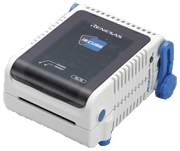
IECUBE for 78K0R (Discontinued product)
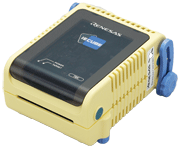
IECUBE for 78K0 (Discontinued product)
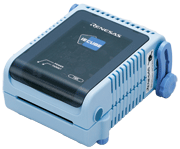
IECUBE for 78K0S (Discontinued product)
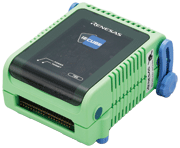
IECUBE for V850 (Discontinued product)
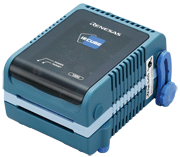
Components
- Emulator main unit (IECUBE)
- Softeware CD-ROM (USB driver is included.)
- USB interface cable
- User's Manuals
Note: For development work, a power supply adapter and options such as probe or socket compatible with the target device, all sold separately, are required.
Optional Products (Sold Separately)
- Emulation Probe
- Exchange Adapter
- Space Adapter
- YQ Connector
- Target Connector
- Mount Adapter
Optional product list of IECUBE for RL78 family (PDF | English, 日本語)
Optional product list of IECUBE for 78K0R (PDF | English, 日本語)
Optional product list of IECUBE for 78K0 (PDF | English, 日本語)
Optional product list of IECUBE for 78K0S (PDF | English, 日本語)
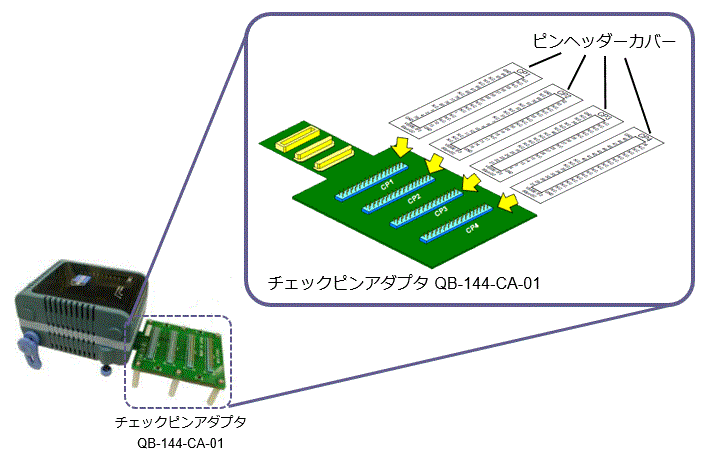
Optional product list of IECUBE for V850 (PDF | English, 日本語) - Check pin adapter Drawings of QB-144-CA-01 (PDF)
* Usable in common with RL78, 78K0R, 78K0, 78K0S, V850.
The pin header cover corresponded to the pin arrangement of the MCU is required. You can get the pin header cover package from the following package list. Please print the package and cut out the pin header cover for using.
Package list of pin header cover (PDF | English, 日本語)
Usage of Pin Header Cover - Power Supply Adapter
Specifications of the power supply adapter, QB-COMMON-PW-xx, vary depending on the region. Be sure to use an adapter designed for your region.
Target Devices
Support
Support Communities
- IECUBE/MINICUBE USB Drivers supporting 64bit Windows Versions
... 70 installation folder (e.g. "C:Program Files\IAR Systems\Embedded Workbench 6.0") and overwritethe existing files. To install the USB drivers, please goto the subfolder "78k\drivers\renesas\MINICUBE\64bitDrivers"respectively "78k\drivers\renesas\IECUBE\64bitDrivers", select the INF-file, press the right mouse button and select 'Install".
Sep 11, 2012 - ICD debugger for 70F3426. ?
CS+ not support this MCU, what tool I can use (software and hardware)?
Feb 18, 2018 - EESTUDIO WILL NOT INSTALL
... 148!MESSAGE Installed driver Renesas_E_Series_USB !ENTRY com.codesourcery.installer 1 0 2026-04-05 13:37:09.148!MESSAGE Installing driver Renesas_IECUBE... !ENTRY com.codesourcery.installer 1 0 2026-04-05 13:37:09.578!MESSAGE Installed driver Renesas_IECUBE!ENTRY com.codesourcery.installer 1 0 ...
Apr 8, 2026
Knowledge Base
- Flash Memory Data is Lost after I Turn Off IECUBE (IECUBE) [RL78]
When you turn off IECUBE, data is lost because code flash memory and data flash memory of IECUBE are emulated by RAM. To preserve the flash memory data, use the following steps. [Steps to be taken before finishing a debug] 1. In CS+, select [Upload] from the [Debug] menu. 2 ...
Feb 1, 2021 - RAM parity error detection (IECUBE) [RL78]
IECUBE initializes the entire RAM area at startup. Therefore, no RAM parity error occurs. Use an on-chip debugging emulator (for example, E2, E2 Lite) to check the RAM parity error detection function.
Feb 1, 2021 - CRC Calculated on Debugger Does Not Match the Linker Result
Values in a flash memory might be altered by an emulator.CRC calculation program refers to the altered values while emulator is connected. CRC might not match the results calculated by a linker. An emulator rewrites the following addresses in flash memory:- Device ID code (RX Family devices)- OFS register ...
Feb 17, 2023

Support Communities

