
Overview
Description
[Updated: Jul. 21, 2026 Rev. 1.10] [Notes] Emulator and Flash Memory Programmer Products Notice Regarding Changes to Windows Driver Policy (PDF | English, 日本語)
The E10A-USB emulator is an on-chip debugging emulator which supports the development for systems using microcomputers of the SuperH RISC engine family, the H8SX family, and the H8S family. As the main body of the E10A-USB emulator is connected to the user system via the dedicated debug interface (H-UDI and AUD), you can debug in such a form close to the completed product.
Features
- Breakpoints
- Hardware Breakpoints, dependent on device specification
- 255 software breakpoints
- User break
- Trace functions
- 4 branch trace messages stored on device H-UDI capable devices
- Real time branch trace with AUD capable devices -HS0005KCU02H only
- RAM monitor
- The contents of a memory can be referenced and changed during program execution in real-time with AUD capable devices.
- Full source level debug
- Support for Renesas , IAR and GNU compilers
- Host requirement
- PentiumR3 600MHz or greater
- RAM 128MB or greater
- Available hard-disk 50MB or greater
- USB rev 1.1 port
- User I/F
- 14-way connector (Type: 2514-6002: [3M Co., Ltd.])
- 36-way connector (Type: DX10M-36S: [Hirose Electric Co., Ltd.])
- Learn More
Release Information
Target Devices
Design & Development
Additional Details
Lineup
See the product pages for the details of each model below.
| Item | Description | ||
|---|---|---|---|
| Products | HS0005KCU01H Image 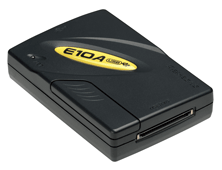 | HS0005KCU02H Image 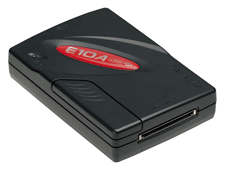 | HS0005KCU14H Image 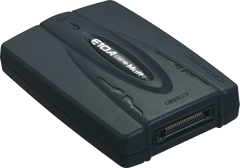 |
| MCUs |
| ・Multi-core MCUs of SuperH RISC engine Family | |
Notes
- The H-UDI (User Debugging Interface) is an interface compatible with the Joint Test Action Group (JTAG) specifications.
- The AUD (Advanced User Debugger) trace is the large-capacity trace function that is enabled when the AUD pins are connected to the emulator. When an event that starts trace acquisition occurs, the trace information is output in realtime from the AUD pins. For more details, refer to On-Chip Debugger Functional Overview (PDF | English, 日本語).
Support
Support Communities
- Technical Support Request: Flashing SH726306200FP via E10A-USB Emulator
Hi Team. I am currently developing with the SH2A series MCU and am seeking guidance on the flash programming process using the E10A-USB emulator. As I am new to this specific controller, I would also appreciate recommendations for any alternative flashing methods or tools that might be more streamlined ...
Apr 29, 2026 - How do you disable watchdog on SH3 7706 via Workbench when debugging w/ E10a-USB
I could probably go in and tweak the register every session as it is memory mapped, but is there some setting in the Embedded Workbench to do that for all debugging sessions? I haven't been able to find it if there is. I'm using version 4.0.
Nov 21, 2019 - Error while connecting the E10A- USB Emulator and SH72531 to PC
Hi, I am using SH72531 and I have an E10A USB emulator (HS0005KCU02H). I am following the process given in Renesas SuperH Family E10A-USB Emulator User’s Manual. But whenever I try to connect the SH72531 and E10A USB Emulator to the host (Desktop PC), I am getting the ...
Oct 11, 2017
Knowledge Base
- What is the cause if I use E10A USB and it will not run whether I select MCU?
H8SX/1651 Group:This message is displayed when the EMLE pin on the H8SX/1651 Group MCU is set to low. When using the E10A-USB, make sure the EMLE pin on the H8SX/1651 Group MCU is set to high. SH7080 Series, SH7146 Series, SH7149 Series ...
Apr 13, 2011 - How to change device group after "Setup tool for E10A-USB Emulator"?
... allows you to install additional device group to the E10A-USB emulator. Device Group Addition is software product allows another device group available with the E10A-USB emulator. It is offered in CD-ROM, and varies with the group of device. Since one E10A-USB emulator needs one license tool ...
Sep 10, 2007 - Why do error occur after the programming is completed using E10A-USB?
This is most likely caused by the selection of [Reset CPU after download module] in the [Debug settings], which should not be selected (no check) when using the Writing Flash Memory Mode.To make sure [CPU reset after download] is not selected, go to the menu and select [Debug], then ...
Jul 24, 2008

Support Communities

