Get started with Renesas 365

Renesas 365 helps you discover, select, and develop with MCUs in one connected workflow.

New to Renesas 365?

You'll create your Renesas 365 workspace and need to sign in or register a Renesas account first.

Already have a Renesas365 workspace?

Sign in with your Renesas account to access your existing Renesas 365 workspace.

New to the platform or want a deeper look at what's available?

Explore the Renesas 365 Documentation

Frequently asked questions

Get answers to your most common questions about our platform

A Renesas 365 workspace is a dedicated environment for hosting and managing solutions and related content. It's also a shared space where you can collaborate with others by inviting teammates to work together on solutions.
Renesas 365 is built for engineers and cross-functional teams developing embedded systems with Renesas solutions. It supports hardware, software, and system designers who need a connected workflow, from silicon selection through development and collaboration in a shared environment.
A Renesas 365 workspace supports unlimited team members. You can invite as many people as you need to collaborate in the same shared workspace.
Renesas 365 enables system-aware MCU discovery, connected hardware and firmware workflows, seamless navigation between schematic and firmware configuration, and collaboration around a shared, persistent design context.
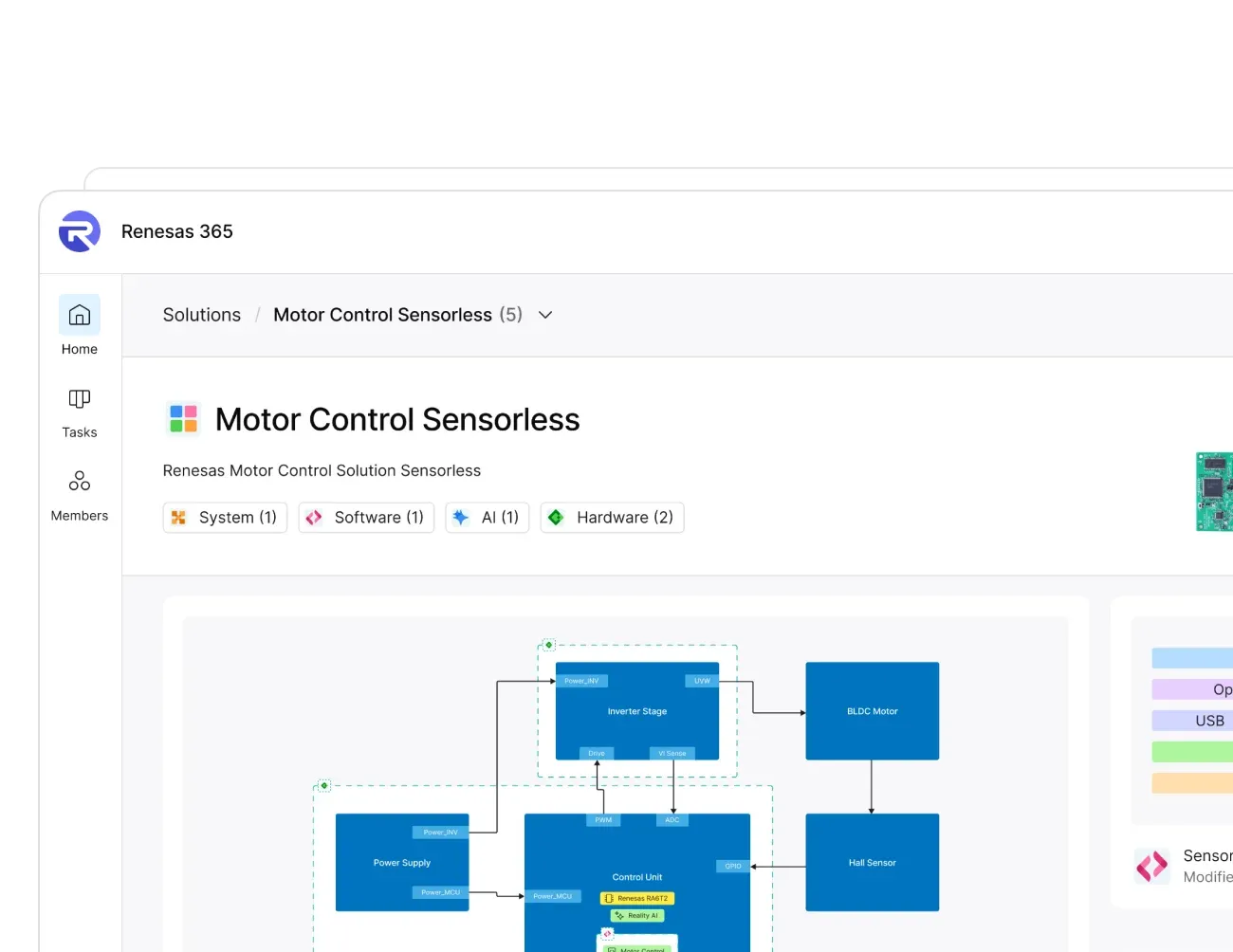
A solution in Renesas 365 groups all related design projects for a product in one place. It can include a system design for high-level architecture, a PCB project for hardware, software projects created in a web IDE or e² studio, and AI models used in smart embedded applications.
Yes. You can connect your existing e² studio project to a Renesas 365 solution in minutes. Just follow the steps provided on the home page of your Renesas 365 workspace.