
Overview
Description
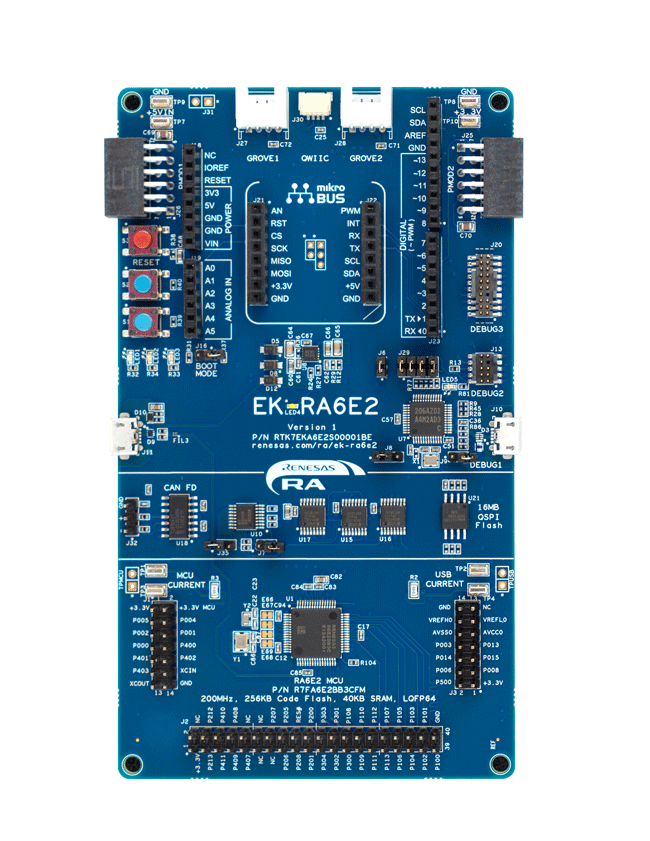
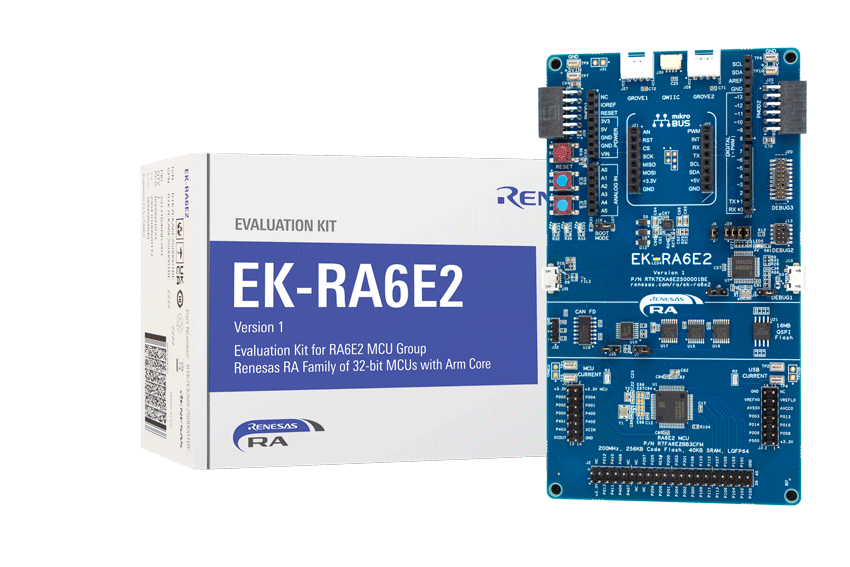
The EK-RA6E2 evaluation kit enables users to effortlessly evaluate the features of the RA6E2 MCU Group and develop embedded systems applications using Renesas' Flexible Software Package (FSP) and e2studio IDE. Utilize rich on-board features along with your choice of popular ecosystem add-ons to bring your big ideas to life.
Getting Started
Running the Quick Start Example Project
- The EK-RA6E2 board comes pre-programmed with a quick start example project (source code provided in the EK-RA6E2 example project bundle).
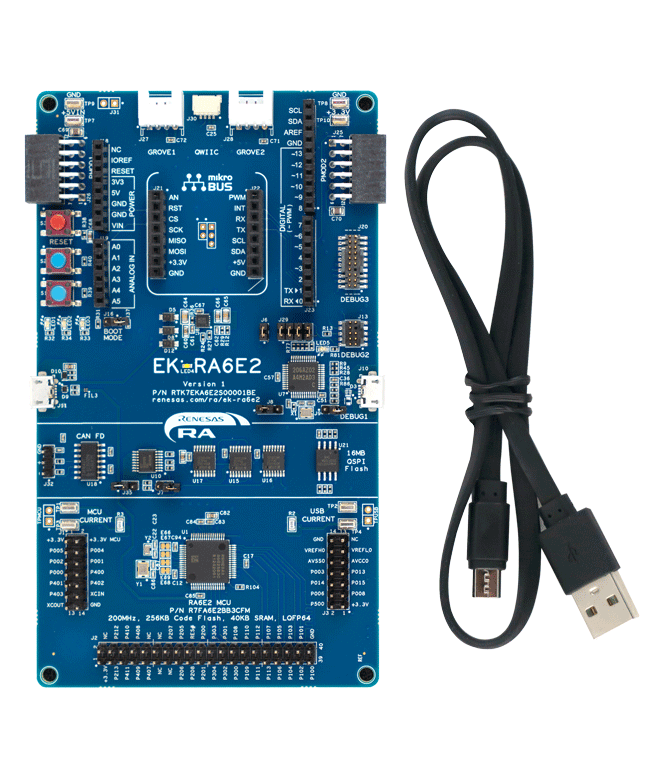
- Power up the EK-RA6E2 board through the USB debug port (J10) using the micro USB device cable connected to a 5V power source. The white power LED will light up.
- The quick start example project will begin to execute blinking the blue user LED.
- Refer to the EK-RA6E2 Quick Start Guide to explore additional functionality of the quick start example project.
Developing Embedded Applications
- Modifying the quick start example project – refer to the EK-RA6E2 Quick Start Guide for instructions on importing, modifying, and building the Quick Start example project.
- Start with one of the many other example projects (provided in the EK-RA6E2 example project's bundle) – choose from many example projects to learn about different peripherals of the RA6E2 MCU group. These example projects can serve as excellent starting points for you to develop your custom applications.
Building Custom Hardware
- Start by building a functional prototype - utilize the EK-RA6E2 board with your choice of ecosystem add-ons.
- Build custom hardware – develop custom hardware by referring to the design and manufacturing information provided in the EK-RA6E2 design package.
Features
- Special Feature Access:
- 32MB external Quad-SPI Flash
- CAN FD
- MCU Native Pin Access:
- R7FA6E2BB3CFM MCU
- 200MHz, Arm Cortex®-M33 core
- 256KB Code Flash, 40KB SRAM
- 64 pins, LQFP package, 10mm x 10mm x 1.70mm, 0.5mm pitch
- Native pin access through prototype friendly male headers
- MCU and USB current measurement points
- Ecosystem & System Control Access:
- USB Full Speed device
- Multiple 5V input sources
- USB (debug, full speed)
- External power supply
- SEGGER J-LinkTM on-board programmer and debugger
- Debug modes:
- Debug on-board (SWD) – via J-Link
- Debug out (SWD) – via J-Link
- Debug in (ETM, SWD & JTAG) – via J-Link, Arm® Keil® ULINKTM, IAR I-jetTM, Renesas E2/E2 Lite, etc.
- User LEDs and buttons:
- Three user LEDs (red, blue, green)
- Power LED (white) indicating availability of regulated power
- Debug LED (yellow) indicating the debug connection
- Two user buttons
- One reset button
- Five most popular ecosystem expansions:
- MikroElektronika™ mikroBUS connector
- SparkFun® Qwiic® connector
- Two SeeedGrove® system (I2C and analog) connectors
- Two Digilent Pmod™ (SPI and UART) connectors
- Arduino™ (UNO R3) connector
- MCU boot configuration
Applications
Documentation
|
|
|
|
|---|---|---|
| Type | Title | Date |
| Quick Start Guide | PDF 1.32 MB 日本語 | |
| Manual - Development Tools | PDF 1.35 MB 日本語 | |
| PCB Design Files | EK-RA6E2 v1 - Design Package
|
|
| Application Note |
PDF
661 KB
The EK-RA6E2 example project shows how to write code for various Renesas Flexible Software Package (FSP) modules supported by the EK-RA6E2 kit. The Flexible Software Package provides an optimized, easy-to-use, scalable, and high-quality software solution for embedded system design.
|
|
| Quick Start Guide |
PDF
2.70 MB
Provides the fundamental knowledge needed to port example projects from one RA kit to another. It then demonstrates these principles by explaining how to port three example projects of varying levels of complexity from the MCK-RA4T1 to the FPB-RA4T1.
|
|
| Flyer | PDF 412 KB | |
| Flyer | PDF 463 KB 日本語 | |
| Presentation | PPS 15.63 MB | |
| Report | PDF 187 KB 日本語 | |
9 items
|
||
Design & Development
Software & Tools
Software & Tools
| Software title
|
Software type
|
Company
|
|---|---|---|
| RA Flexible Software Package (FSP) FSP is an enhanced software package designed to provide easy-to-use, scalable, high-quality software for embedded system designs using Renesas RA Family of Arm Microcontrollers.
Note: FSP with e² studio Installer (Platform Installer) will install the e² studio tool, FSP packs, GCC toolchain, and Segger J-Link drivers required to use this software. No additional installations are required.
|
Software Package | Renesas |
| Renesas Flash Programmer (Programming GUI) Flash memory programming software [Support MCU/MPU and devices: RA, RE, RX, RL78, RH850, RISC-V MCU, Renesas Synergy, DA1453x, DA1459x, DA1469x, DA1470x, DA148xx, Power Management, Renesas USB Power Delivery Family, ICs for Motor Driver/Actuator Driver, V850, 78K0R, 78K0]
|
Programmer (Unit/SW) | Renesas |
2 items
|
||
Sample Code
Sample Code
Filters
|
||
|---|---|---|
| Type | Title | Date Date |
| Sample Code | EK-RA6E2 Example Project Bundle
[Software=RA FSP],[Board=EK-RA6E2]
ZIP
15.58 MB
IDE:
e2 studio/GCC/AC6, IAR, Keil MDK
The EK-RA6E2 example project shows how to write code for various Renesas Flexible Software Package (FSP) modules supported by the EK-RA6E2 kit. The Flexible Software Package provides an optimized, easy-to-use, scalable, and high-quality software solution for embedded system design.
|
|
| Sample Code | RA FSP Example Project Porting Guide
Provides the fundamental knowledge needed to port example projects from one RA kit to another. It then demonstrates these principles by explaining how to port three example projects of varying levels of complexity from the MCK-RA4T1 to the FPB-RA4T1.
|
|
| Sample Code | Security Design with Arm® TrustZone® using Cortex-M33
|
|
3 items
|
||
Related Boards & Kits
Boards & Kits
Fast Prototyping Board for RA6E1 MCU Group
The RA6E1 Fast Prototyping Board comes equipped with an R7FA6E10F2CFP microcontroller and is an evaluation board specialized for prototype development for a variety of applications. It has a built-in SEGGER J-Link™ emulator circuit so you can write/debug programs without additional tools. In... Read More
Product Options
| Part Number | Status | Stock | Budgetary Price (USD) | Sampleable |
|---|---|---|---|---|
| RTK7EKA6E2S00001BE | Active | In Stock | 1u | $77.65 | Available |
Videos & Training
Kickstart IoT and embedded systems development using Renesas EK-RA6M5, EK-RA6M4, and EK-RA6M3 evaluation kits for the RA6 MCU series. This video provides an overview of the kit architecture, key features, a quick start example project, and many useful resources to begin innovating quickly with Renesas RA MCUs.
Additional Videos
News & Blog Posts
Blog Post Apr 5, 2022 |
Blog Post Jan 28, 2022 |
Blog Post Jan 28, 2022 |
Blog Post Nov 18, 2021 |
Blog Post Nov 11, 2021 |
Certifications
The EK-RA6E2 kit meets the following certifications/standards. Refer to the EK-RA6E2 user manual for the disclaimer, precautions and more details on the certifications.
EMC/EMI Standards
- FCC Notice (Class A) – Part 15
- Innovation, Science and Economic Development Canada ICES-003 Compliance: CAN ICES-3 (A)/NMB-3(A)
- CE Class A (EMC Directive 2004/108/EEC)
- Taiwan Chinese National Standard 13438, C6357 compliance, Class A limits
- Australia/New Zealand AS/NZS CISPR 32:2015, Class A
Material Selection, Waste, Recycling, and Disposal Standards
- EU RoHS
- China SJ/T 113642014, 10-year environmental protection use period
Safety Standards
- UL 94V-0
Partners

Zephyr Project
The Zephyr Project is an open-source, scalable real‑time operating system (RTOS) designed for resource-constrained embedded systems and supports a wide range of hardware architectures and development boards. For the Renesas RA6E2 Evaluation Kit, Zephyr provides focused documentation covering board features, supported peripherals, and basic build, flashing, and debugging workflows to help developers quickly get started.
Support
Support Communities
- RA6E2 SCI Simple I2C mode polling-driven receive workflow
Good day dear Renesas engineers! I'm trying to implement bare-metal polling-driven code for simple I2C mode of SCI module using EEPROM click board and EK-RA6E2 Mikrobus socket. I successfully implemented the transmission part, the baud rate and bytes are transferred successfully to my EEPROM slave device ...
Dec 23, 2025 - FPB-RA6E1 USB CDC
... I have a problem to properly configure the PCDC module in e2 studio. I have tried to port a few examples from different boards (ex. ek-ra6e2). It builds and debug ok but phisicaly do not work (the board is not detected when i plug in the USB cable). Recently ...
Apr 20, 2023 - FPB-RA6E1 and USB CDC
... I have a problem to properly configure the PCDC module in e2 studio. I have tried to port a few examples from different boards (ex. ek-ra6e2). It builds and debug ok but phisicaly do not work (the board is not detected when i plug in the USB cable). Recently ...
Apr 25, 2023

Support Communities


